

SQL is powerful, but sometimes you just want to browse. You know the tables involved, you know the columns you care about, but spelling out a four-table JOIN with the right aliases from memory is friction. v0.4.0 ships a Visual Query Builder to handle exactly that.
The Problem with Form-Based Builders
Most visual query builders become useless the moment you need a non-trivial JOIN or an aggregate. They limit you to what the UI anticipates. We wanted something more honest: a tool that generates real SQL you can then edit freely.
Drag, Connect, Generate
The Visual Query Builder opens in a dedicated tab alongside the SQL editor. Drag your tables onto the canvas. Click a column on one table and drag to a column on another — a JOIN condition appears. Select which columns to include, set filters, pick aggregates.
The builder generates a valid SQL query in real time. Switch to the editor tab, tweak what you need, and run it. The visual step is a starting point, not a cage.
Zoom, Pan, and Full Control
Large schemas need room. The canvas supports zoom and pan so you can work with complex diagrams without losing context. Tables snap to a grid; connections route automatically. Nothing gets in the way of understanding.
Once the SQL is generated, you own it. Tabularis doesn't try to round-trip edits back to the visual representation. Edit the query freely and run it.
Finding Tabularis useful? Star it on GitHub — it takes a second and helps more developers discover the project. Star on GitHubMultiple Tabs, Finally
The tab system was the other major addition in v0.4.0. Before this release, the editor was a single pane. Now you can open as many tabs as you need, name them, and rearrange them. Closing the app saves your tabs; reopening restores them.
Each tab is fully isolated — its own query, its own results, its own pagination state. You can keep a builder tab open next to a hand-written query without them interfering.
It sounds basic, but working across multiple queries simultaneously is a fundamental part of how database work actually happens. This change made Tabularis feel like a proper tool.
What's Next
The visual builder covers the common case well. Future iterations will handle subqueries and CTEs in the canvas. For now, the handoff to the SQL editor is clean enough that there's no real gap.
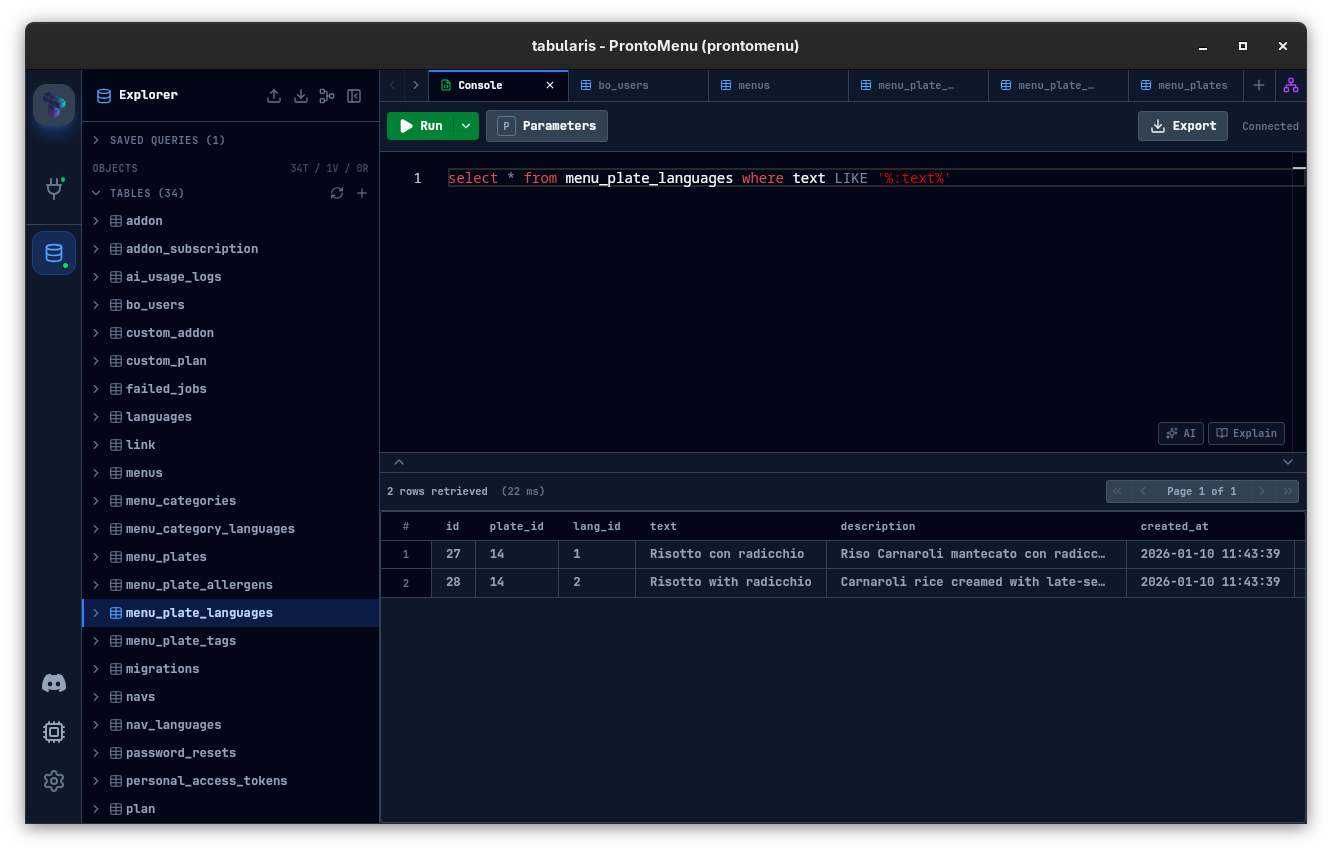 Multi-tab SQL Editor with Data Grid — each tab has its own isolated query, results, and state.