

Reading your schema was always possible. v0.5.0 makes it writable. The sidebar — already a useful navigator for tables and columns — becomes a full editor in this release. You can now create, modify, and delete schema objects without writing a single line of DDL.
Inline Editing
Click a table name in the sidebar to expand its columns. Click a column to edit its type, constraints, or default value inline. Tabularis generates the correct ALTER TABLE statement behind the scenes and runs it.
For quick fixes — correcting a typo in a column name, changing a varchar length — this is significantly faster than switching to the SQL editor, writing the DDL, and running it manually.
The Create Table Wizard
For new tables, a guided wizard walks you through name, columns, types, nullable flags, defaults, and primary key selection. Each step shows a preview of the generated SQL. You can accept the output as-is or copy the SQL and customize it in the editor.
Indexes and Foreign Keys
v0.5.0 adds dedicated panels for index management and foreign key relationships. Add a composite index, set a partial index condition, or configure a foreign key with cascade rules — all through a form that validates your input before generating the DDL.
No more looking up ON DELETE CASCADE syntax. The form has your back.
Multi-Row Selection
The data grid gains multi-row selection in this release. Select several rows with Shift+Click or Ctrl+Click, then delete them all at once or copy them to the clipboard. A select-all checkbox in the column header handles the full result set.
Small feature, significant quality-of-life improvement when cleaning up test data or doing bulk exports.
Finding Tabularis useful? Star it on GitHub — it takes a second and helps more developers discover the project. Star on GitHubER Diagrams
v0.5.0 also ships auto-generated ER diagrams. Open the diagram view and Tabularis draws your entire schema as an interactive graph — tables as nodes, foreign keys as edges. Zoom, pan, switch to fullscreen.
It's the clearest way to understand an unfamiliar database at a glance, and it updates automatically as you make schema changes.
Schema work used to mean context-switching to a terminal or opening another tool. v0.5.0 closes that loop.
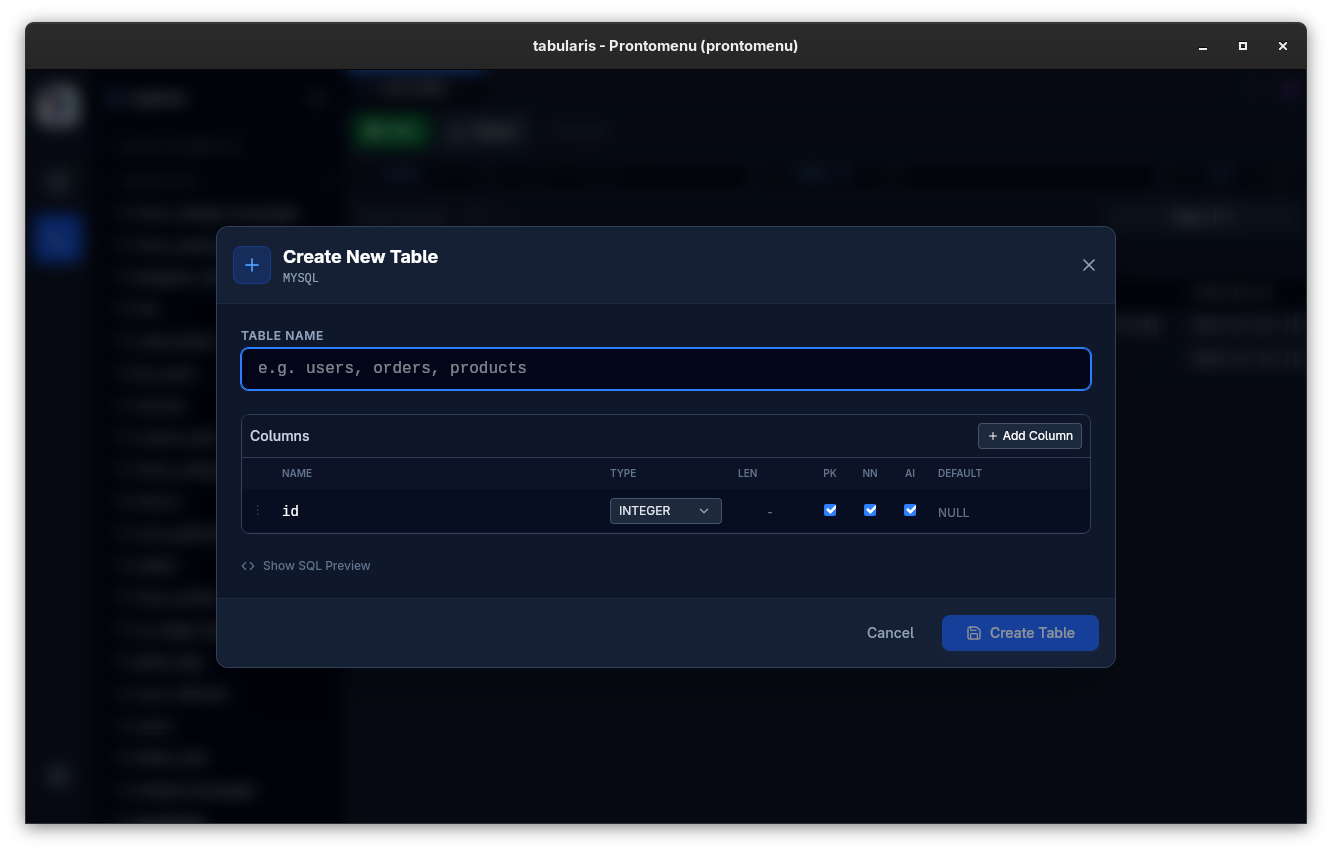 Create Table Wizard — define columns, types, and constraints with a live SQL preview.