

Two things in v0.6.0 aren't flashy, but they matter more than most feature launches. System keychain integration fixes the nagging security concern of storing database passwords in a config file. Internationalization makes Tabularis accessible in three languages from day one.
The Problem with Stored Credentials
Until v0.6.0, connection credentials lived in a local JSON config file. Encrypted? No. Readable by any process with filesystem access? Yes. Acceptable for early prototypes, not acceptable for a tool that stores production database passwords.
v0.6.0 integrates with your operating system's native keychain:
- macOS: Keychain Access
- Windows: Windows Credential Manager
- Linux: libsecret / GNOME Keyring or KWallet
When you save a connection, the password goes to the keychain — not the config file. When you reconnect, Tabularis retrieves it through the OS secure API. You don't see the handoff; it just works.
API keys for AI providers follow the same pattern. Configure an OpenAI or Anthropic key in Settings and it lives in the keychain, never in a settings JSON file on disk.
Three Languages
Tabularis v0.6.0 ships the full UI in English, Italian, and Spanish. Language detection is automatic based on your system locale, with a manual override in Settings.
Internationalization is unglamorous work — every string needs to be extracted, every plural form handled correctly, every date format adapted. But it's a multiplier: users who were blocked by a language barrier can now use the app.
More languages are planned. If you'd like to contribute a translation, the i18n files are straightforward JSON — no build step, no toolchain to set up.
Tab Context Menu
A smaller addition from this release: right-clicking an editor tab opens a context menu with Rename, Close, Close Others, and Close All. The kind of polish that makes the editor feel like a proper application rather than a prototype.
Finding Tabularis useful? Star it on GitHub — it takes a second and helps more developers discover the project. Star on GitHubWhat This Signals
Neither keychain integration nor i18n is a shiny demo feature. They're infrastructure. Getting them right in v0.6.0 means future releases can focus on capabilities rather than catching up on correctness. That was the point.
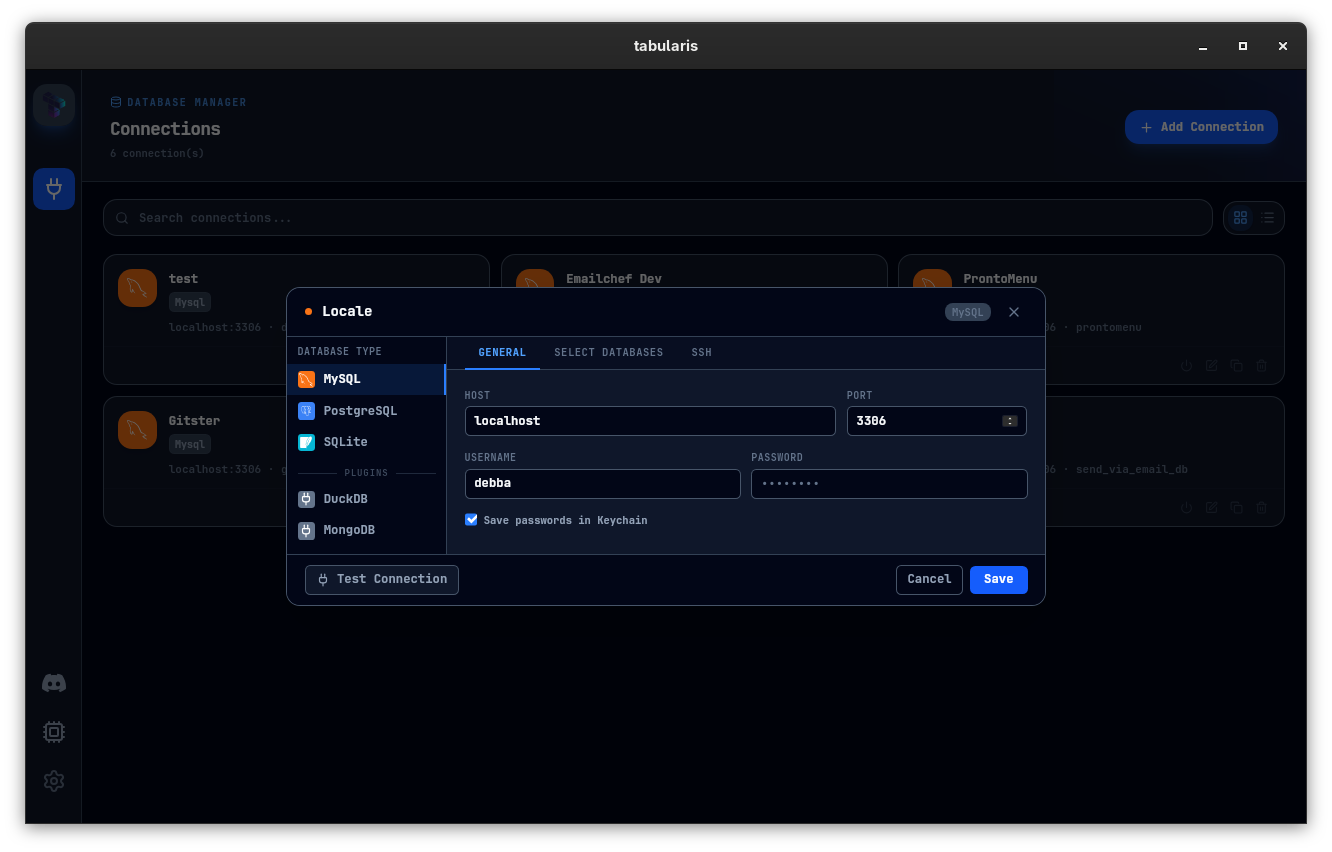 Connection Setup — passwords entered here are stored in the OS keychain, never in a config file.