


Tabularis is worth testing as a TablePlus alternative if you want an open-source, cross-platform SQL workspace instead of a more traditional proprietary database client.
The strongest angle is not "same product, cheaper". It is "different product direction for teams that want more than clean query tabs".
Quick answer
If you are comparing Tabularis and TablePlus, the deciding factor is usually not whether the tool looks clean. Both aim for a modern desktop feel.
The bigger question is whether you want:
- a polished proprietary database client with a familiar workflow, or
- an open-source, extensible SQL workspace with notebooks, plugins, and an AI-native direction
Why Teams Look Beyond TablePlus
TablePlus is popular because it feels faster and cleaner than many older database tools. That is a real advantage.
But some teams eventually want more than a nice query tab:
- better support for reusable SQL analysis
- a more open extensibility model
- stronger Linux story
- an open-source foundation they can inspect and contribute to
That is where Tabularis becomes interesting.
Where Tabularis Stands Out
Open source and local-first
Tabularis is positioned as an open-source desktop workspace. If your team prefers transparent tooling and wants to avoid locking a core database workflow inside a closed product, this matters.
Cross-platform coverage
For teams split across Windows, macOS, and Linux, Tabularis is a cleaner strategic fit than tools that feel stronger on some operating systems than others.
SQL notebooks
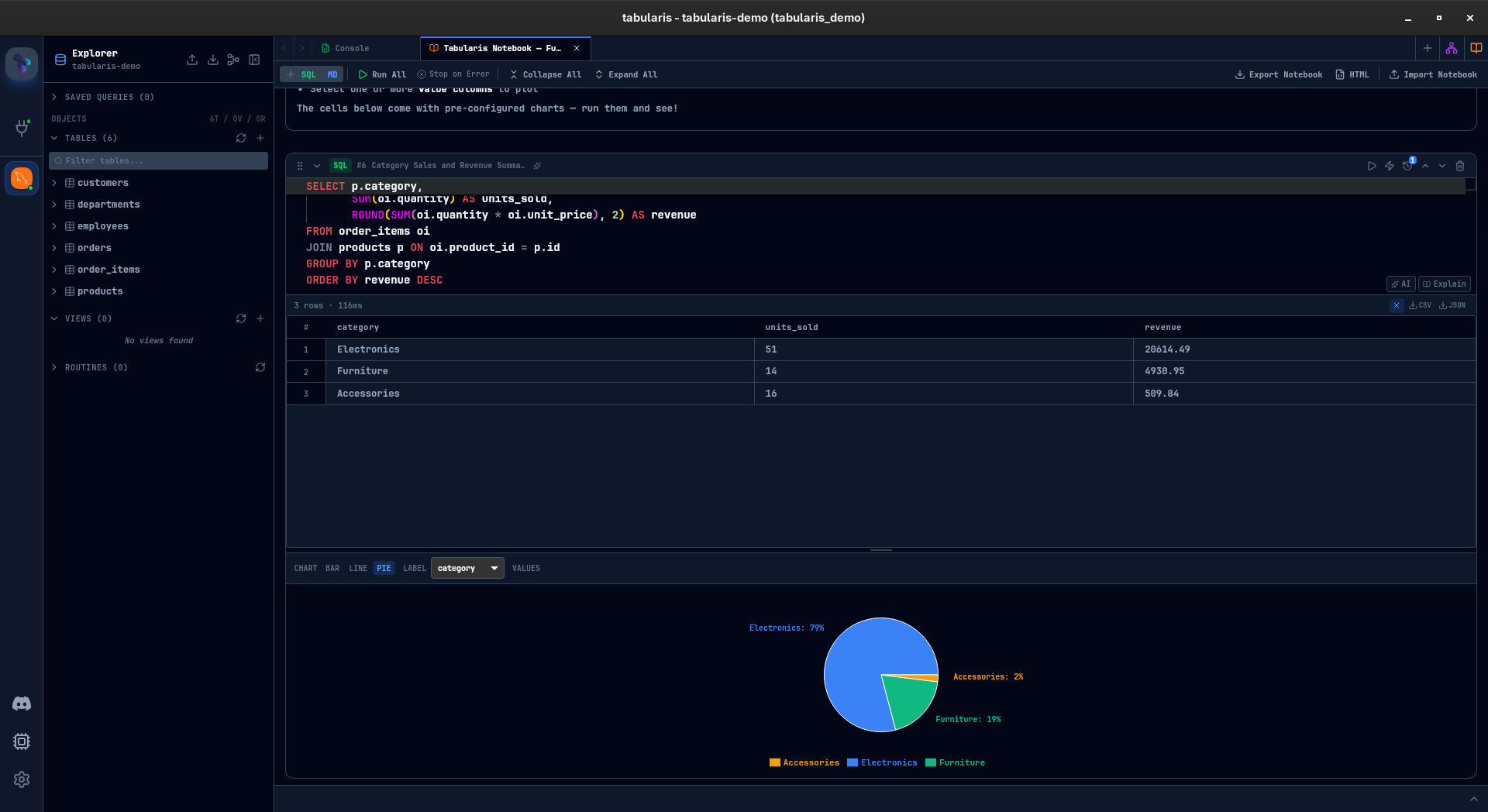
Tabularis goes beyond traditional query tabs with notebooks that combine SQL cells, markdown, inline results, and charts.
Plugin-based extensibility
If database support or workflow customization matters, the plugin system gives Tabularis a more open growth path.
MCP and AI workflows
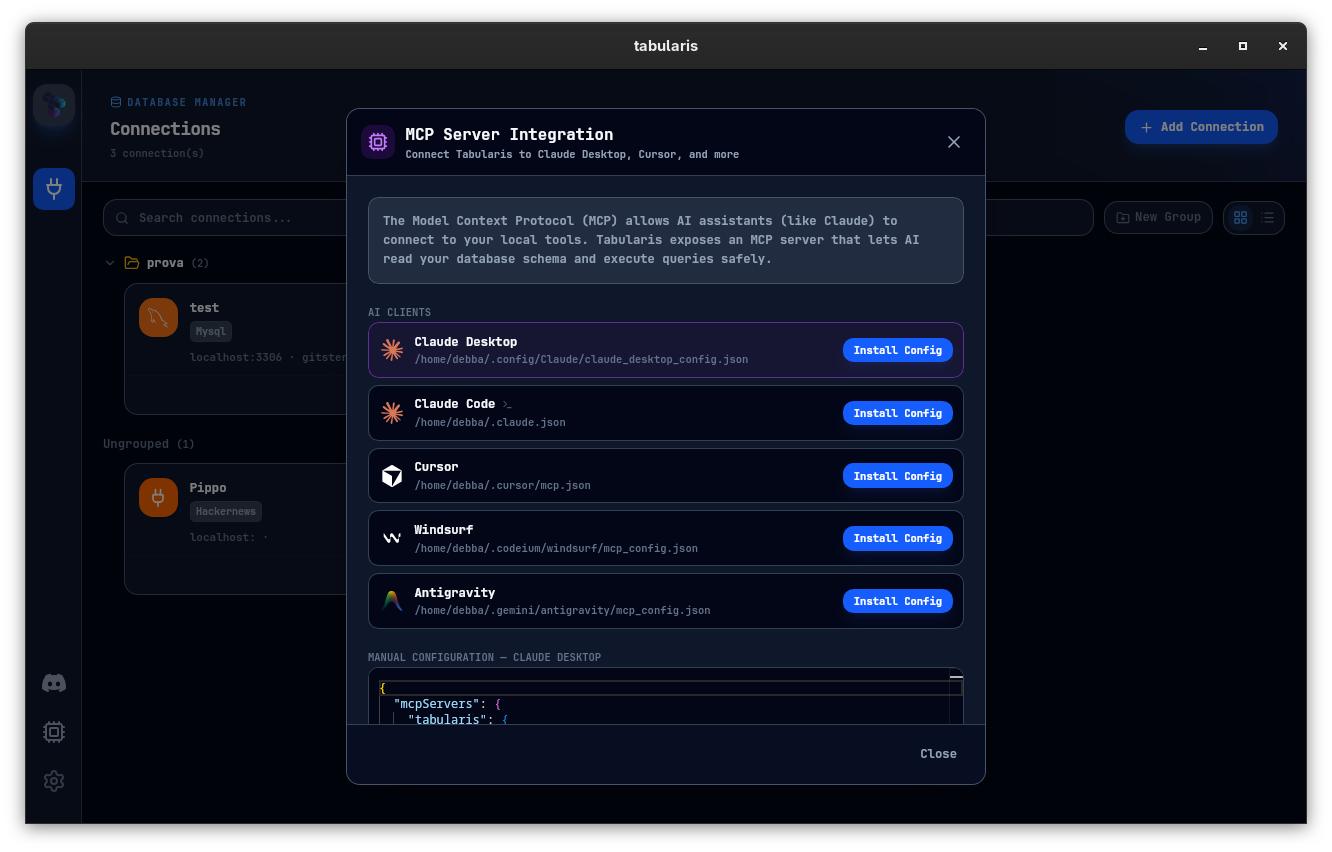
Tabularis is explicitly moving toward AI-native workflows through MCP support and schema-aware database access.
Best fit
- cross-platform teams working across Windows, macOS, and Linux
- developers who want an open-source database client
- teams interested in notebooks, plugins, or MCP workflows
- users who want a broader SQL workspace rather than only a polished query surface
Not the best fit
- teams fully standardized on a proprietary workflow and happy with it
- users who only care about a classic query-and-edit flow
- buyers who do not value openness or extensibility
When TablePlus May Still Be the Better Fit
TablePlus may still be a better fit if you mainly want:
- a simple, polished traditional database GUI
- a narrower workflow centered on manual query execution
- a product your team already standardized on
When Tabularis Is Worth Testing
Evaluate Tabularis if your team wants:
- an open-source alternative
- stronger Linux parity
- reusable SQL analysis instead of only query tabs
- plugin extensibility
- a path toward AI-assisted database workflows
Suggested Evaluation
Run the same three tasks in both tools:
- connect to a shared staging database — Tabularis can import your saved TablePlus connections directly (beta), so there is nothing to retype
- perform a short multi-step analysis
- test the tool in a realistic cross-platform workflow
That is usually enough to surface whether your team wants a classic database GUI or a broader SQL workspace.