


Tabularis is worth evaluating as a DBeaver alternative if your team wants a more modern, open-source SQL workflow with notebooks, plugin extensibility, and an AI-native direction.
It is not a claim that every DBeaver use case is already covered better. It is a claim that some developer-heavy workflows map better to Tabularis' product direction.
Quick answer
If you are comparing Tabularis and DBeaver, the real question is not which tool can connect to a database.
Both can do that.
The better question is: what kind of workflow do you want around the database?
Short Version
Choose Tabularis if you want:
- an open-source desktop client with a more opinionated developer workflow
- SQL notebooks as a first-class concept
- a product direction that includes MCP and AI agent workflows
- a plugin system that extends database support
- a lighter-feeling desktop experience focused on modern daily use
Choose DBeaver if you want:
- a very mature, broad, established database tool
- a workflow centered more on traditional DB administration breadth
- a tool your team may already know and standardize on
Where Tabularis Is Different
1. SQL notebooks
This is one of the clearest differences.
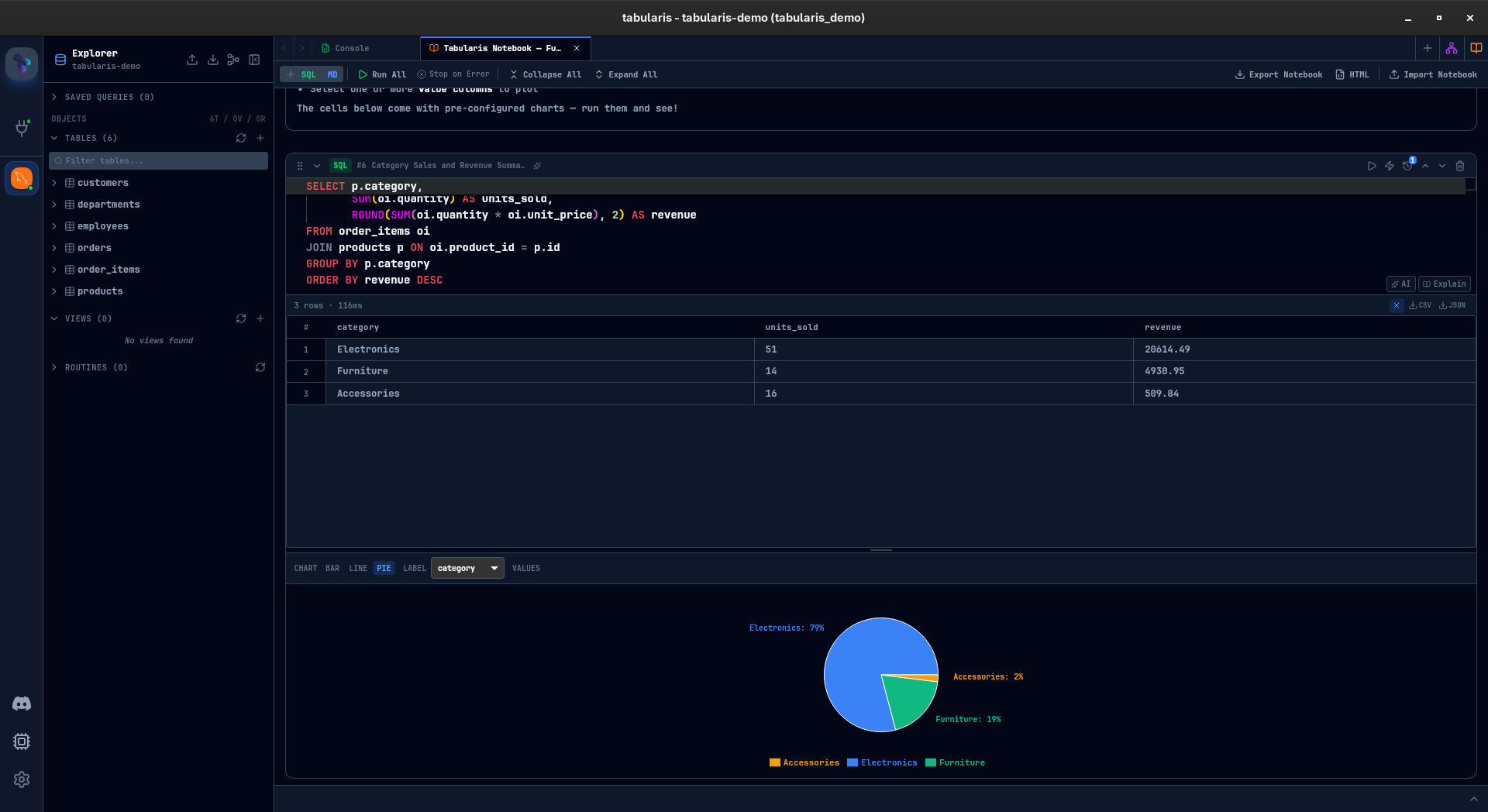
Tabularis pushes beyond the usual SQL tab model with notebooks that combine SQL cells, markdown, inline results, charts, parameters, and reusable analysis flow.
2. MCP and AI-native direction
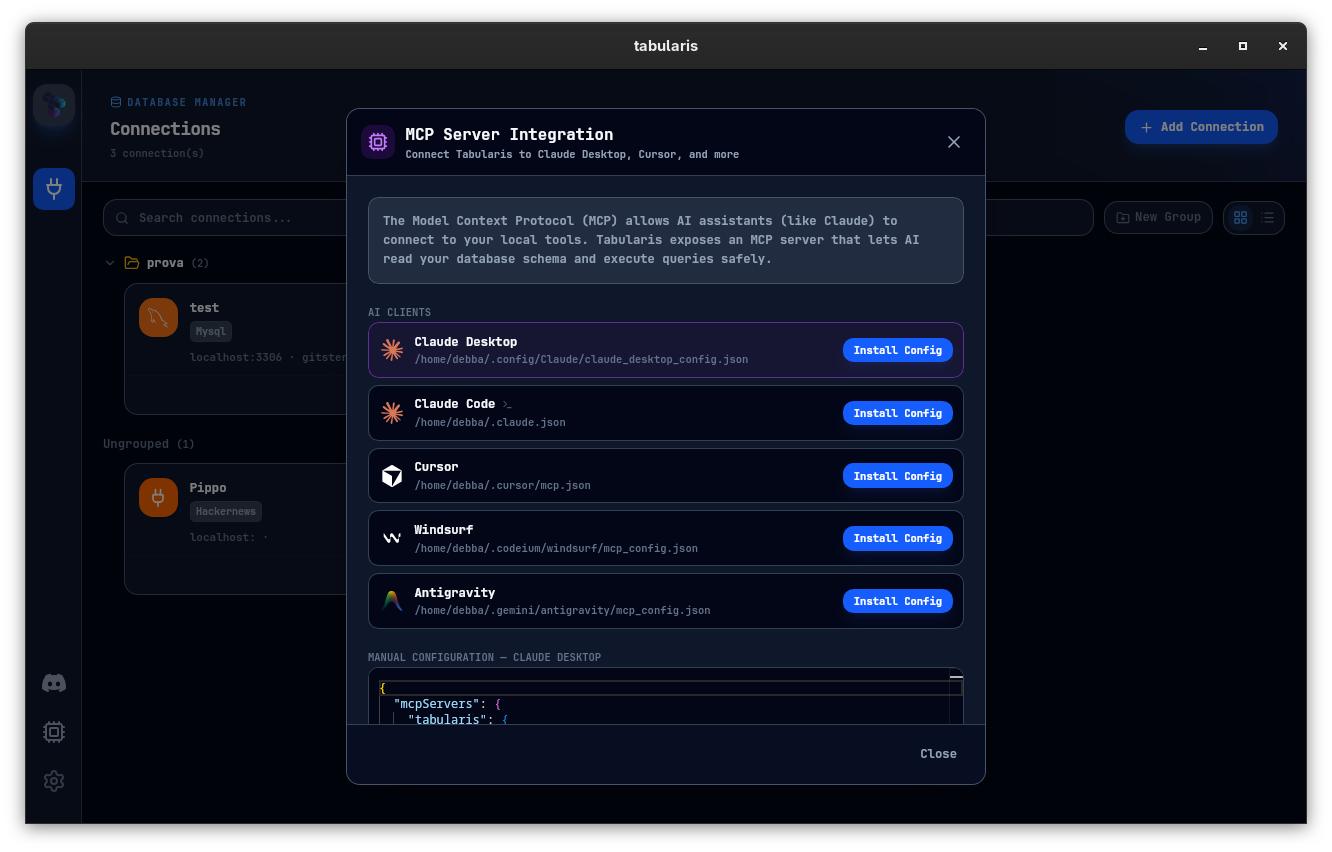
Tabularis has a stronger story for AI-native database workflows. If part of your evaluation includes Claude, Cursor, or MCP-compatible tooling, Tabularis is explicitly moving in that direction.
3. Plugin-driven extensibility
Tabularis treats extensibility as a product surface, not an afterthought. That matters if you want database support to evolve through plugins and community work.
4. Product feel
DBeaver is broad and battle-tested. Tabularis is more focused and more opinionated. For some teams, that focus is an advantage because it maps better to a developer-first workflow.
Best fit
- teams that want an open-source alternative with a fresher product direction
- developer workflows centered on PostgreSQL, MySQL/MariaDB, or SQLite
- users who care about notebooks, plugins, and MCP
- people who prefer a local SQL workspace over a classic admin surface
Not the best fit
- teams that mainly want the safest incumbent with the most established mindshare
- organizations that depend on a very broad legacy admin feature set
- buyers who are not interested in notebooks or AI-native workflows
Where DBeaver Still Wins
It would be misleading to pretend DBeaver is weak. It is established for a reason.
DBeaver currently has more mindshare, a longer history, and a broader reputation across many database admin workflows. If your main goal is "the safest known default", DBeaver still has that advantage.
Which Teams Should Evaluate Tabularis
Tabularis is especially worth testing if your team:
- wants an open-source tool with a modern UX direction
- works heavily in PostgreSQL, MySQL/MariaDB, or SQLite
- cares about reusable SQL analysis, not just one-off queries
- is exploring AI-assisted database workflows
Better Evaluation Criteria
Instead of checking feature boxes only, compare both tools on three live tasks:
- Connect to a real development or staging database — Tabularis can import your saved DBeaver connections directly (beta), so setup takes a minute instead of an afternoon.
- Run a multi-step analysis and document it.
- Test whether the tool fits your AI and automation workflow.
That is where the practical differences become obvious.