
SQL Notebooks for Database Analysis
Tabularis SQL notebooks are for teams that want to move from one-off queries to a reusable SQL analysis workflow.
They are a good fit when the work is no longer "run a query and move on", but "build an investigation, annotate it, rerun it, and share the logic later".
Why consider it
Most database clients stop at the editor.
That works for quick queries, but not for analysis that grows over time. The moment you need context, comments, parameters, charts, or a reusable sequence of steps, you are usually forced into a second tool.
Tabularis SQL notebooks are meant to close that gap. They let you keep SQL, markdown, results, and lightweight visuals in one local desktop workflow.
Best fit
SQL and markdown in the same document
Each notebook can mix SQL cells with markdown cells, so the analysis is not just executable, it is readable. That matters when the work is shared later or revisited after a few weeks.
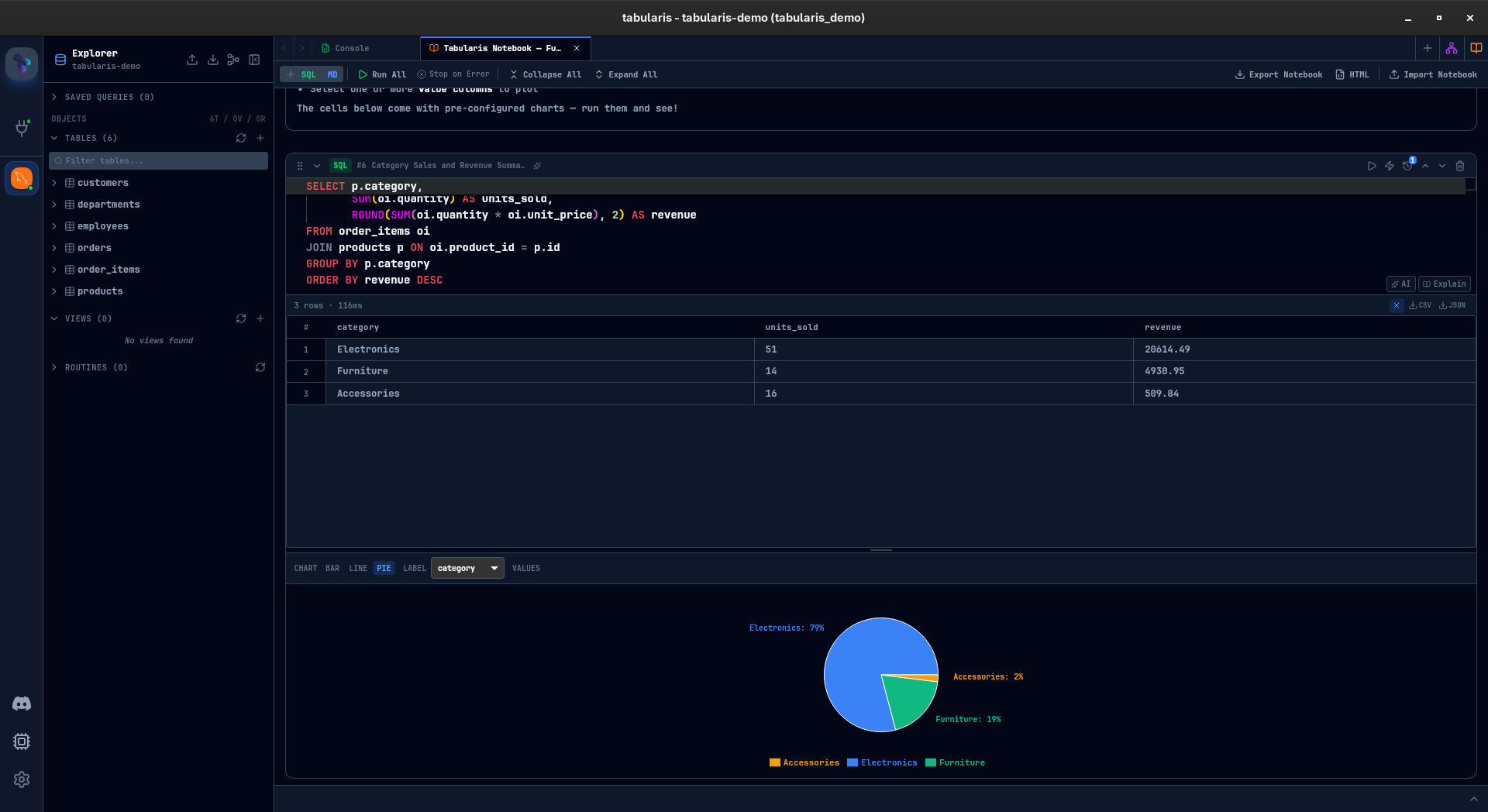
Inline results and charts
Results render directly below the cell. For quick exploratory work, that is usually enough. When you need a lightweight visual, charts can be embedded in the notebook without exporting to another app.
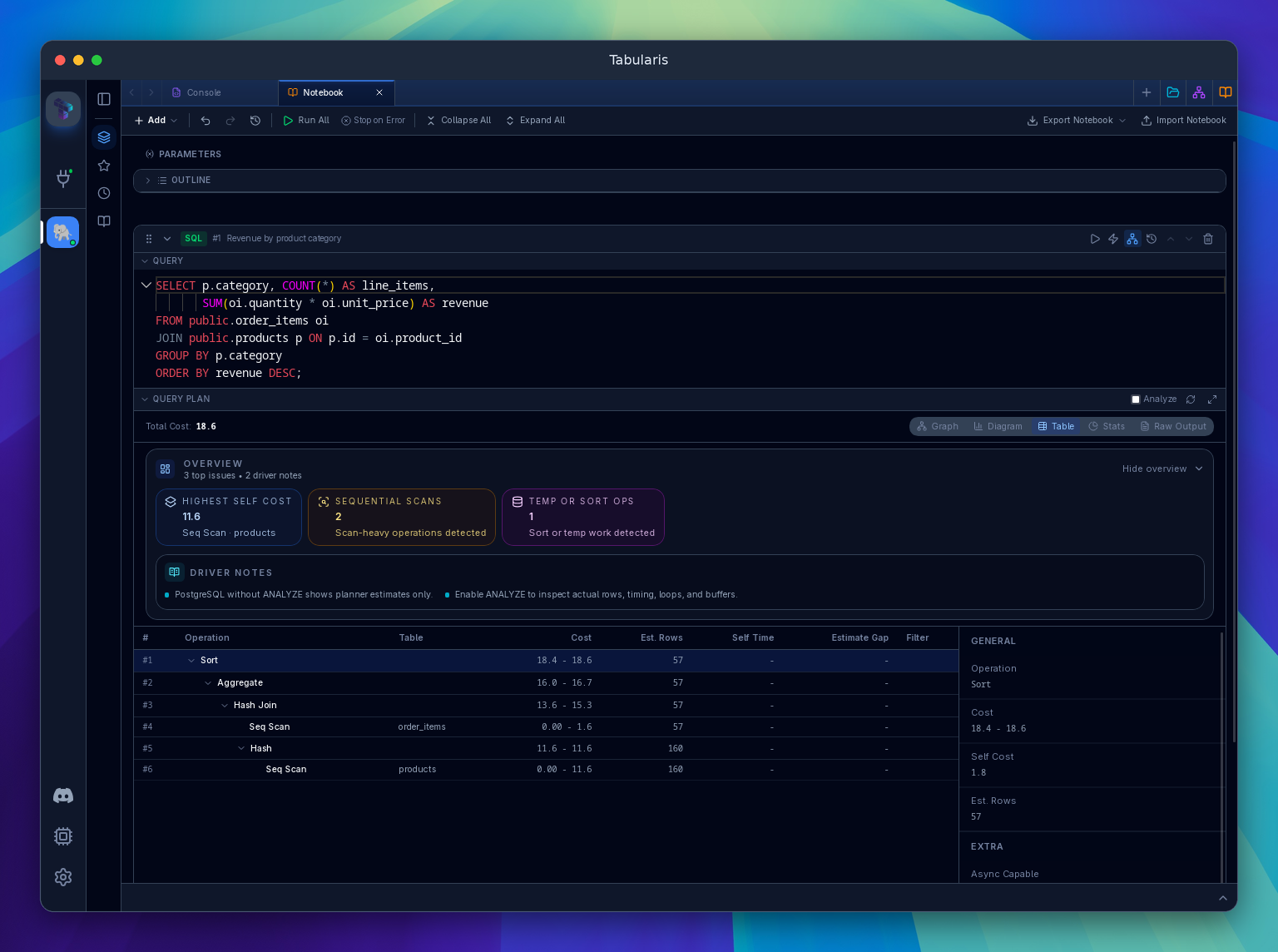
Query plans beside the SQL
Since v0.24.0, each SQL cell can show an inline, resizable Visual EXPLAIN plan when its connection supports it. The plan uses resolved parameters and cell references, and opens in the full viewer without another database request. Plain EXPLAIN runs on first opening; ANALYZE requires an explicit choice and Re-run, because it executes the query. See notebook query plans.
Parameters and reusable inputs
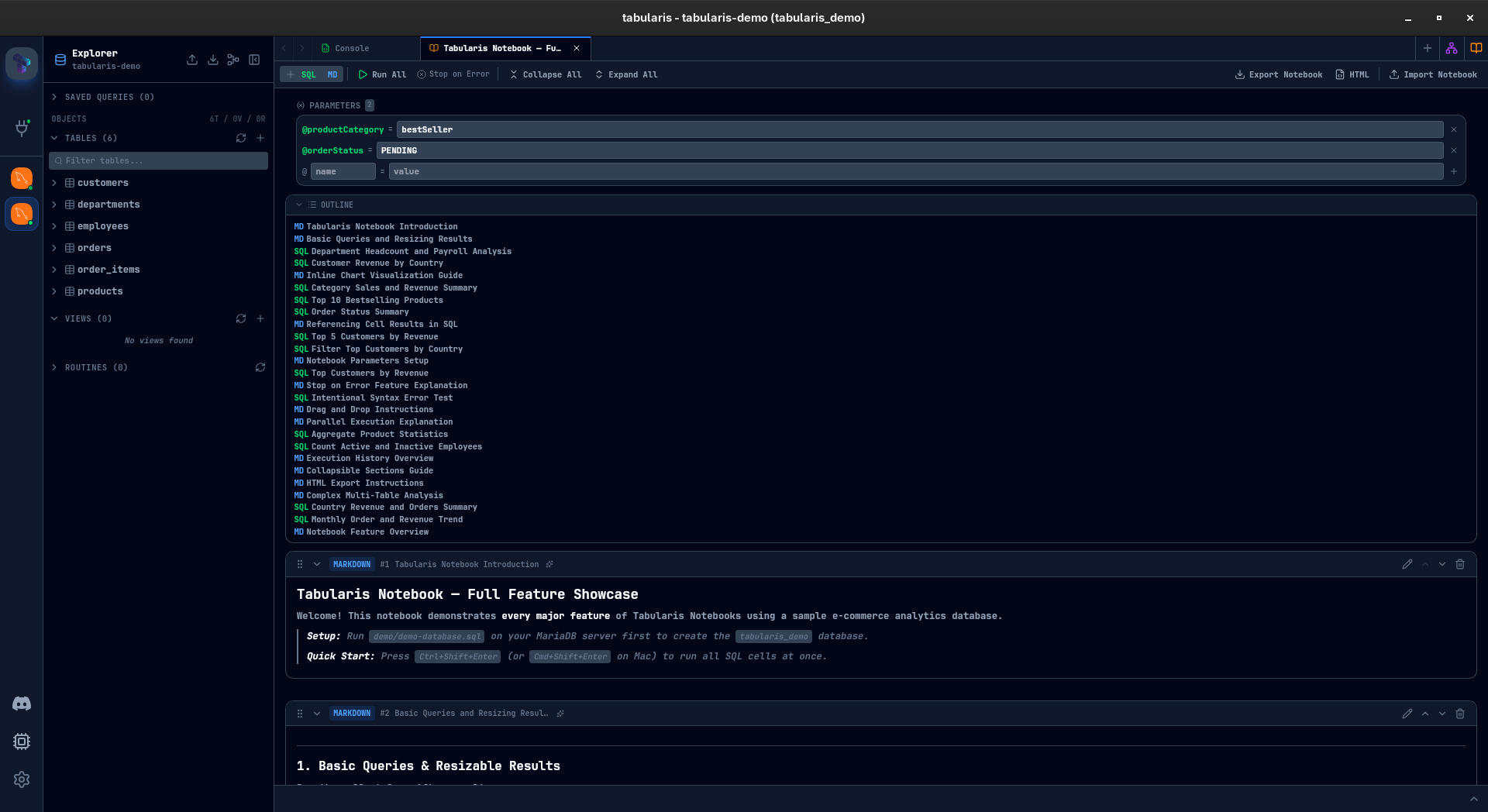
If the same notebook runs for different time windows, environments, or thresholds, parameters keep the structure stable while the inputs change.
Cross-cell workflow
Notebook work is valuable when one query leads to another. Tabularis supports multi-cell workflows and keeps the analysis chain visible instead of hiding it across separate tabs.
Not the best fit
- teams that need a full hosted BI platform
- workflows centered on Python, R, or arbitrary code execution
- users who only need a lightweight query tab and never revisit the work
A Better Fit Than Ad-Hoc Tabs
Traditional tab-based query workflows are fine for short tasks. They break down when you need:
- a repeatable sequence of queries
- documentation close to the SQL
- a narrative around the result
- a portable artifact you can rerun later
That is exactly where notebooks become more useful than a stack of disconnected tabs.
Typical Use Cases
Exploratory analysis
Start from a broad query, narrow into a segment, annotate the reasoning, then add a quick chart to validate the pattern.
Operational reporting
Build a reusable notebook with parameters for date ranges, thresholds, or customer identifiers. Run it again later without rebuilding the whole workflow.
Debugging data issues
Keep the "what happened", "what we checked", and "what the database returned" in one place instead of spreading it across a note app and a SQL client.
Why This Matters for Tabularis
This is one of the clearest differentiators in the product.
A lot of database tools can connect and run queries. Fewer tools give you a local SQL workspace that can evolve from a single query into a reusable, documented analysis flow.