
The database client your AI agent can actually use.
If you use Claude Code, Cursor, or Windsurf for day-to-day development, you've already hit this wall: the agent is great at reasoning about SQL, but it has no reliable way to see your real database. You end up pasting schemas into chat, handing it CSVs, or writing throwaway Python scripts that leak credentials and go stale the moment a table changes.
Tabularis closes that gap. It's a full-featured open-source desktop SQL client with a built-in Model Context Protocol server, so your AI agent can inspect your real schema and run queries through the same connections you already manage — without duplicating config, without pasting secrets, without building your own bridge.
The problem MCP-native solves
Most database clients were designed in a world where a human writes every query. In 2026, a lot of real SQL is drafted, iterated, and sometimes executed by an AI agent running in your editor.
Plugging those agents into your databases usually looks like one of these:
- Paste-the-schema-into-chat — lossy, manual, expensive on every turn.
- One-off Python/Node scripts with hardcoded creds — brittle, insecure, duplicates the connection setup you already did in your SQL client.
- Hosted "AI + DB" platforms — send your schema and data to someone else's cloud.
All three work until they don't. Tabularis gives you a fourth option that feels obvious once you've used it: your desktop SQL client is the bridge.
How it works
- You already use Tabularis to manage connections (PostgreSQL, MySQL/MariaDB, SQLite, or any driver via plugins), write queries, and inspect schemas.
- You run
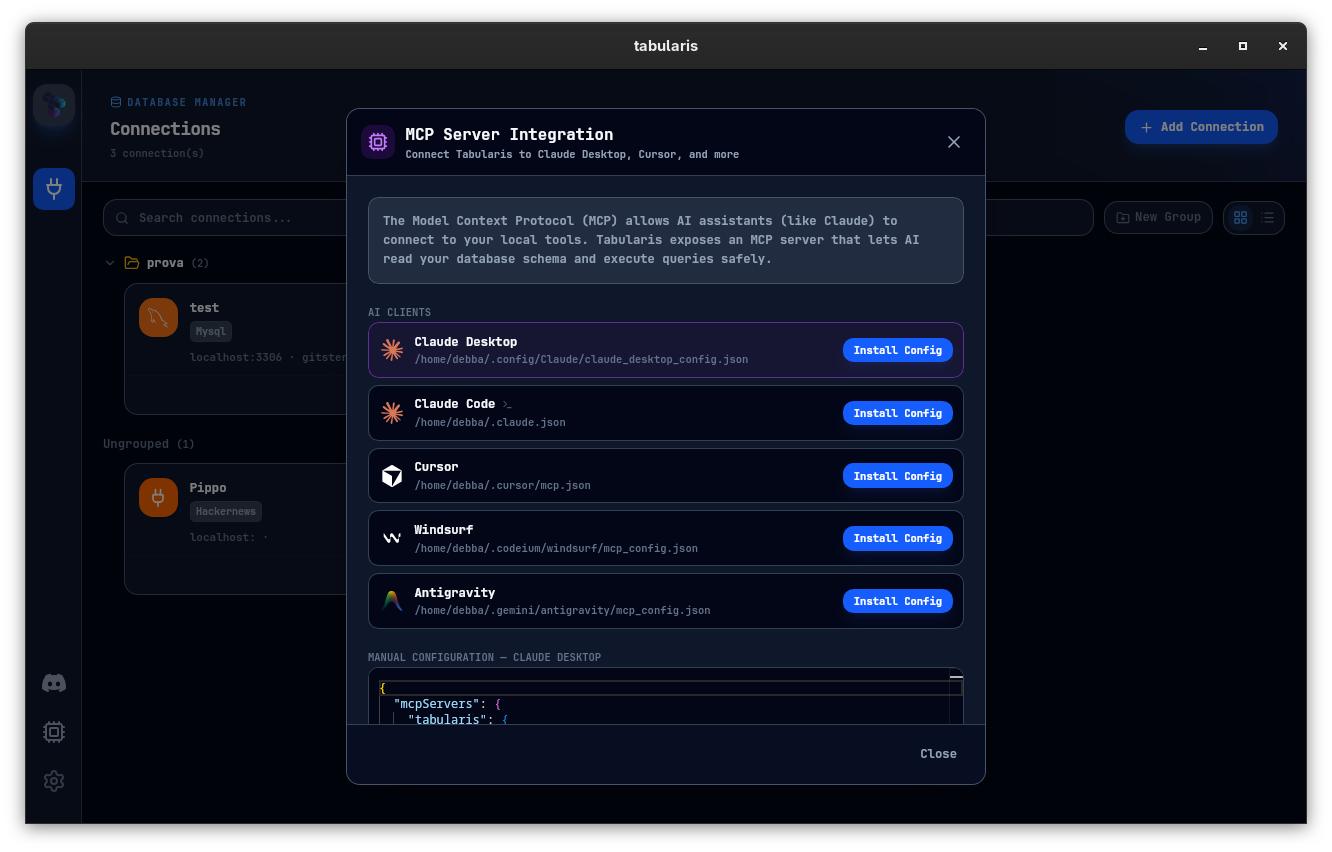
tabularis --mcp— or click Install Config inSettings → MCP Server Integration. - Claude Desktop, Cursor, or Windsurf now has access to four tools through MCP:
list_connections— enumerate your saved connections.list_tables— tables in a connection, optionally filtered by schema.describe_table— columns, indexes, foreign keys, full schema context.run_query— execute any SQL against a known connection and return results.
- Your credentials never leave your machine. Your agent uses the same connection profile you use manually — no duplication, no drift.
Why this is different from bolt-on AI
Every database client will have some form of AI assist in the next 12 months. That's table stakes. MCP-native is a different category.
A bolt-on AI assistant lives inside the client and calls an LLM on your behalf for things like text-to-SQL. An MCP-native client exposes your database to the agent that lives in your editor. The agent is the one working — Tabularis is the trusted, local, auditable substrate it operates on.
That flips the value prop: Tabularis isn't competing with your AI tools. It's the infrastructure that makes them actually useful against production-shaped schemas.
What you get
Schema-aware queries, not guesses
The agent inspects the real schema before writing SQL. Fewer hallucinated column names. Queries that respect your actual foreign keys, indexes, and constraints.
One connection config, everywhere
Save a connection once in Tabularis. Use it manually. Use it from the AI. No .env file to keep in sync, no credentials in chat logs.
Works with every major agent
Claude Desktop, Claude Code, Cursor, Windsurf, Antigravity, Codex — one-click install for all of them from Settings, or drop a config block into the relevant file by hand.
Plugin drivers included
Connections backed by plugin drivers from the plugin registry work over MCP exactly like the built-in PostgreSQL, MySQL, and SQLite drivers — the agent reaches whatever Tabularis reaches.
Safety gates that fail closed
Per-connection read-only mode and approval gates with pre-flight EXPLAIN sit between the agent and your data. The classifier fails closed on anything ambiguous — including stacked multi-statement payloads — and approver-edited queries are re-validated before execution.
Local-first by design
The MCP server runs on your machine. Queries execute against your databases directly. Nothing is proxied through a third-party cloud.
Every major provider for in-app AI too
If you also want Text-to-SQL and query explanation inside Tabularis itself, pick from OpenAI, Anthropic, MiniMax, OpenRouter, Ollama (fully local), or any OpenAI-compatible endpoint (Groq, Perplexity, Azure, LocalAI).
Get started in under 2 minutes
- Download Tabularis for Windows, macOS, or Linux.
- Connect to a database.
- Open Settings → MCP Server Integration and click Install Config for your AI client.
- Restart the client. Ask your agent to
list_tables— you'll see your real schema come back.
Best fit
- Developers who already use Claude Code, Cursor, or Windsurf daily.
- Teams standardizing on local-first, auditable AI workflows.
- Anyone tired of pasting schema JSON into chat windows.
Not the best fit
- Teams that don't use AI agents in their database workflow at all — you'll still get a great SQL client, but the MCP angle won't matter.
- Users looking for a hosted agent platform with a cloud database backend. Tabularis is desktop-first.
- Organizations that have already invested in a custom internal integration stack and want to keep it.
Related
- MCP server setup and configuration
- AI assistant inside Tabularis
- Why Tabularis vs. DBeaver
- PostgreSQL client workflow
- SQL notebooks for analysis