


Tabularis is worth evaluating as a DataGrip alternative if your team wants an open-source SQL workspace with a more experimental and extensible product direction.
The comparison is not really about whether both tools can edit and run SQL. They can. The difference is what surrounds that workflow.
Quick answer
Choose Tabularis if you want:
- an open-source desktop client instead of a proprietary IDE-style database tool
- SQL notebooks for repeatable analysis
- a plugin-based path for extensibility
- a stronger emphasis on MCP and AI-native database workflows
- a product centered on a local SQL workspace rather than the broader JetBrains ecosystem
Choose DataGrip if you want:
- a mature JetBrains-style IDE experience
- tight alignment with existing JetBrains-based team workflows
- a more established commercial product with familiar database tooling expectations
Where Tabularis Is Different
1. Open-source and local-first
For some teams, the biggest difference is governance. Tabularis is easier to inspect, contribute to, and adopt where open-source tooling is preferred for core workflow infrastructure.
2. SQL notebooks
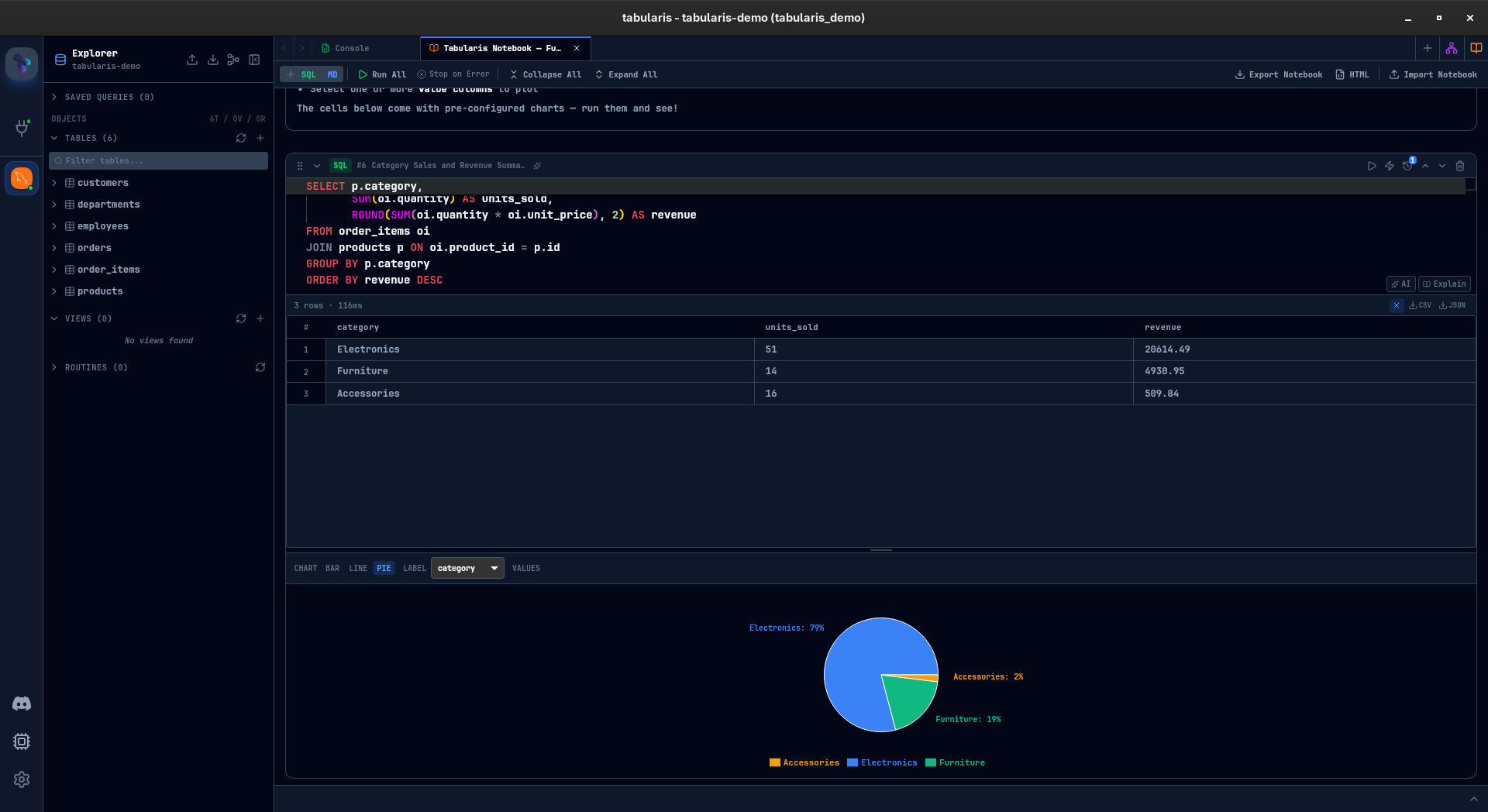
DataGrip is strong as an editor-centric database IDE. Tabularis pushes further into reusable analysis with notebooks that combine SQL cells, markdown, inline results, charts, and parameters.
3. Plugin-driven extensibility
If you want database support and workflow behavior to grow through plugins and community contributions, Tabularis has a clearer product story here.
4. MCP and AI-native workflows
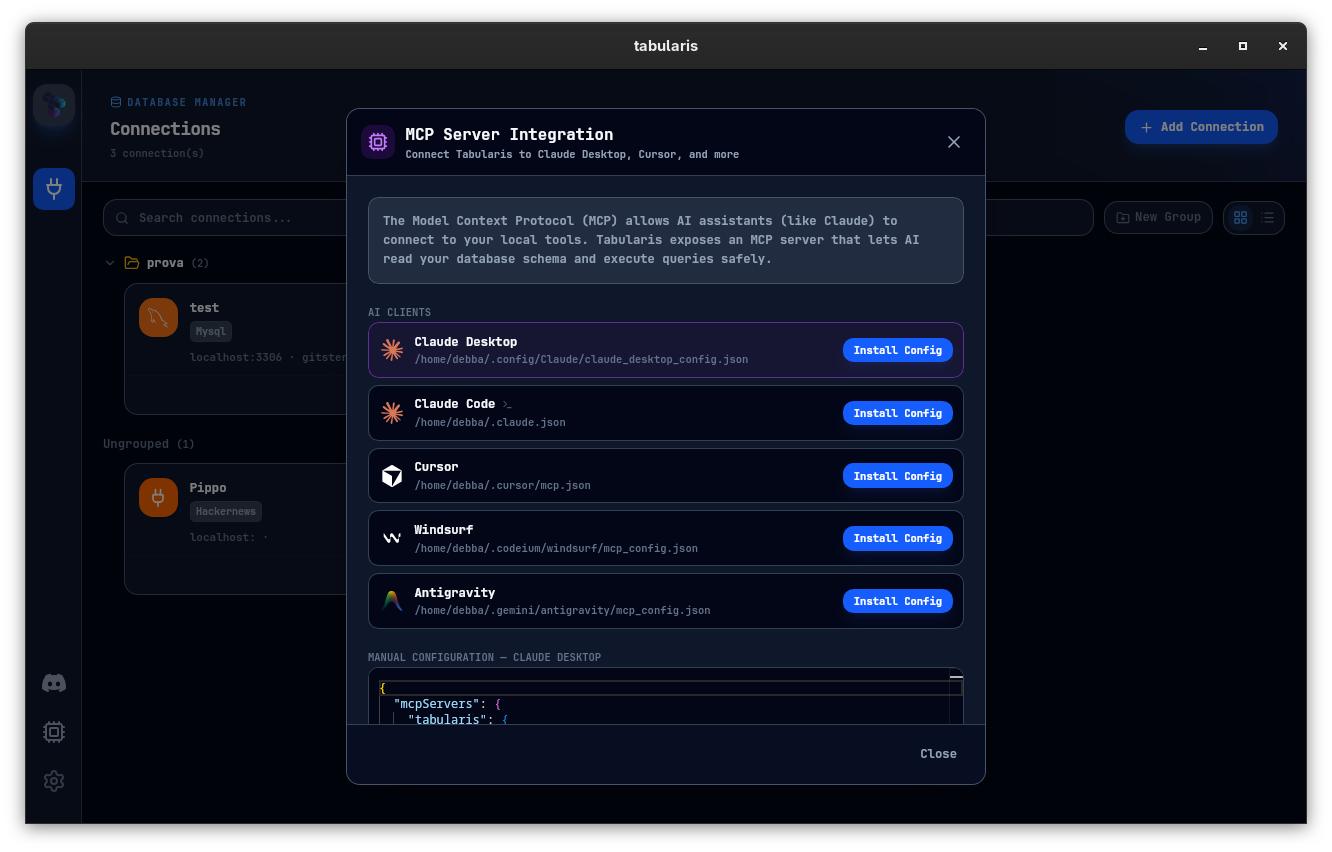
Tabularis is leaning into local AI workflows, including MCP-based database access for tools like Claude and Cursor.
Best fit
- teams that prefer open-source developer tooling
- workflows centered on PostgreSQL, MySQL/MariaDB, or SQLite
- users interested in notebooks, plugins, or MCP
- teams that want a dedicated SQL workspace without depending on a broader IDE suite
Not the best fit
- organizations heavily standardized on JetBrains tooling
- teams that specifically want the feel of an IDE integrated into their broader commercial toolchain
- buyers who value incumbency and commercial support above openness
Where DataGrip May Still Win
DataGrip may still be the better fit if your team already lives inside JetBrains tools and wants that same mental model applied to database work. In those cases, consistency can matter more than experimentation.
Better evaluation criteria
Run the same workflow in both tools:
- connect to a real development or staging database — Tabularis can import your saved DataGrip connections directly (beta), so setup costs nothing
- perform a short but reusable SQL investigation
- test whether the tool fits your team's AI and extensibility needs
That tends to show the real tradeoff quickly: IDE-style maturity versus a newer, more open SQL workspace direction.