
SSH Database Client for Remote Environments
Tabularis is a good fit if you need a desktop database client with built-in SSH tunneling for staging, production replicas, private hosts, or customer-managed environments.
The value is not just the tunnel. It is that the tunnel sits inside the same workflow where you browse schema, run SQL, inspect data, and save the connection profile.
Why consider it
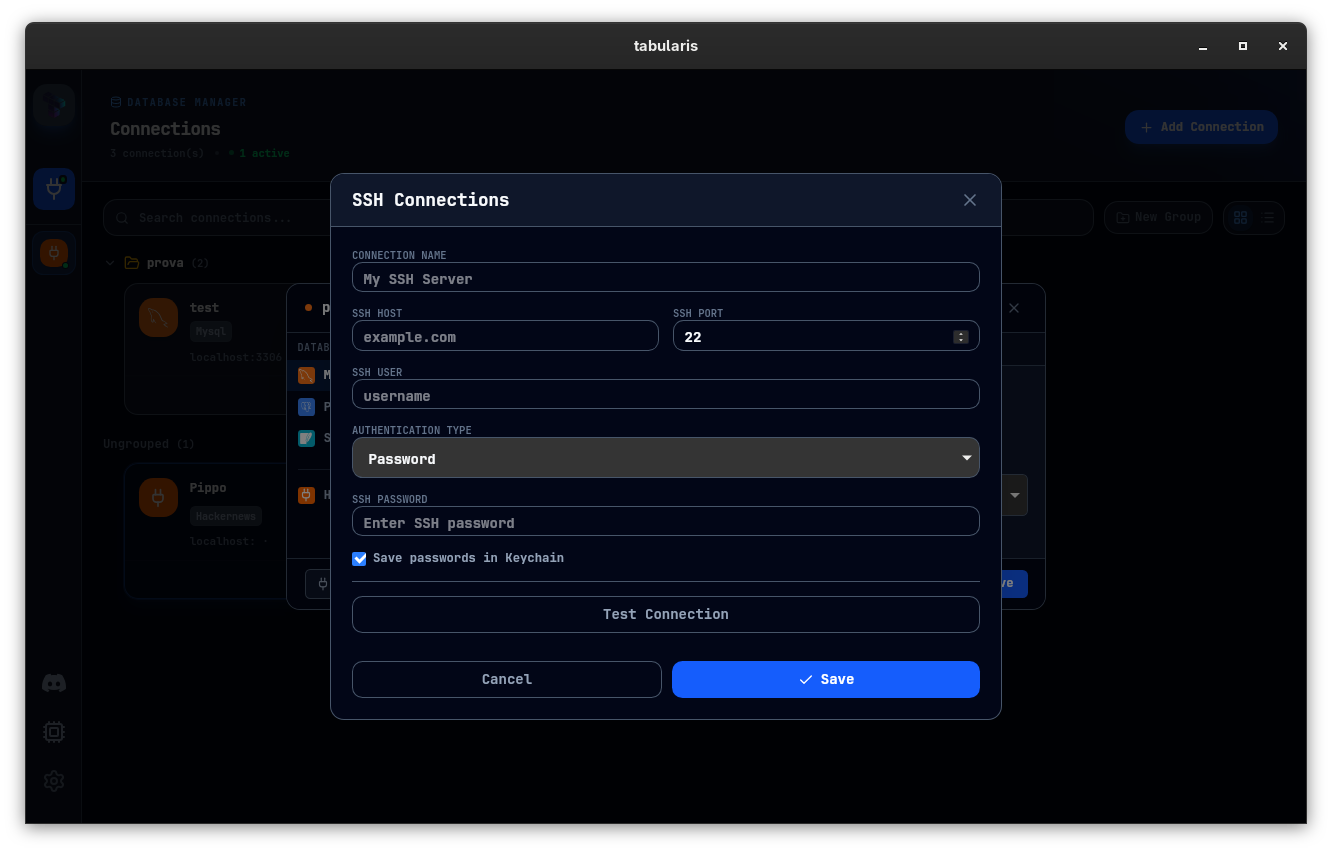
For many teams, the real challenge is not querying a database. It is reaching the right one safely.
Staging, production replicas, customer environments, private hosts behind bastions: remote database access is where a lot of desktop workflows become awkward.
Tabularis includes built-in SSH tunneling, which makes it a useful fit when you need a database client that can handle remote environments without turning setup into a separate engineering task.
Since v0.13.0 the same managed-tunnel pattern also covers Kubernetes: a connection can run through a managed kubectl port-forward — context, namespace, resource, and port picked from your kubeconfig — instead of a terminal you have to keep alive. See Kubernetes Tunneling. Since v0.25.0 the same applies to AWS: a connection can forward through an AWS Systems Manager Session Manager session to a managed node or, through it, to an RDS instance, with credentials handled by your AWS CLI. See AWS SSM Tunneling.
Why SSH Support Matters
Without integrated SSH support, teams often end up with:
- separate tunnel commands in the terminal
- duplicated local port mapping setup
- connection profiles that break when the environment changes
- more room for mistakes during production checks
Built-in tunneling keeps the connection workflow inside the same place where you run queries and inspect results.
Best fit
Connection profiles plus SSH
You can manage the database connection and the SSH layer together instead of stitching them manually each time.
Local credential handling
Secrets are meant to stay local, with password storage handled through the system keychain rather than flat files.
Better workflow once connected
The SSH feature matters because it unlocks the rest of the product:
- editor
- data grid
- schema browser
- notebooks
- export flows
That is much more useful than a tunnel plus a bare SQL prompt.
Practical Use Cases
Production verification
Open a controlled connection through SSH, run a small set of checks, inspect results, and close the session without juggling separate terminal state.
Staging and internal services
When environments are reachable only through a bastion or tunnel, integrated SSH support saves time across repeated work.
Contractor or customer-hosted systems
For teams touching multiple isolated environments, connection profiles plus SSH reduce repeated setup overhead.
Not the best fit
- teams that never touch remote or private-network databases
- users happy to manage tunnels manually in the terminal every time
- workflows centered on hosted web dashboards instead of local desktop tools
Related pages
- Open-source database client for Linux
- PostgreSQL client for developers
- Connection management docs
- Security and credentials docs