
Security & Credentials
Tabularis follows a strict security principle: secrets never touch disk in plain text. All passwords, API keys, and passphrases are stored exclusively in your operating system's native keychain. Non-sensitive metadata (hostnames, ports, usernames) is stored in JSON config files.
Keychain Backends
| OS | Keychain | Notes |
|---|---|---|
| macOS | Keychain Access | Managed via the security CLI or Keychain Access app |
| Windows | Credential Manager | Stored under "Generic Credentials" |
| Linux | libsecret (GNOME Keyring / KWallet) | Requires a running secret service (most desktop environments include one) |
Tabularis uses the keyring Rust crate, which abstracts across all three platforms.
What Is Stored Where
In the OS Keychain (encrypted)
| Secret | Keychain key format |
|---|---|
| Database password | {connection_id}:db |
| SSH password | {connection_id}:ssh |
| SSH key passphrase | {connection_id}:ssh_passphrase |
| AI provider API key | ai_key:{provider} |
The keychain service name is tabularis for all entries.
On Disk (plain JSON, non-sensitive)
| File | Content |
|---|---|
connections.json |
Connection profiles: name, host, port, username, driver, SSH profile reference |
ssh_connections.json |
SSH profiles: host, port, username, key file path |
config.json |
App preferences, theme, editor settings |
saved_queries/meta.json |
Saved query metadata |
These files live in the app config directory (or in the custom data folder chosen under Settings → Storage since v0.23.0, see Configuration):
- Linux:
~/.config/dev.tabularis.app - macOS:
~/Library/Application Support/dev.tabularis.app - Windows:
%APPDATA%\dev.tabularis.app
Credential Cache
To avoid hitting the OS keychain on every database operation, Tabularis maintains an in-memory credential cache. The cache uses a simple HashMap protected by a Mutex with four buckets: database passwords, SSH passwords, SSH passphrases, and AI keys.
Key behaviors:
- Read-through: on cache miss, the keychain is queried and the result is cached (including misses, stored as
Absentto prevent repeated lookups). - Write-through: when you save a password, both the keychain and the cache are updated atomically.
- Invalidation: when you delete a connection, the corresponding cache entry and keychain entry are both removed.
- The cache lives only in process memory — it is never written to disk and is cleared when Tabularis exits.
"Save in Keychain" Toggle
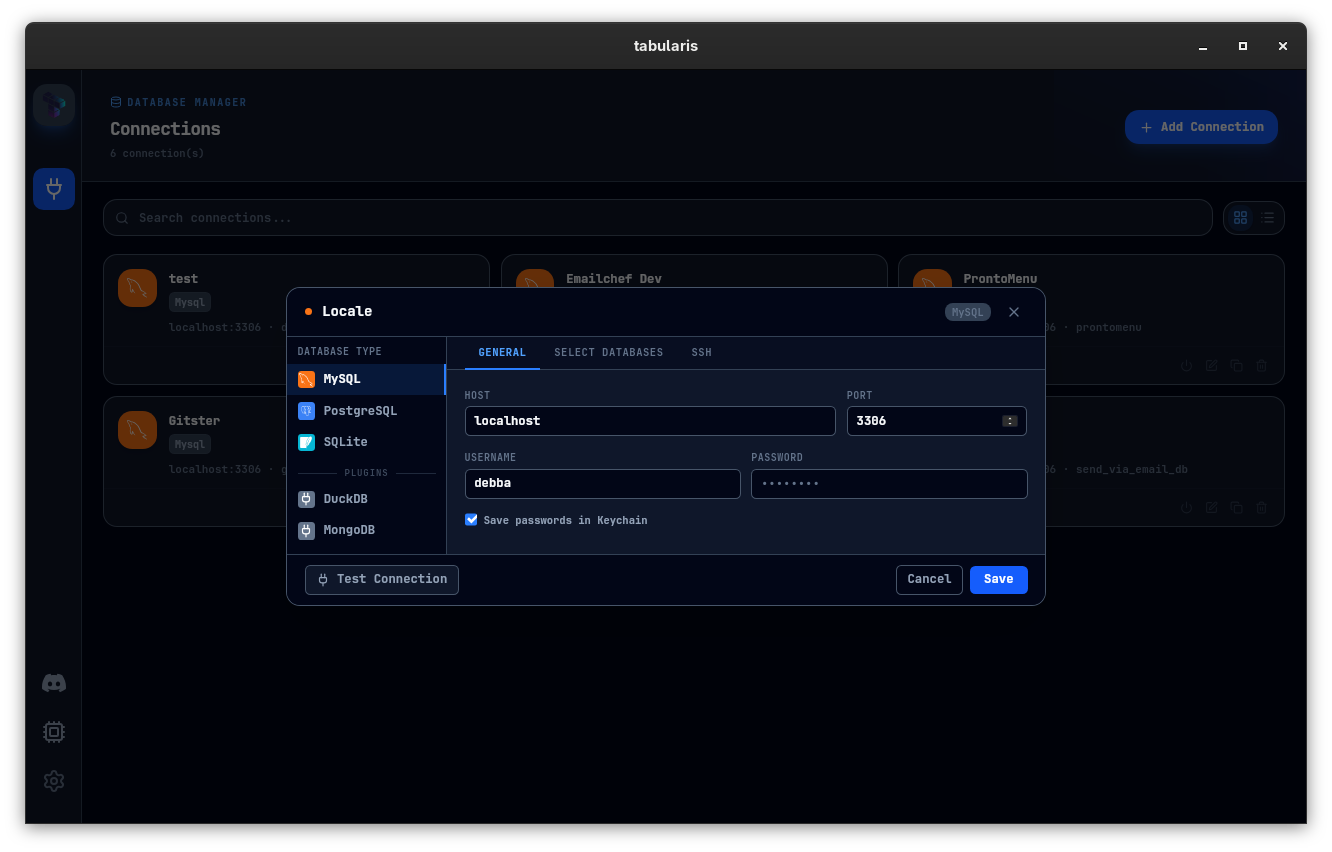
When creating or editing a connection, the Save in keychain checkbox controls persistence:
- Checked — the password is stored in the OS keychain and loaded automatically on next launch.
- Unchecked — the password is held in the in-memory cache for the current session only. After you quit Tabularis, the password is gone.
This applies to database passwords, SSH passwords, and SSH key passphrases.
Inspecting Keychain Entries
macOS
security find-generic-password -s "tabularis" -a "<connection_id>:db" -w
Linux (secret-tool)
secret-tool lookup service tabularis username "<connection_id>:db"
Windows
Open Credential Manager → Windows Credentials and search for entries with tabularis in the service name.
Deleting Credentials
When you delete a connection in Tabularis, the associated keychain entries are automatically removed. To manually clean up orphaned entries, use the OS-specific commands above to find and delete them.
AI API Keys
AI provider keys (OpenAI, Anthropic, OpenRouter, Ollama) follow the same keychain pattern. The key format is ai_key:<provider>, where provider is one of openai, anthropic, openrouter, custom-openai. Ollama runs locally and typically does not require an API key.
Re-enter an API key from Settings → AI if it stops working — the old keychain entry is overwritten in place.
Read-Only Mode
For an additional layer of protection, enable Read-Only Mode on any connection. Tabularis parses the SQL AST before execution and blocks INSERT, UPDATE, DELETE, DROP, TRUNCATE, CREATE, and ALTER statements at the client level. See Connection Management for details.