
Schema Management & ER Diagrams
While knowing how to write ALTER TABLE statements is essential, Tabularis provides visual tools to manage your schema quickly, safely, and comprehensively.
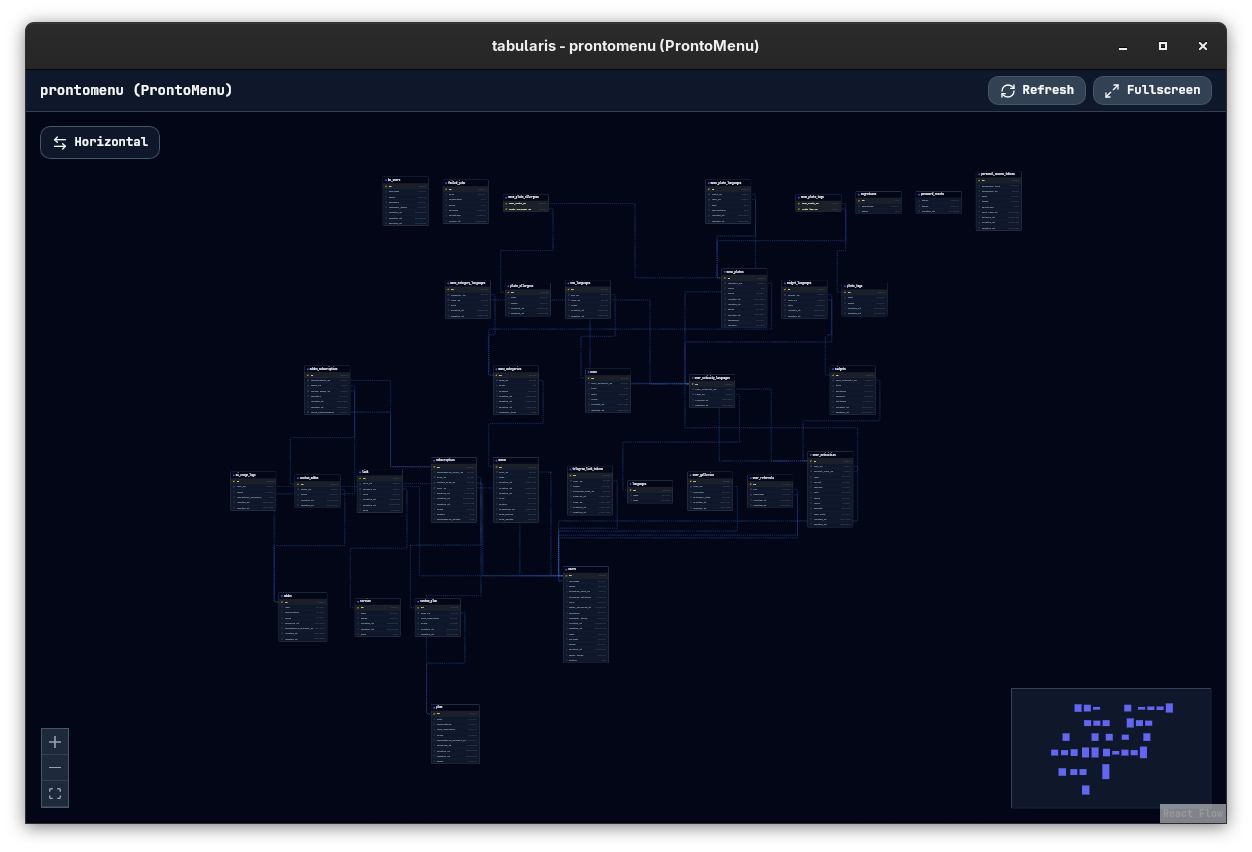
Visual Schema Editing
Schema changes are made from the Explorer sidebar, each through its own modal:
- Create a table: the + button on the Tables header (tooltip "Create New Table") opens a modal with the table name and a column grid (Name, Type, Len, PK, NN, AI, Default).
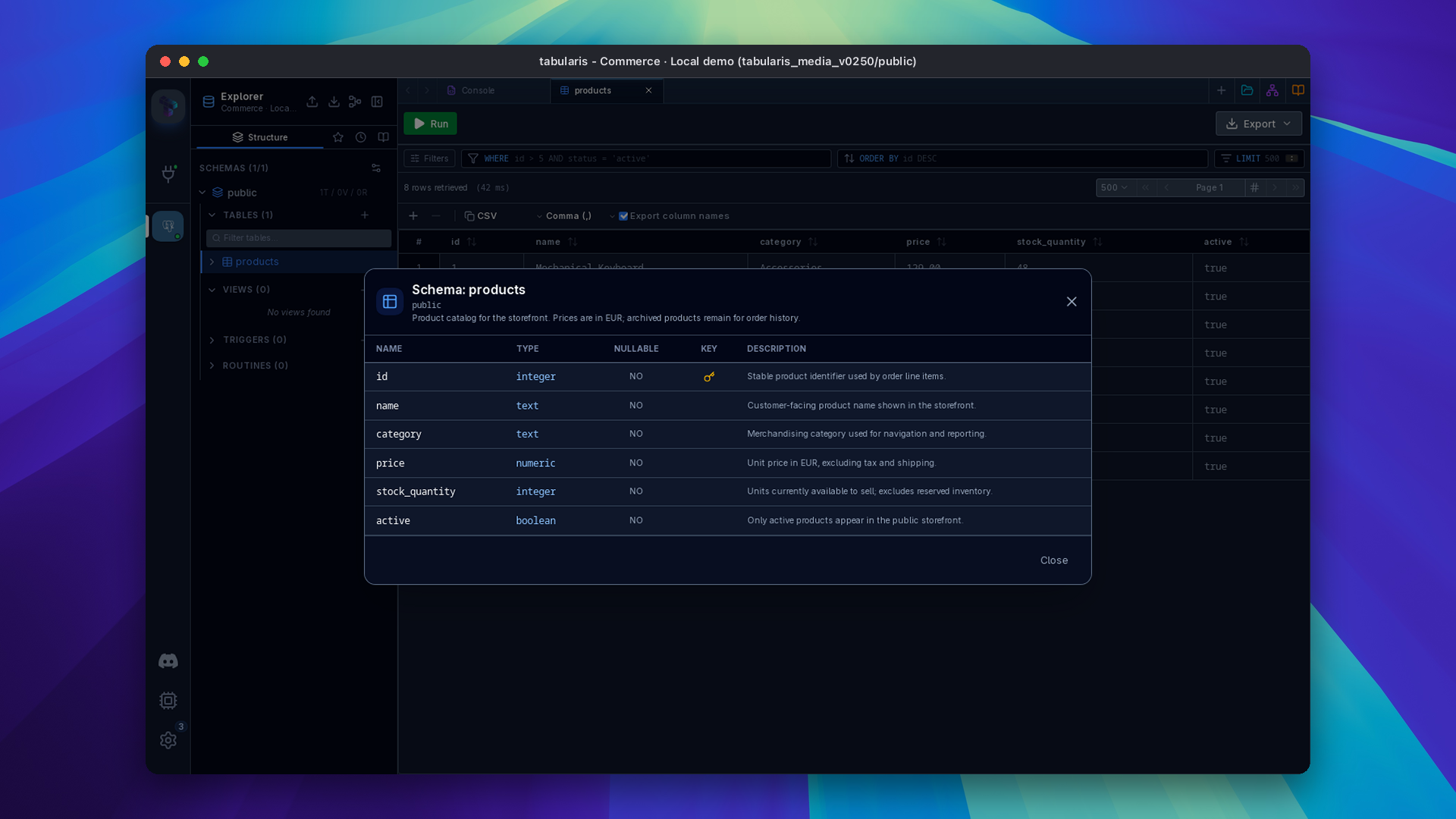
- Table context menu: right-click a table for View Schema (read-only structure), Add Column, Generate SQL, View ER Diagram and Delete Table.
- Column context menu: right-click a column for Modify Column and Delete Column.
- Indexes and Foreign Keys folders: right-click to Add Index / Add Foreign Key; right-click an existing entry to Delete Index / Delete FK.
Modifying Structures
- Columns: Add, rename, modify or drop columns. Change data types using a searchable type picker — start typing to filter the full list of available types for your database engine.
- Constraints: The column modal has Not Null, Primary Key and Auto Increment toggles, and a Default Value input. For uniqueness, create an index with Unique Index checked.
- Indexes: Create an index from a name, one or more columns and an optional Unique Index flag. The database's default index method is used.
- Foreign Keys: Define relationships. Select the target table and column, and the
ON DELETE/ON UPDATEactions:NO ACTION(default),RESTRICT,CASCADE,SET NULLorSET DEFAULT.
Driver limitations
- SQLite only supports renaming columns through the column modal, and cannot add or drop foreign keys on an existing table.
- The Primary Key toggle in the column modal works only when adding a column, and is disabled on drivers that only support primary keys at table creation time.
Table and Column Comments
Since v0.25.0 Tabularis reads table and column comments from PostgreSQL and MySQL/MariaDB. They appear as the table description and a comment column in View Schema, as tooltips on tables and columns in the sidebar, and in the data grid's column header tooltip next to the type. Generated DDL preserves them: inline COMMENT clauses for MySQL, COMMENT ON statements for PostgreSQL and Oracle, with apostrophes escaped. SQLite has no comment syntax. Plugins opt in by returning an optional comment from get_tables and get_columns; the ClickHouse plugin already does.
Auto-Increment Handling (PostgreSQL)
When creating or modifying a column with auto-increment enabled, Tabularis automatically selects the correct serial type based on the column's integer type:
| Integer type | Serial type |
|---|---|
SMALLINT |
SMALLSERIAL |
INTEGER |
SERIAL |
BIGINT |
BIGSERIAL |
Enabling auto-increment forces NOT NULL and clears any default value, matching PostgreSQL's native serial behavior.
Extension-Aware Column Types (PostgreSQL)
The type picker includes types from popular PostgreSQL extensions — hstore, ltree, citext, PostGIS (geometry, geography), and more. When you select one of these types, Tabularis tracks which extension is required so you can verify the extension is enabled on the target database before applying the DDL.
Safe DDL Generation
When you make visual changes, Tabularis does not apply them blindly. Each modal compiles your input into the exact DDL (CREATE, ALTER, DROP) and shows it in an inline SQL Preview (the Create Table modal has a Show SQL Preview toggle), so you can review or copy it before running it with the modal's own button (Create Table, Add Column / Save Changes, Create Index, Create Foreign Key).
Generate SQL
Right-click any table in the sidebar and choose Generate SQL to open a modal with ready-made statements for that table. Starting with v0.13.0, the modal is organized into tabs:
| Tab | Generates |
|---|---|
| CREATE TABLE | The full DDL for the table |
| SELECT * | A select-all query |
| SELECT [fields] | A select with every column listed explicitly |
| UPDATE | An update template with every column, using :named bind parameters derived from the column names |
| DELETE | A delete template |
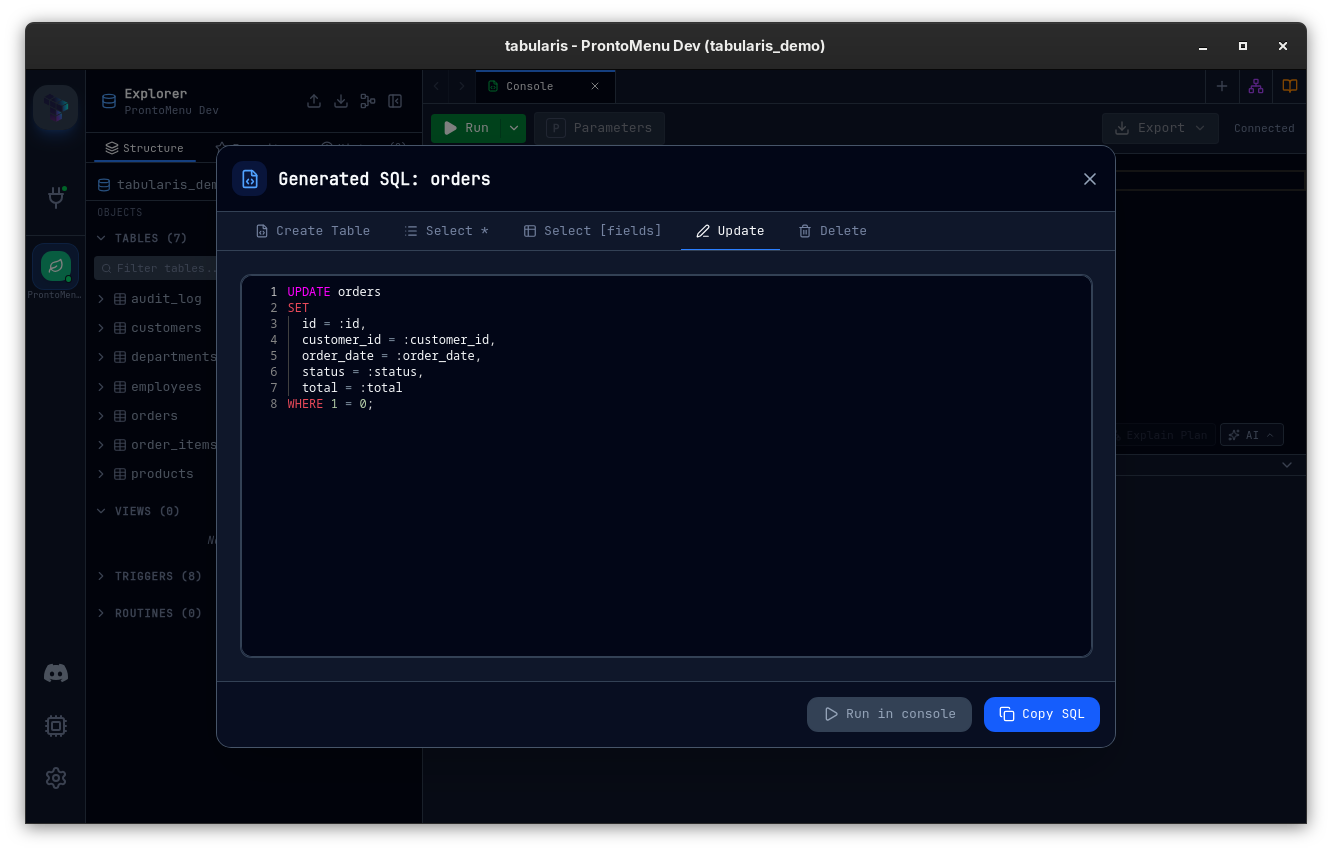
Since v0.26.0 a driver plugin can generate the SELECT, UPDATE and DELETE tabs itself in its own dialect, by opting in to table query templates. The SQL Server plugin does so from 1.0.0-beta.3, producing SELECT TOP (100) with bracket-quoted, schema-qualified names and WHERE 1 = 0 guards on UPDATE and DELETE. If the plugin reports an error, the modal shows it instead of falling back to SQL in another dialect. The CREATE TABLE tab is unchanged.
Video unavailable
Each tab has a copy button, and the Run in Console button opens the generated statement in a new editor tab. The UPDATE template uses :named parameters instead of bare ? placeholders, so it binds correctly the moment it lands in the query editor.
The modal is also reachable from the Command Palette's hover actions.
ER Diagrams
Click View Schema Diagram in the Explorer header, or right-click a database (multi-database connections) or a table (to focus on it) and choose View ER Diagram, to open a live, interactive entity-relationship diagram for that schema. Tables appear as nodes, foreign keys as directed edges. The layout is computed automatically using the Dagre engine.
For full details — navigation, layout options, export, and per-driver FK support — see the dedicated ER Diagram page.