
Triggers
Tabularis manages triggers as a first-class database object across all three built-in drivers — listing, viewing definitions, creating, editing, and dropping — with sidebar integration and a guided editor modal.
Browsing Triggers
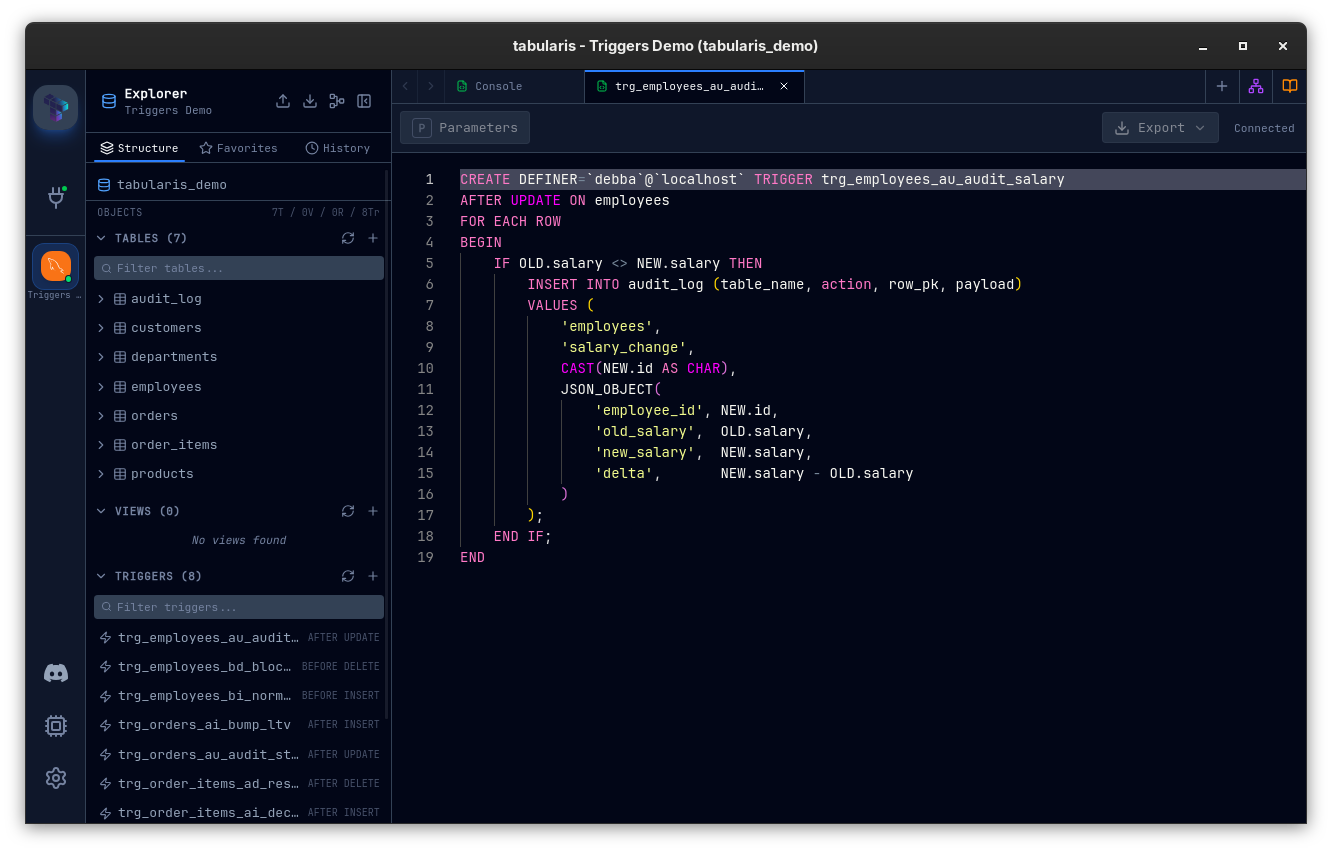
A Triggers accordion appears under every schema (PostgreSQL), database (MySQL multi-db), and in the flat layout for MySQL single-db / SQLite. Each entry shows:
| Field | Description |
|---|---|
| Name | The trigger name |
| Timing / Event badge | e.g. BEFORE INSERT, AFTER UPDATE, INSTEAD OF DELETE. Multi-event triggers (e.g. BEFORE INSERT OR UPDATE) are aggregated into a single entry. |
| Table tooltip | Hovering shows the trigger's target table. |
A filter field at the top of the accordion matches the existing table-filter pattern — start typing to narrow the list.
Viewing the Definition
Double-click a trigger — or right-click → View Definition — to open the trigger SQL in a read-only editor tab. The Run and Explain Plan buttons are hidden on definition tabs, since you're inspecting DDL rather than running a query.
The definition is fetched directly from the database catalog:
- PostgreSQL —
pg_get_triggerdef - MySQL / MariaDB —
information_schema.triggers - SQLite — the original
sqlcolumn insqlite_master
Creating a Trigger
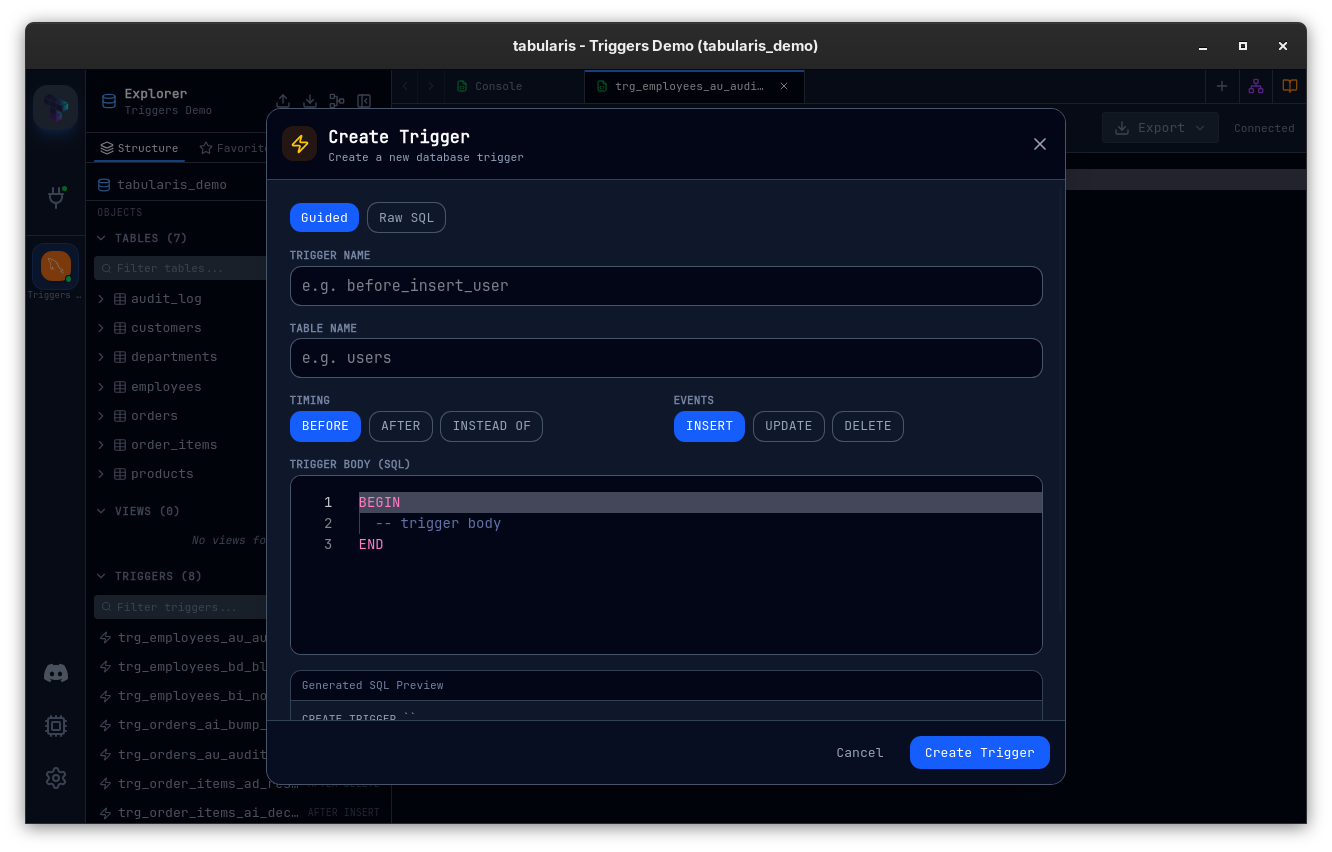
Right-click a table (or the Triggers accordion header) → Create Trigger. The Trigger Editor Modal opens in Guided mode with:
| Field | Description |
|---|---|
| Name | Identifier; quoting follows the driver. |
| Table | Pre-filled from the right-click context. |
| Timing | BEFORE / AFTER / INSTEAD OF (driver-dependent). |
| Events | Checkboxes: INSERT, UPDATE, DELETE, TRUNCATE (driver-dependent). Multi-event combinations are emitted as a single CREATE TRIGGER. |
| Body | The action body, edited in Monaco. |
| SQL Preview | Live preview of the CREATE TRIGGER statement that will be executed. |
A Raw SQL tab is always available alongside Guided mode for hand-written DDL.
Editing a Trigger
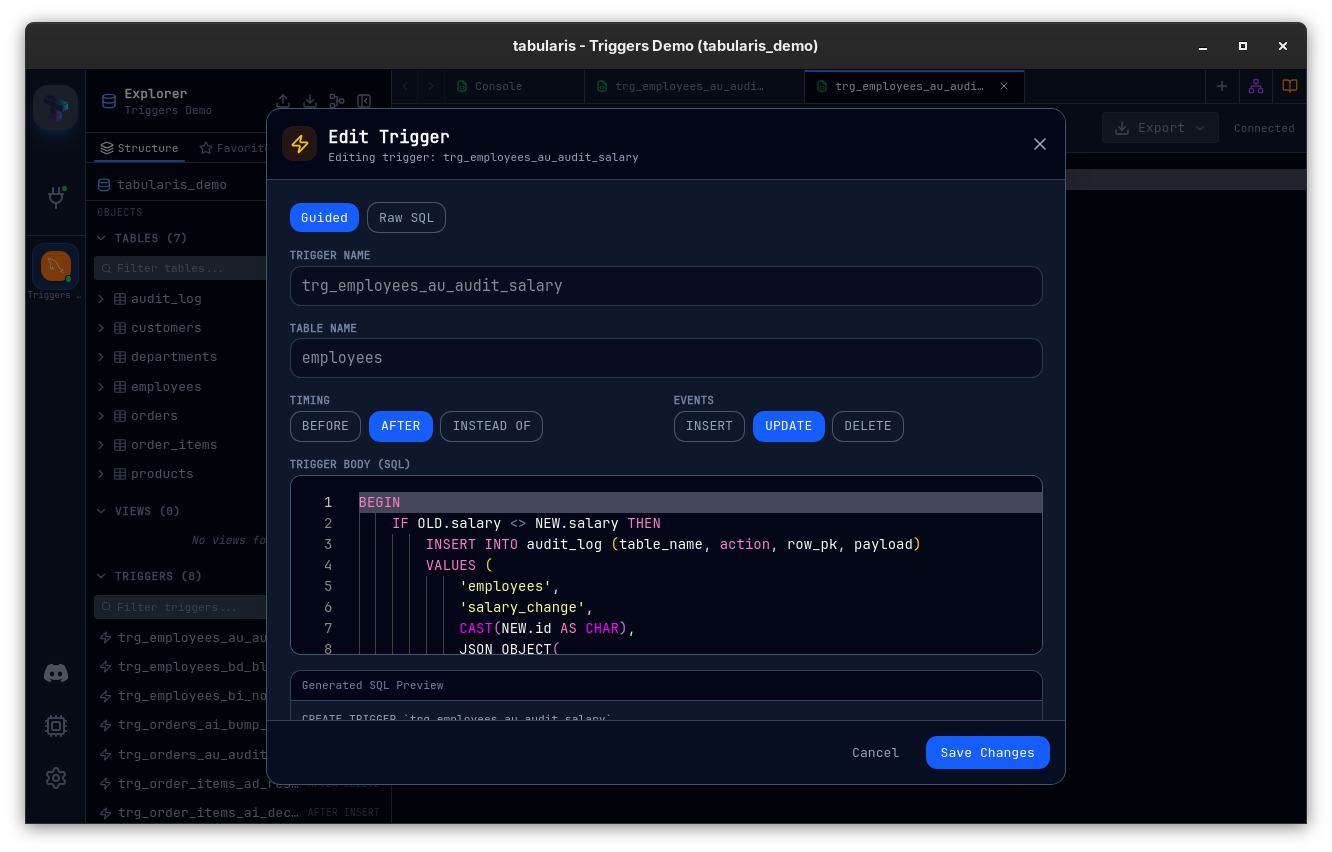
Right-click a trigger → Edit. The modal opens in Guided mode by default and parses the loaded definition to populate the fields (timing, events, and body extracted from FOR EACH ROW). The Raw SQL tab shows the original definition unchanged.
Triggers are edited as drop + recreate — the database engines don't expose an ALTER TRIGGER that covers what the modal needs to change. The modal warns you before running, then executes the two statements atomically.
Dropping a Trigger
Right-click a trigger → Drop Trigger. A confirmation is shown before the DROP TRIGGER statement is executed.
Driver Support
| Feature | PostgreSQL | MySQL / MariaDB | SQLite |
|---|---|---|---|
| List triggers | Yes | Yes | Yes |
| Multi-event aggregation | Yes (string_agg on information_schema.triggers) |
n/a (single-event only at the DB level) | n/a |
| View definition | Yes (pg_get_triggerdef) |
Yes | Yes (parsed from sqlite_master.sql) |
| Create / Edit / Drop | Yes | Yes | Yes |
| Multi-database connections | Schema-qualified | Database-qualified; pool is switched to the correct database before CREATE TRIGGER |
n/a |
MySQL specifics
- All trigger DDL is executed via
sqlx::raw_sqlto bypass MySQL server error 1295 ("This command is not supported in the prepared statement protocol yet"). - For multi-database connections, every trigger operation is qualified with the database name and the pool is switched to that database before
CREATE TRIGGER. TheON <table>clause is emitted without a schema prefix, matching MySQL's expectation that schema is resolved from the connection.
Plugin drivers
Plugin drivers that don't implement triggers degrade gracefully: get_triggers returns an empty list rather than failing the whole schema load. The triggers capability flag in DriverCapabilities advertises whether a driver supports the feature.
Data Model
Each trigger is represented as TriggerInfo:
| Field | Description |
|---|---|
name |
Trigger name |
table_name |
Target table |
event |
Aggregated event(s): INSERT, UPDATE, DELETE, TRUNCATE, or combinations. |
timing |
BEFORE, AFTER, or INSTEAD OF |
definition |
The raw SQL definition as returned by the catalog. |
Four Tauri commands back the UI: get_triggers, get_trigger_definition, create_trigger, drop_trigger.
Related
- Stored Procedures & Routines — the sibling browseable database object.
- Schema Management — tables, columns, indexes, and foreign keys.