
Saved Queries
Tabularis lets you save SQL queries and associate them with a specific connection. Saved queries appear in the Explorer sidebar and can be executed, edited, or deleted with a single click.
Video unavailable
Saving a Query
There are two ways to save a query:
- From the Editor — write or highlight a SQL statement in the editor, then click the Save Query button (or use the command palette). A modal opens where you give the query a name.
- From Query History — open the Explorer's History tab, browse past executions for the active connection, and save any entry to promote it to a saved query.
The query is stored on disk alongside your connection profiles. Each saved query gets a unique UUID, and the SQL content is written to its own .sql file inside {app_config_dir}/saved_queries/. Metadata (name, filename, connection ID) is tracked in a central meta.json file.
Browsing Saved Queries
Open the Explorer's Favorites tab. The saved-query list is separated from the schema tree and shows only the entries for the active connection.
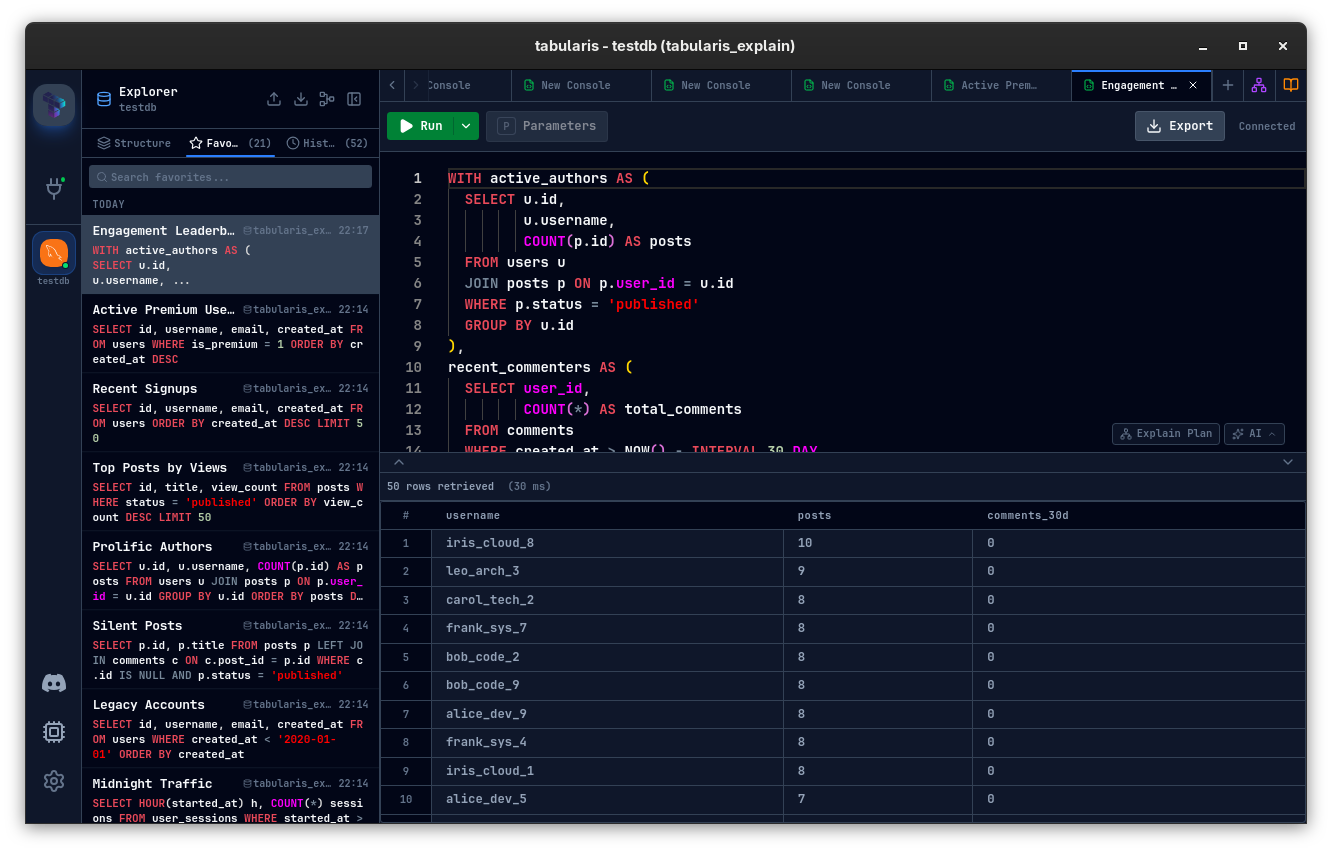
Each entry displays the query name. Click once to select it; double-click to execute it immediately in a new editor tab.
Executing a Saved Query
- Double-click the query in the sidebar, or
- Right-click → Execute from the context menu.
The SQL is loaded into a new editor tab and executed against the current connection. The tab title is set to the query name for easy identification.
Editing a Saved Query
Right-click a saved query in the sidebar and choose Edit. The Query Modal opens pre-populated with the current name and SQL. Modify either field, then click Save to update both the metadata and the .sql file on disk.
Deleting a Saved Query
Right-click → Delete. A confirmation dialog is shown before the query file and its metadata entry are removed.
Per-Connection Isolation
Saved queries are scoped to a connection. When you switch the active connection in the sidebar, the Favorites tab updates automatically to show only the queries associated with that connection. This prevents accidental execution of a PostgreSQL query against a MySQL connection.
Storage Format
| File | Location | Content |
|---|---|---|
meta.json |
{app_config_dir}/saved_queries/ |
Array of { id, name, filename, connection_id } |
{uuid}.sql |
{app_config_dir}/saved_queries/ |
Raw SQL text |
The app_config_dir follows the standard Tauri convention: ~/.config/dev.tabularis.app on Linux, ~/Library/Application Support/dev.tabularis.app on macOS, and %APPDATA%\dev.tabularis.app on Windows.