

Sometimes you know exactly what you want — "Show me the top 10 customers by revenue this quarter" — but translating that to SQL means remembering table names, join conditions, and aggregate syntax all at once. v0.8.0 introduces an AI assistant that bridges that gap.
Prompt, Don't Query (When It Helps)
The AI panel lives inside the SQL editor. Describe what you need in plain English, and Tabularis generates the SQL, injects it into the editor, and lets you review it before running anything. You stay in control; the AI just saves keystrokes.
The "explain" feature goes the other direction: paste any query and get a plain-language breakdown of what it does. Useful when you inherit a complex query from a colleague or a migration script.
Multiple Backends, One Interface
We didn't want to force a single AI provider. v0.8.0 integrates with:
- OpenAI (GPT-4o, GPT-4)
- Anthropic (Claude Sonnet, Haiku)
- OpenRouter (hundreds of models via one API key)
- Ollama — fully local inference, no data leaves your machine
The last one matters. If your database contains sensitive data, you can run a local Llama 3 model via Ollama and get AI assistance without sending anything to the cloud. Your schema stays private.
The MCP Server
Alongside the AI assistant, v0.8.0 ships a built-in Model Context Protocol server. MCP is an emerging standard for exposing structured data to AI agents — think of it as giving Claude or another AI agent a live window into your database.
Enable the MCP server in Settings, connect your AI tool to the local endpoint, and it can query your schema, list tables, and run SELECT statements directly. No copy-pasting table names into a chat window.
Finding Tabularis useful? Star it on GitHub — it takes a second and helps more developers discover the project. Star on GitHubSchema-Aware Completions
The SQL editor autocomplete got a significant upgrade in this release. It now reads your live schema — tables, columns, foreign keys — and surfaces relevant suggestions as you type. DataGrip-style completions, without the DataGrip price tag.
Export While You're At It
v0.8.0 also adds one-click CSV and JSON export for query results. Run your query, hit Export, pick your format, done. Small feature, asked for constantly.
AI assistance is always optional and explicitly opt-in. If you prefer to write every query by hand, nothing changes. But when you need it, it's one tab away.
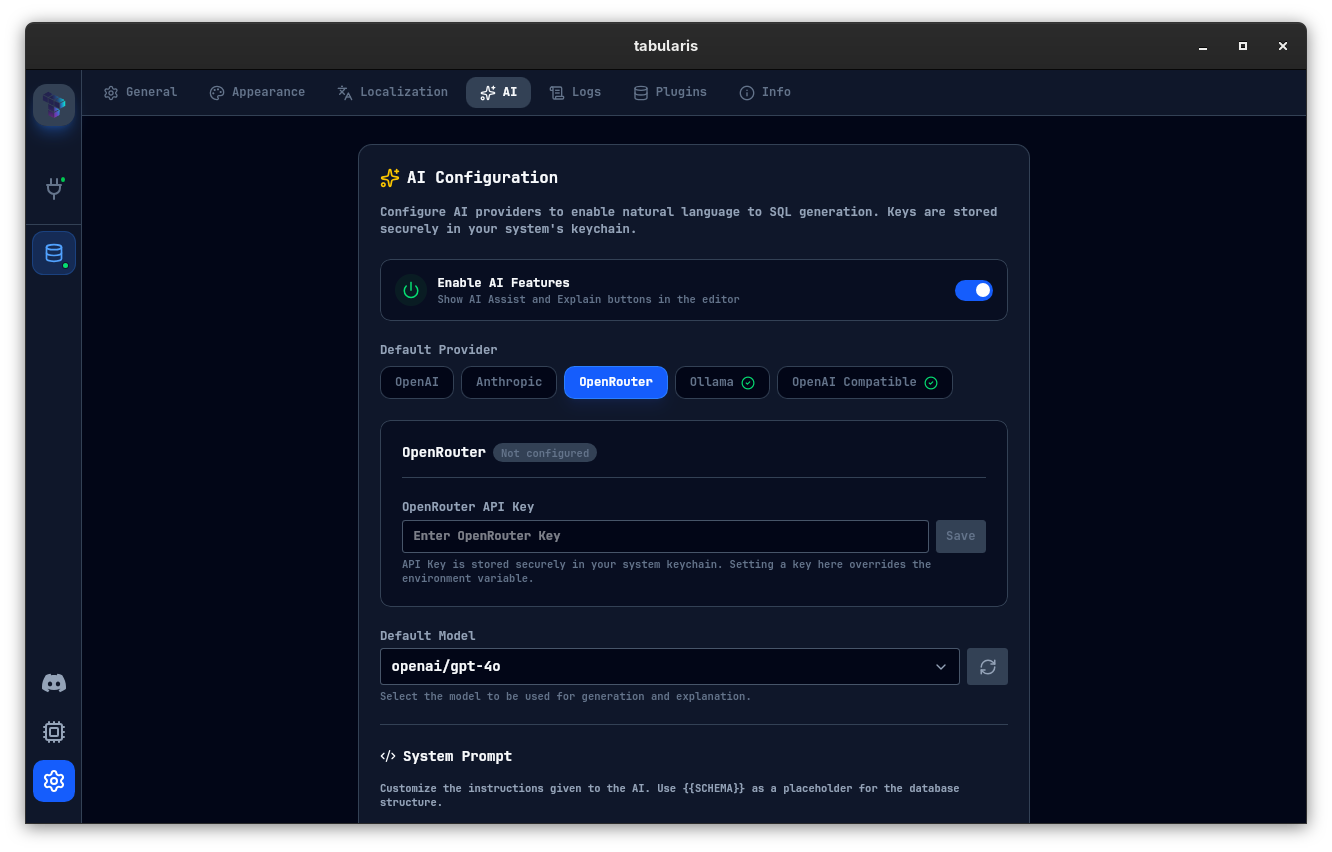 AI Settings — configure your provider, model, and API key. Ollama users can leave the key blank.