



Tabularis is worth evaluating as a Navicat alternative if your team wants an open-source SQL workflow without per-seat licensing, with notebooks, plugin extensibility, and a direction toward MCP and AI-assisted work.
The point is not that Navicat is weak. It is that some developer-heavy workflows map better to a leaner, open-source, plugin-driven client.
Quick answer
Navicat is a mature commercial database GUI with broad database coverage and a long-standing admin feature set.
Tabularis is an open-source desktop client built around modern developer workflows: SQL notebooks, plugins, MCP, and a Monaco-based editor.
If licensing cost, openness, or developer ergonomics matter in your decision, Tabularis is worth a direct comparison.
Short version
Choose Tabularis if you want:
- an open-source desktop client with no per-seat license
- SQL notebooks as a first-class concept
- a product moving toward MCP and AI-native workflows
- a plugin system to extend database coverage over time
- a modern developer feel over a classic admin GUI
Choose Navicat if you want:
- a mature commercial tool with a long admin track record
- broad database coverage out of the box (including Oracle and SQL Server)
- an established product your team may already own licenses for
Where Tabularis Is Different
1. Licensing model
Navicat is a proprietary per-seat commercial product. Tabularis is open-source and free to download. For small teams, indie developers, and OSS-aligned organizations, that changes the total cost curve completely.
2. SQL notebooks
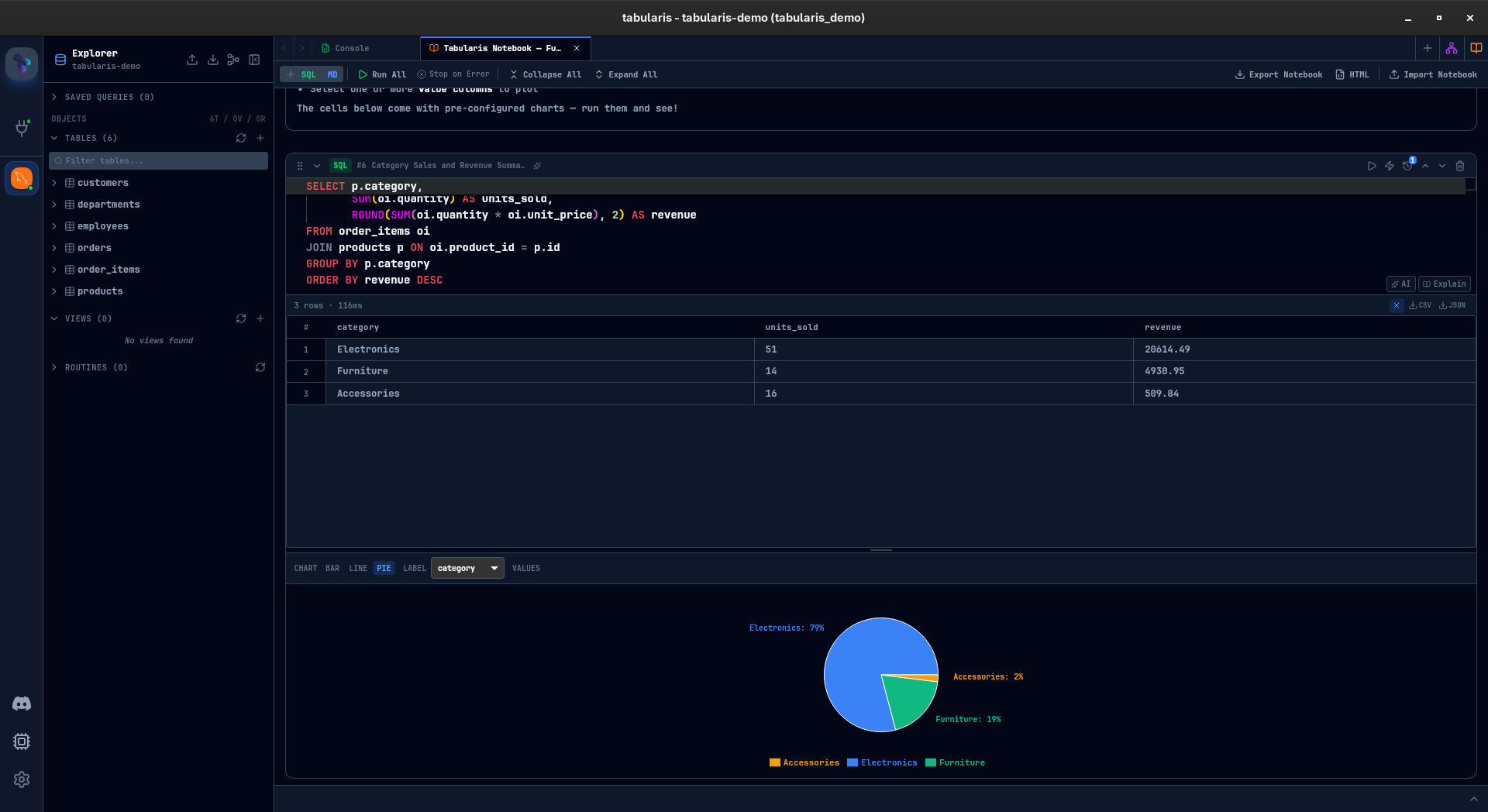
Tabularis treats notebooks as a core surface: SQL cells, markdown, inline results, charts, and parameters live in the same document. Navicat is centered on the query tab model.
3. MCP and AI direction
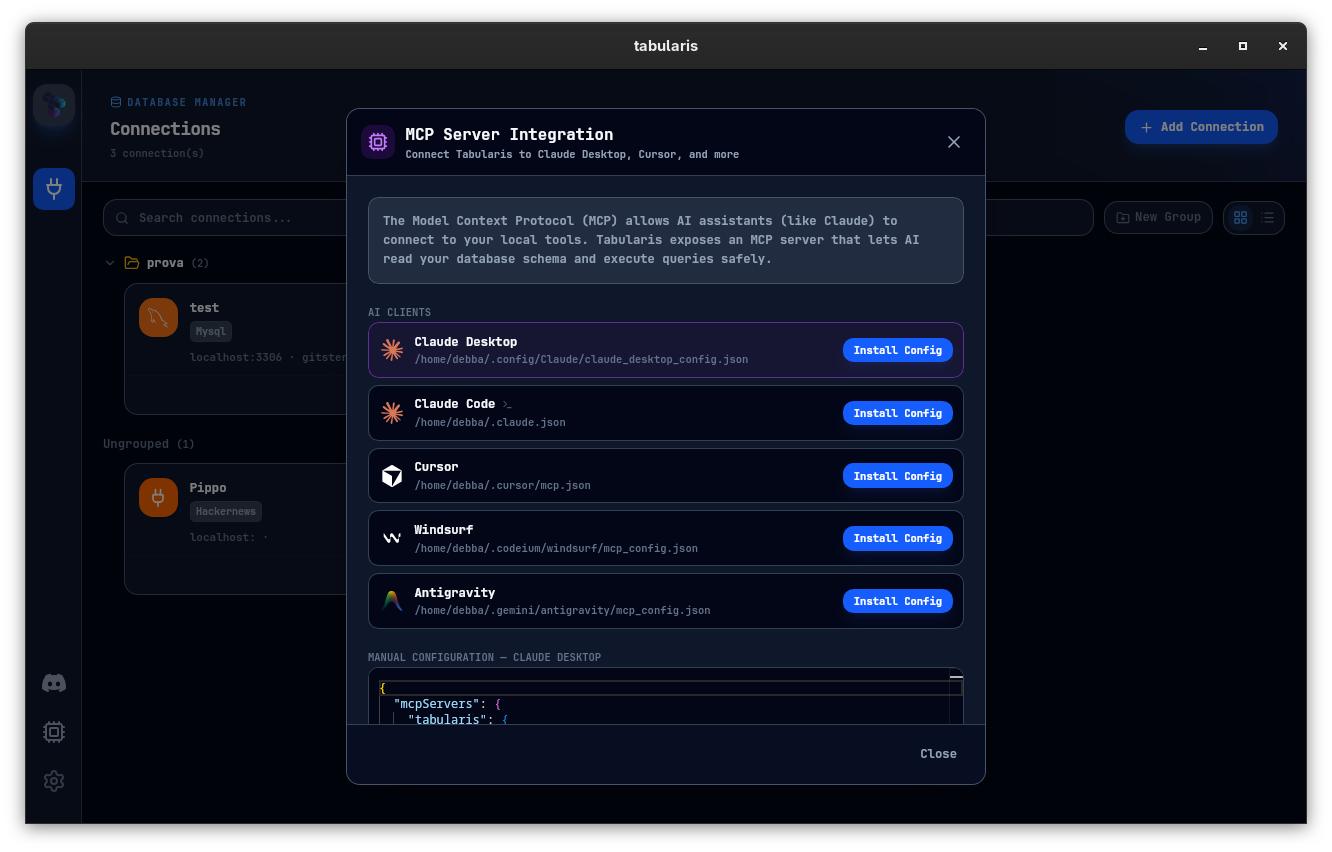
Tabularis exposes schema and queries through MCP so Claude, Cursor, and other MCP-compatible tools can work against your real desktop-managed connections — no glue scripts.
4. Plugin-driven extensibility
Database support, UI extensions, and integrations extend through a plugin system instead of waiting for vendor release cycles.
Best fit
- developer teams on PostgreSQL, MySQL/MariaDB, or SQLite
- organizations that want to avoid per-seat licensing
- workflows that benefit from reusable SQL notebooks
- teams already exploring AI-assisted database workflows
Not the best fit
- shops that depend heavily on Oracle or SQL Server admin breadth
- teams that need Navicat's specific data modeling or scheduling features today
- buyers who explicitly want a long-established commercial vendor
Where Navicat Still Wins
Navicat has years of admin feature investment, broad database coverage, and a well-known brand inside enterprise teams. If your primary need is established mindshare across legacy databases, Navicat remains the safer incumbent.
Better Evaluation Criteria
Instead of feature-checking, run both tools against one real task:
- Connect to a real development or staging database.
- Investigate a multi-step question end to end and document it.
- Try an AI-assisted flow against your schema.
Where the friction disappears is the tool to keep.