


If your team is choosing between TablePlus, DataGrip, and Tabularis, the real choice is less about raw database connectivity and more about product philosophy.
All three can be part of a serious SQL workflow. What differs is the shape of that workflow.
Short version
Choose TablePlus if you want:
- a polished proprietary desktop client
- a classic modern database GUI feel
- a workflow centered on query execution and data browsing
Choose DataGrip if you want:
- an IDE-like database experience
- alignment with a JetBrains-heavy team workflow
- a mature commercial tool with familiar developer ergonomics
Choose Tabularis if you want:
- an open-source SQL workspace
- SQL notebooks for reusable analysis
- plugin-driven extensibility
- a product leaning into MCP and AI-native database workflows
How They Differ
Workflow shape
- TablePlus feels like a polished database GUI.
- DataGrip feels like a database IDE.
- Tabularis is moving toward a database workspace.
That distinction matters because teams usually outgrow the pure query-tab model at some point.
Openness
- TablePlus and DataGrip are proprietary products.
- Tabularis is open-source.
If your team cares about inspectability, contribution, or adopting open tooling around core workflow infrastructure, that is not a minor detail.
Reusable analysis
This is where Tabularis is most different.
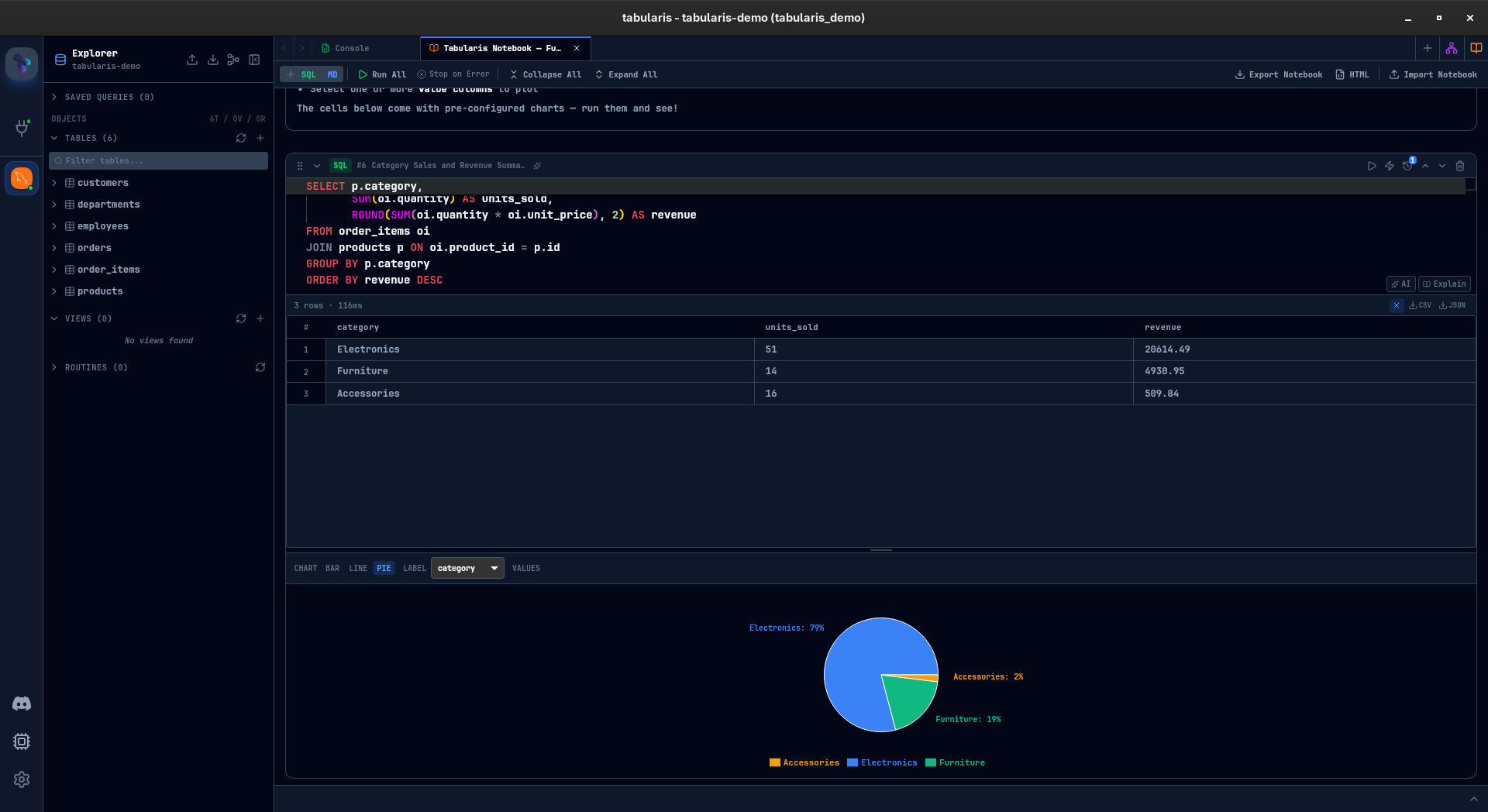
With SQL notebooks, Tabularis can keep SQL cells, markdown context, inline results, charts, and parameters in one place.
AI-native direction
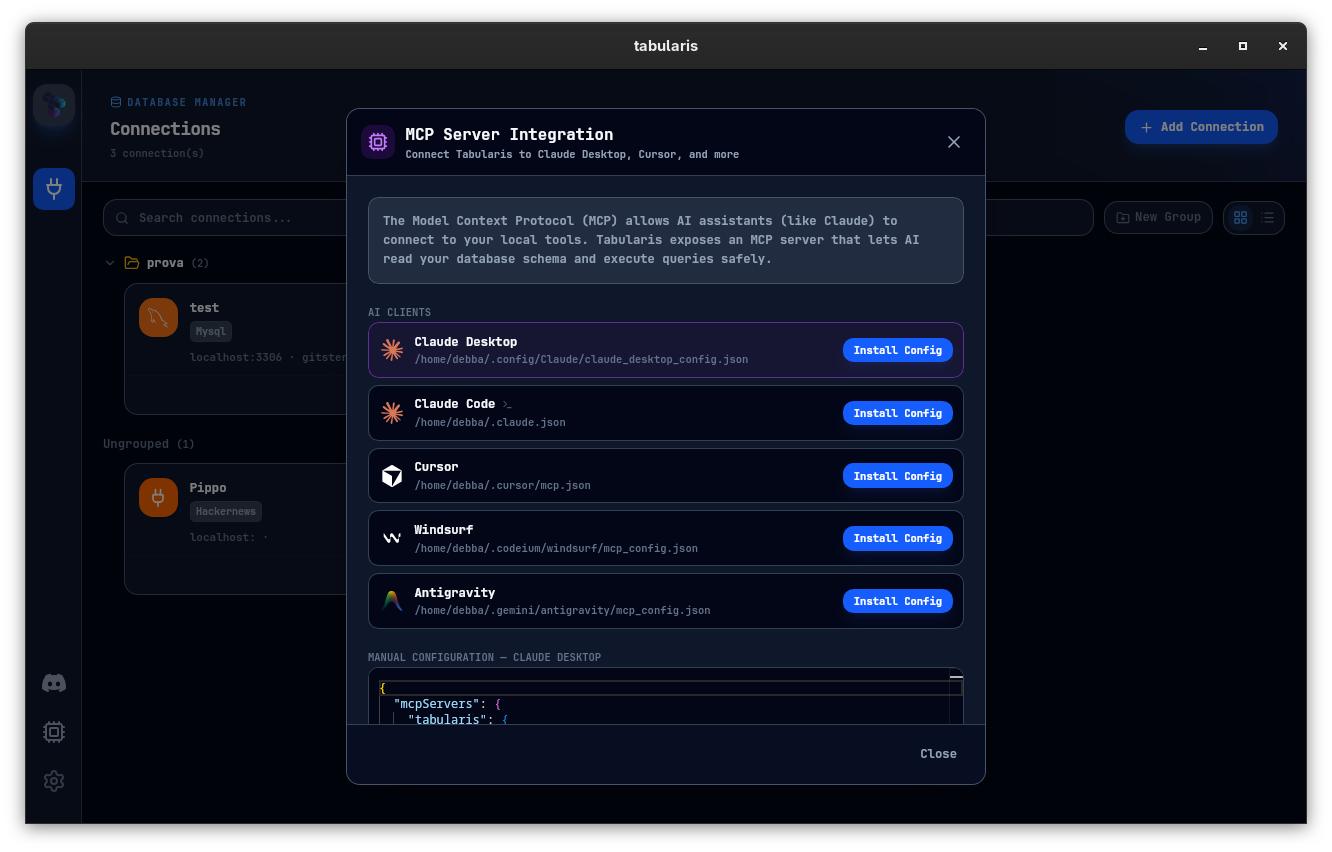
Tabularis has a stronger current direction around local AI database workflows via MCP.
Best fit
- choose TablePlus for a polished classic desktop DB workflow
- choose DataGrip for IDE-style maturity and JetBrains alignment
- choose Tabularis for open-source, notebooks, plugins, and AI-native direction
Not the best fit
- do not choose Tabularis if you specifically want the most established proprietary incumbent and do not care about notebooks or openness
- do not choose DataGrip if your team does not want an IDE-style mental model
- do not choose TablePlus if you need a broader SQL workspace than query tabs and browsing
A better way to evaluate
Instead of feature-checking, run one shared exercise:
- connect to the same staging database — Tabularis imports saved connections from both TablePlus and DataGrip (beta)
- perform a short multi-step SQL investigation
- document that work or try to make it reusable
- test whether AI-assisted workflow matters in practice
The right tool becomes much clearer when you compare real work instead of isolated feature bullets.