
Database Client for On-Call Engineers
It is 3 AM, an alert fired, and the answer is in a database that lives behind a bastion or inside a Kubernetes cluster. The last thing you want is to reconstruct a tunnel command from your shell history while production is degraded.
Tabularis treats the path to the database as part of the client, not as your problem: SSH and managed kubectl port-forward tunnels are configured once, saved as profiles, and opened with the connection itself.
Why it fits the on-call workflow
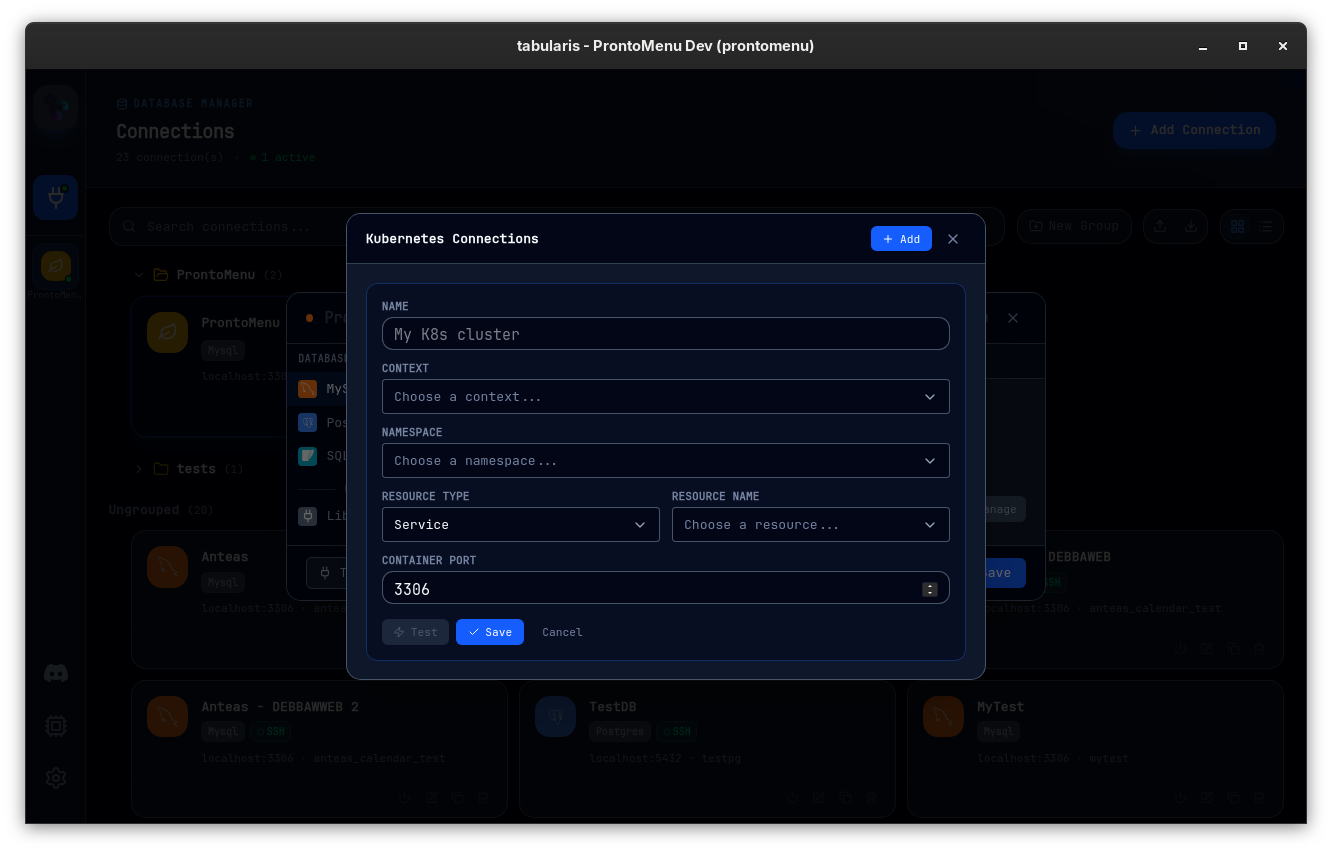
During an incident the expensive part is not the query — it is everything before it:
- finding the right cluster, namespace, and service
- keeping a
kubectl port-forwardalive in a spare terminal - remembering which local port maps to which environment
- not pasting production credentials anywhere they should not be
Tabularis moves all of that into the connection manager. A connection with a Kubernetes tunnel picks context, namespace, resource, and port from your kubeconfig through cascading, searchable dropdowns — discovered live via kubectl, so whatever auth plugins work in your terminal work here too.
Built for the 3 AM case
One click from alert to query
Saved connection profiles carry the tunnel with them. Opening the "prod replica" connection starts the port-forward as a managed child process, health-checks it, and closes it when nothing needs it anymore. No orphaned tunnels, no stale terminals.
Reusable tunnel profiles
A Kubernetes tunnel profile (say, staging cluster / postgres service) is stored once and reused across any number of database connections — with a Test button that performs a real port-forward attempt and reports the exact error when something is off. You find out that credentials expired before the incident, not during it.
Split view for comparing environments
Is production actually different from staging? Open both connections side by side in a resizable split view and compare the same query across environments without switching windows.
Credentials stay in the keychain
Passwords and secrets live in the system keychain, not in flat config files or shell history — exactly where you want them when you are tired and moving fast. See security and credentials.
Recognizable at a glance
Tunneled connections carry a K8s shield badge in the sidebar and on the connections page, so you always know which session goes through a cluster before you run anything against it.
Practical use cases
Incident triage
Open the affected environment through its saved tunnel, run the checks from a SQL notebook your team prepared in calmer times, and paste results into the incident channel.
Post-incident verification
After a fix ships, re-run the same parameterized notebook against production and staging in split view to confirm both environments agree.
Controlled production access
For teams that allow read access to production replicas, connection profiles make the sanctioned path the easiest path — safer than ad-hoc tunnels every engineer builds differently.
Since v0.19.0, a connection can be classified as production outright: it gets a badge, a permanent banner while active, and a confirmation — with SQL preview — before any statement that isn't provably read-only. The 3 AM mistake the guard exists for is exactly the one this page is about: running the fix meant for staging against the incident database. Sensitive columns (passwords, emails, tokens) also render masked in the results grid until deliberately revealed — useful when screen-sharing a war room.
Requirements and limits
- Kubernetes tunneling uses your
kubectl(it must be in$PATH); Tabularis does not embed a Kubernetes client, so contexts, exec plugins, and SSO auth behave exactly as in your terminal. - SSH, Kubernetes and AWS SSM tunnels are mutually exclusive on a single connection. Since v0.25.0 a connection can also forward through an AWS Systems Manager Session Manager session using your AWS CLI credentials.
- Available since v0.13.0 — see the Kubernetes tunneling docs for setup and troubleshooting.
Not the best fit
- databases reachable directly on your network with no tunneling involved
- teams standardized on web-based internal consoles for production access
- workflows where on-call engineers are not allowed any direct database access
Related pages
- SSH database client for remote environments
- Secure database client
- Kubernetes tunneling docs
- SSH tunneling docs