

If you are shortlisting Tabularis and TablePlus, the choice is less about connecting to a database and more about how you want the tool to shape your workflow.
Quick answer
TablePlus is a polished proprietary desktop client focused on the classic query-and-browse experience. It is fast, clean, and feels premium.
Tabularis is an open-source desktop workspace built around notebooks, plugin extensibility, and MCP-based AI workflows.
If you want a polished query tool: TablePlus. If you want an open workspace that grows into reusable analysis and AI flows: Tabularis.
Short version
Pick Tabularis if:
- you want an open-source client with no license model
- you want SQL notebooks as a first-class surface
- you want plugin-driven extensibility
- you want MCP and AI-native direction out of the box
- you prefer a workspace over a query GUI
Pick TablePlus if:
- you want the most polished classic desktop query GUI
- you are happy with a proprietary license
- you do not need notebooks, plugins, or MCP
- query tabs and data browsing cover your full workflow
Side-by-side
Licensing
- TablePlus is proprietary, with a free tier that limits concurrent tabs and usage.
- Tabularis is fully open-source and free.
For teams or OSS-aligned organizations, that difference compounds over time.
Workflow model
- TablePlus is a polished query GUI: connect, browse, query.
- Tabularis is a workspace: editor, notebooks, plugins, AI, schema tools.
SQL editing
Both editors are capable. Tabularis uses Monaco, which keeps feature parity with what developers expect from VS Code-family editors.
Notebooks
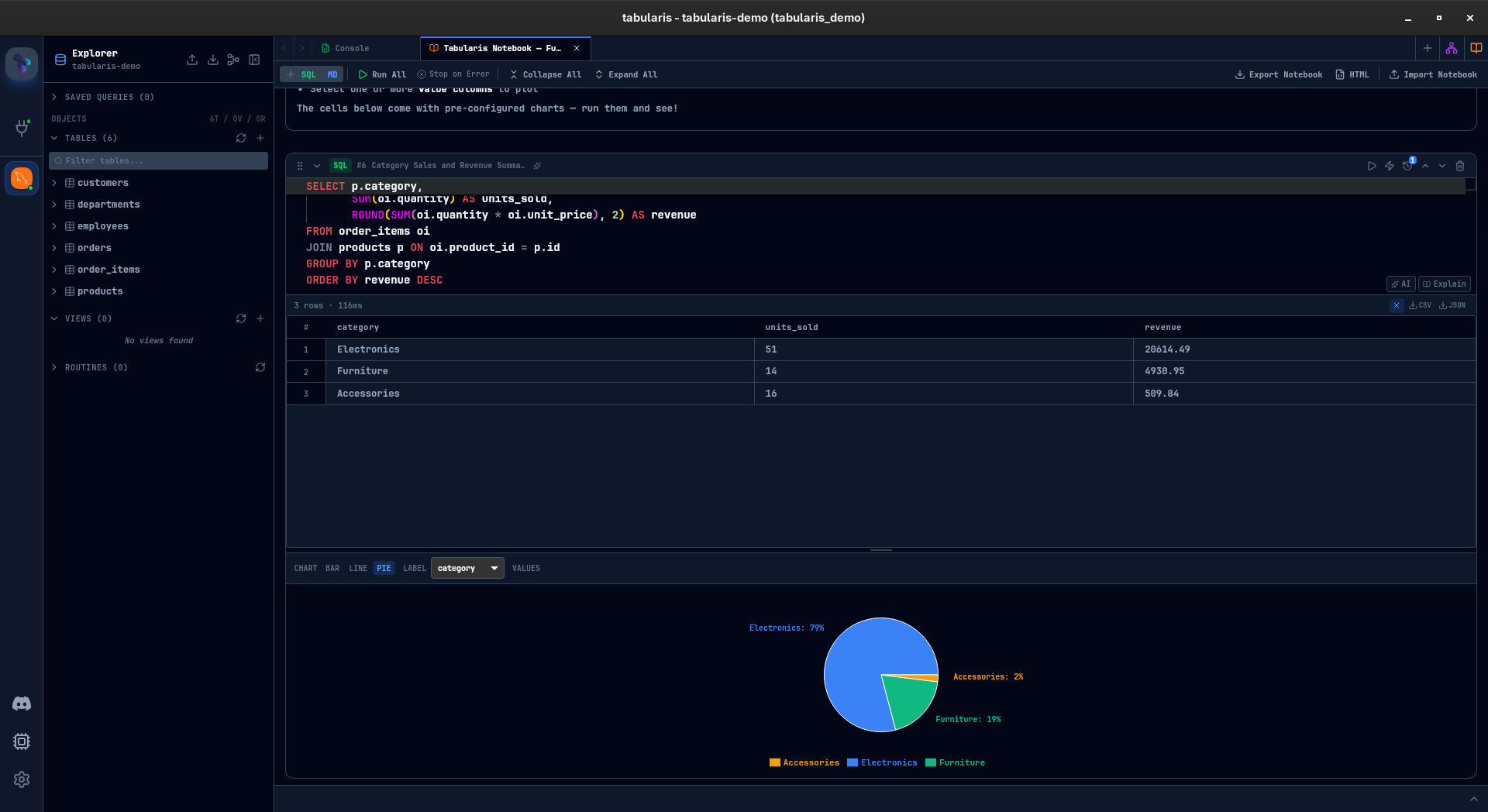
Only Tabularis ships SQL notebooks: SQL cells, markdown, charts, parameters, reusable analysis.
Plugins and extensibility
- TablePlus is closed to third-party extension.
- Tabularis treats plugins as a product surface, with drivers, UI extensions, and integrations.
AI and MCP
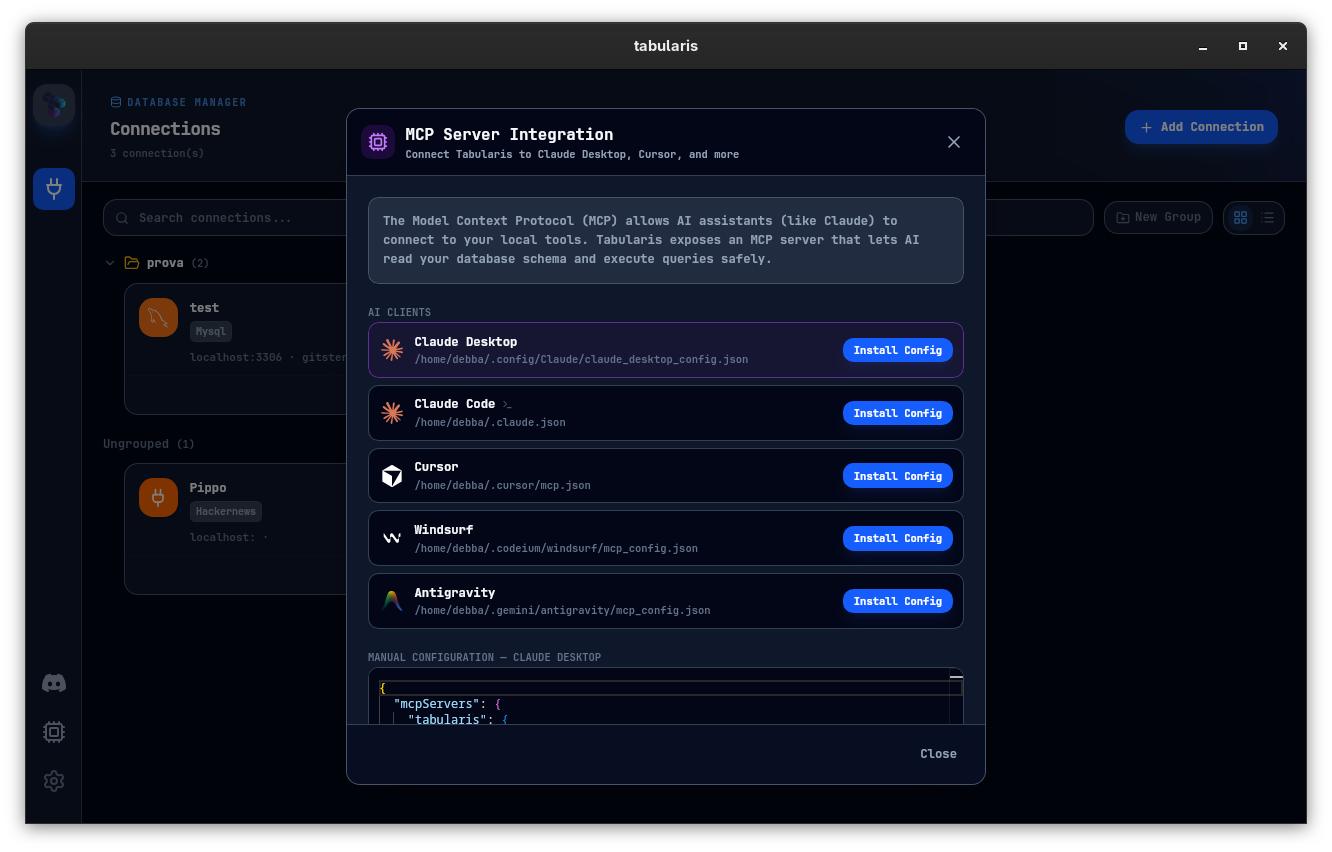
Tabularis is MCP-native. Schema and queries become available to Claude, Cursor, and other MCP clients directly — no glue scripts.
Cross-platform
Both run on macOS, Linux, and Windows. Tabularis is Tauri-based, so bundles stay small and native-feeling.
Best fit
- Tabularis for open-source, notebook-driven, AI-ready developer workflows
- TablePlus for a polished proprietary query GUI for daily SQL work
A better way to decide
Run a real task in both, with the same database:
- Connect and explore schema. Tabularis can import your saved TablePlus connections directly (beta), so this step takes a minute.
- Run a multi-step investigation end to end.
- Document or reuse that investigation.
- Try an AI-assisted flow against your connection.
Whichever removes more friction is the right tool.