

If you are choosing between Tabularis and DBeaver, both are open-source. Both connect to the usual SQL databases. The real difference is the shape of the workflow each one pushes you into.
Quick answer
DBeaver is a mature, broad, admin-leaning database tool with heavy database coverage.
Tabularis is a newer, more opinionated developer workspace focused on notebooks, plugin extensibility, and MCP-based AI workflows.
One is not strictly better. They optimize for different users.
Short version
Pick Tabularis if:
- you want a modern developer workspace, not an admin surface
- you want SQL notebooks as a first-class concept
- you want MCP and AI-native workflows out of the box
- you value an opinionated UI over maximum surface area
- you prefer extensibility through a clean plugin system
Pick DBeaver if:
- you want the broadest possible database coverage today
- your team has deep muscle memory in DBeaver already
- you rely on specific DBeaver admin features
- you prioritize a mature, long-established tool above all
Side-by-side
Workflow model
- DBeaver is shaped like a classic database IDE: tree navigation, many admin tools, dense UI.
- Tabularis is shaped like a developer workspace: SQL editor, notebooks, and a cleaner layout.
If your daily work is "open, connect, query, analyze", Tabularis reduces friction. If it is "administer many DBs across many categories", DBeaver has more surface area.
SQL editing
Both ship real editors. Tabularis uses Monaco, which makes the feel closer to VS Code. DBeaver's editor is mature and deeply integrated with its admin tree.
SQL notebooks
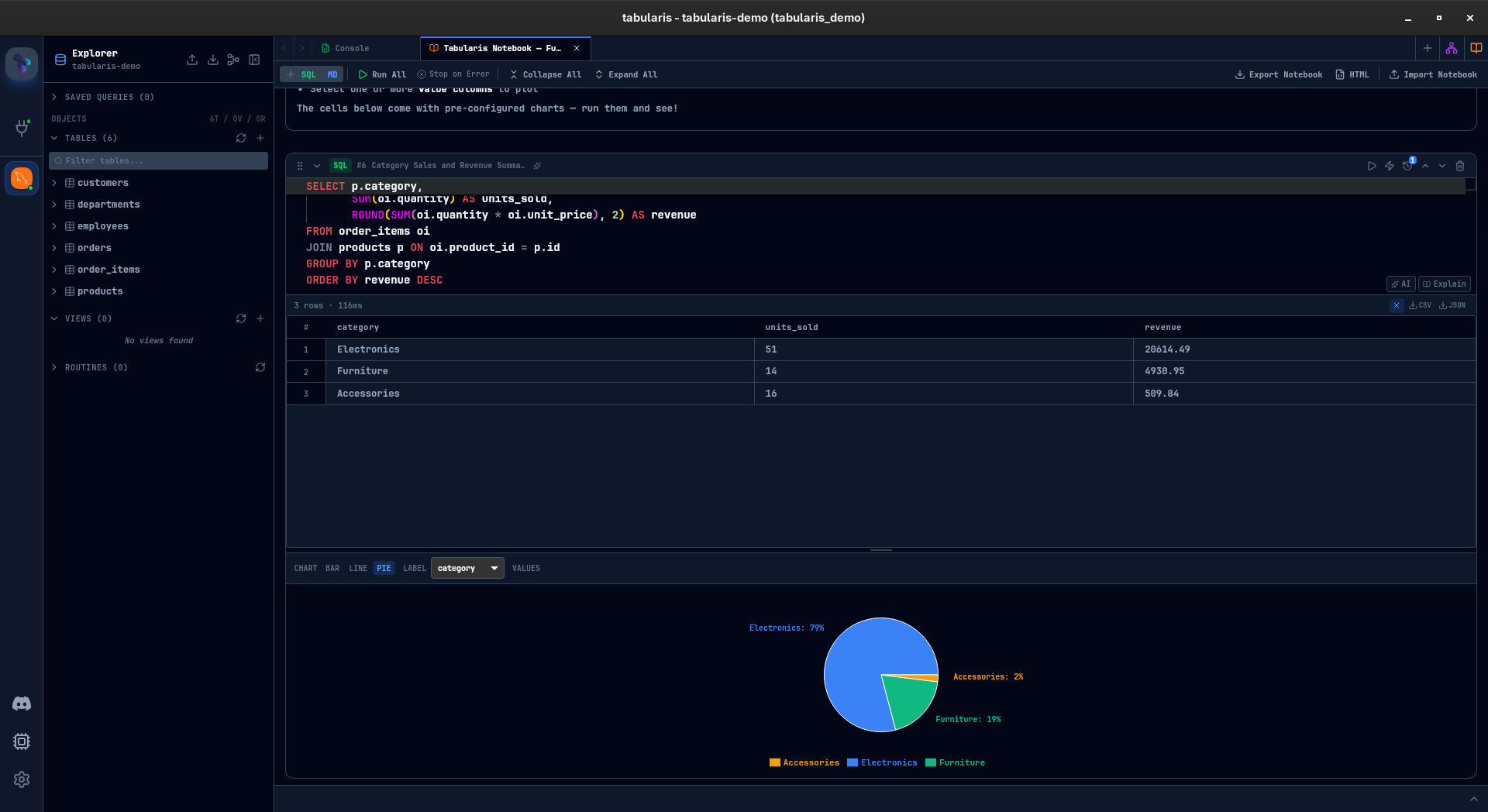
Only Tabularis ships first-class notebooks: SQL cells, markdown, inline results, charts, parameters, reusable analysis.
Extensibility
- DBeaver has a plugin architecture inherited from Eclipse.
- Tabularis has a lighter plugin system designed for the modern desktop app, with UI extensions and JSON-RPC over stdio for drivers.
AI and MCP
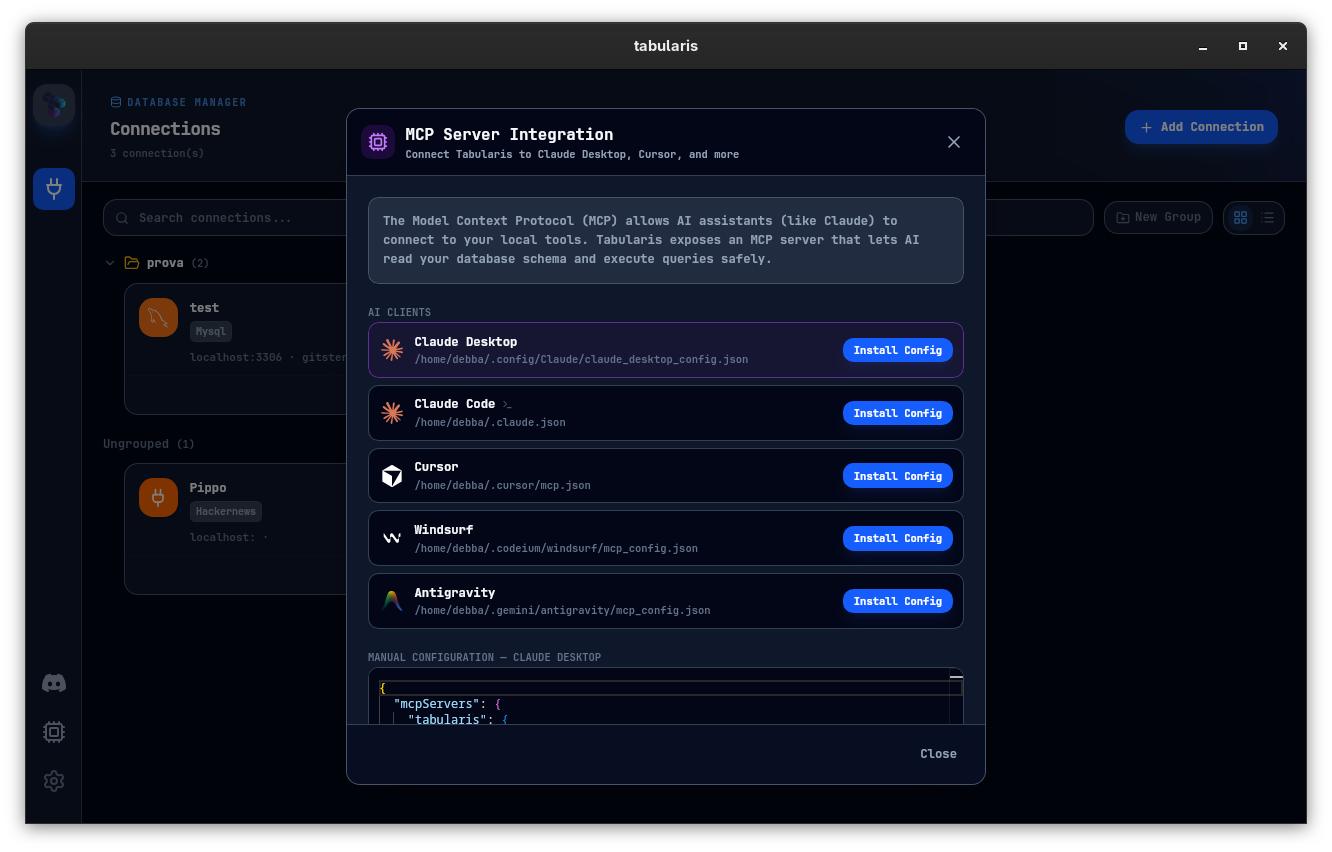
Tabularis is MCP-native. Claude, Cursor, and other MCP-compatible clients can operate against your desktop-managed connections directly.
Database coverage
DBeaver supports dozens of databases out of the box, including many enterprise ones. Tabularis focuses on PostgreSQL, MySQL/MariaDB, and SQLite today, with additional backends available through plugins.
Cross-platform
Both run on macOS, Linux, and Windows. Tabularis is built on Tauri, so the desktop bundle is small and native-feeling.
Best fit
- Tabularis for developer-first, notebook-driven, AI-adjacent workflows
- DBeaver for broad database coverage and admin-heavy use
A better way to decide
Run one real task in both:
- Connect to a real staging database. Tabularis can import your saved DBeaver connections directly (beta), so this step takes a minute.
- Do a multi-step investigation end to end.
- Document that investigation or make it reusable.
- Try an AI-assisted flow against your schema.
Whichever tool produced less friction is the right one for your daily use.