


v0.9.7 is a broad release centered on two themes: making the plugin system significantly more configurable and robust, and making connection management smoother — from grouping connections into folders to reducing keychain overhead with an in-memory credential cache.
Plugin System: Major Improvements
The plugin system has received its most comprehensive update yet. Three independent capabilities land together: per-plugin settings (including interpreter configuration), the no_connection_required capability flag, and a proper startup error surface.
Per-Plugin Interpreter Settings
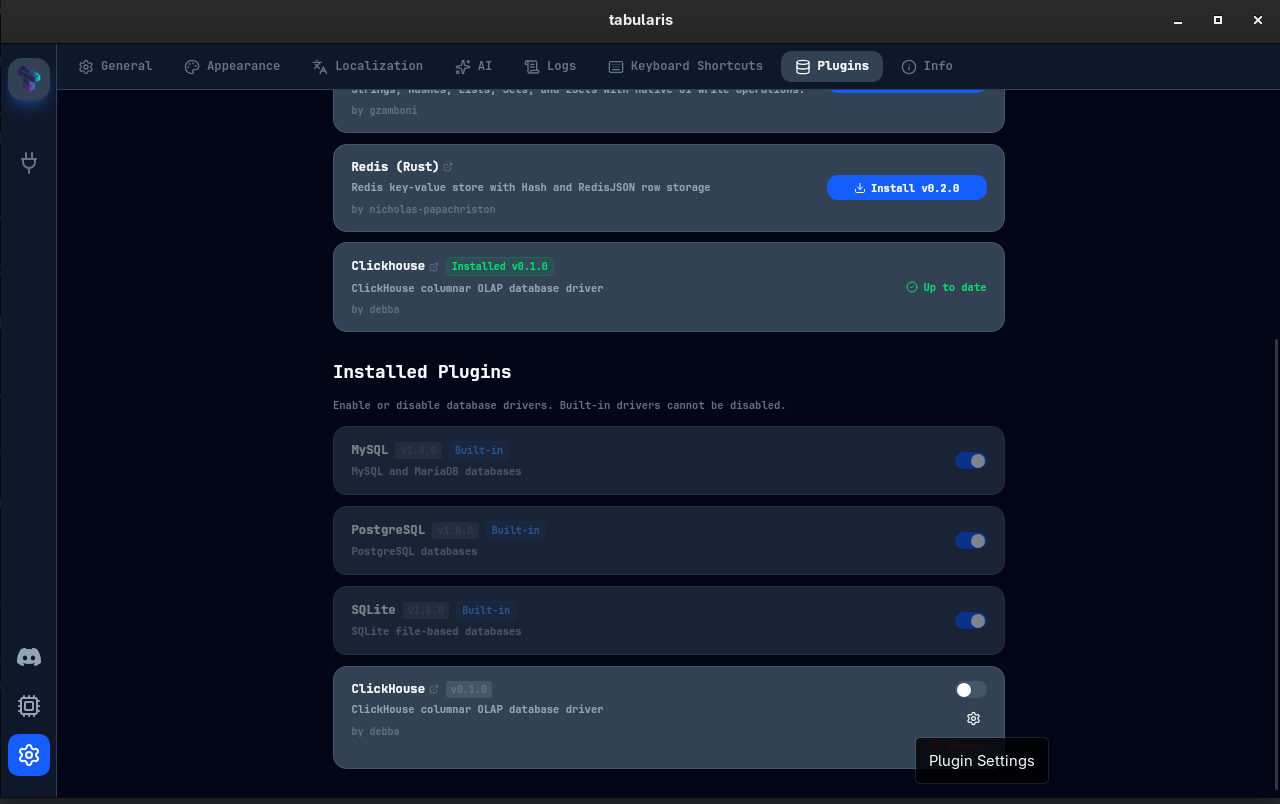
Python-based plugins — and any plugin driven by an external interpreter — can now have their interpreter path configured directly from the UI. Every plugin in the Settings page now shows a gear (⚙) icon that opens a PluginSettingsModal.
From this modal you can:
- Type an absolute interpreter path (e.g.
/usr/bin/python3.12or a virtualenv binary) - Use the file picker to browse to the executable
- Save the setting — the plugin process is restarted automatically without needing to restart Tabularis
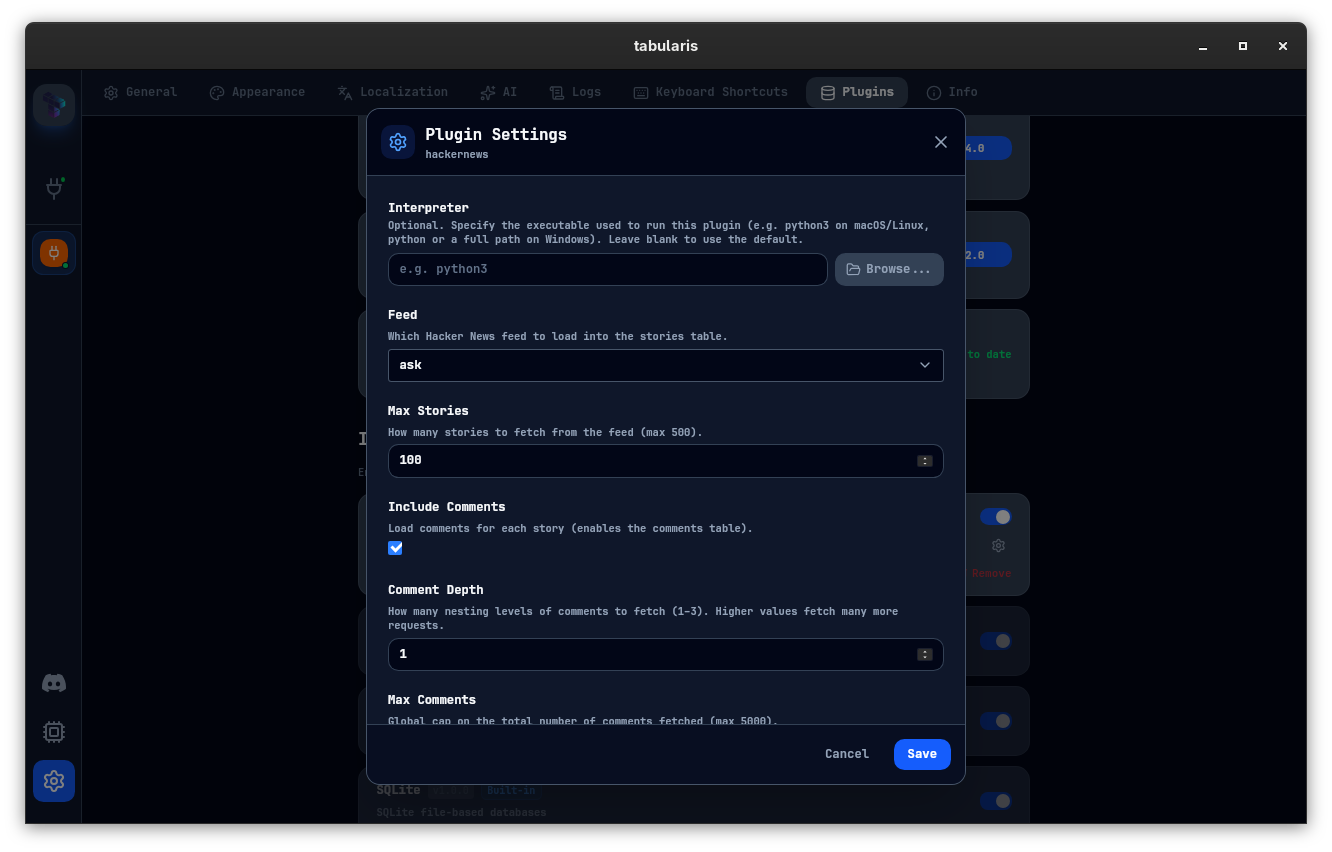
The interpreter is resolved with the following priority: user config → manifest hint → .py heuristic. If none of these resolve to a working binary, the startup error flow (see below) catches it and shows a clear message.
Declarable Plugin Settings via manifest.json
Plugins can now declare custom configuration fields directly in manifest.json. Tabularis renders them in the settings modal, persists them in config.json, and passes them to the plugin at startup via an initialize RPC call — no changes to Tabularis required.
Full details on the settings schema and the initialize RPC contract are in the Plugin Guide.
Plugin Startup Error Modal
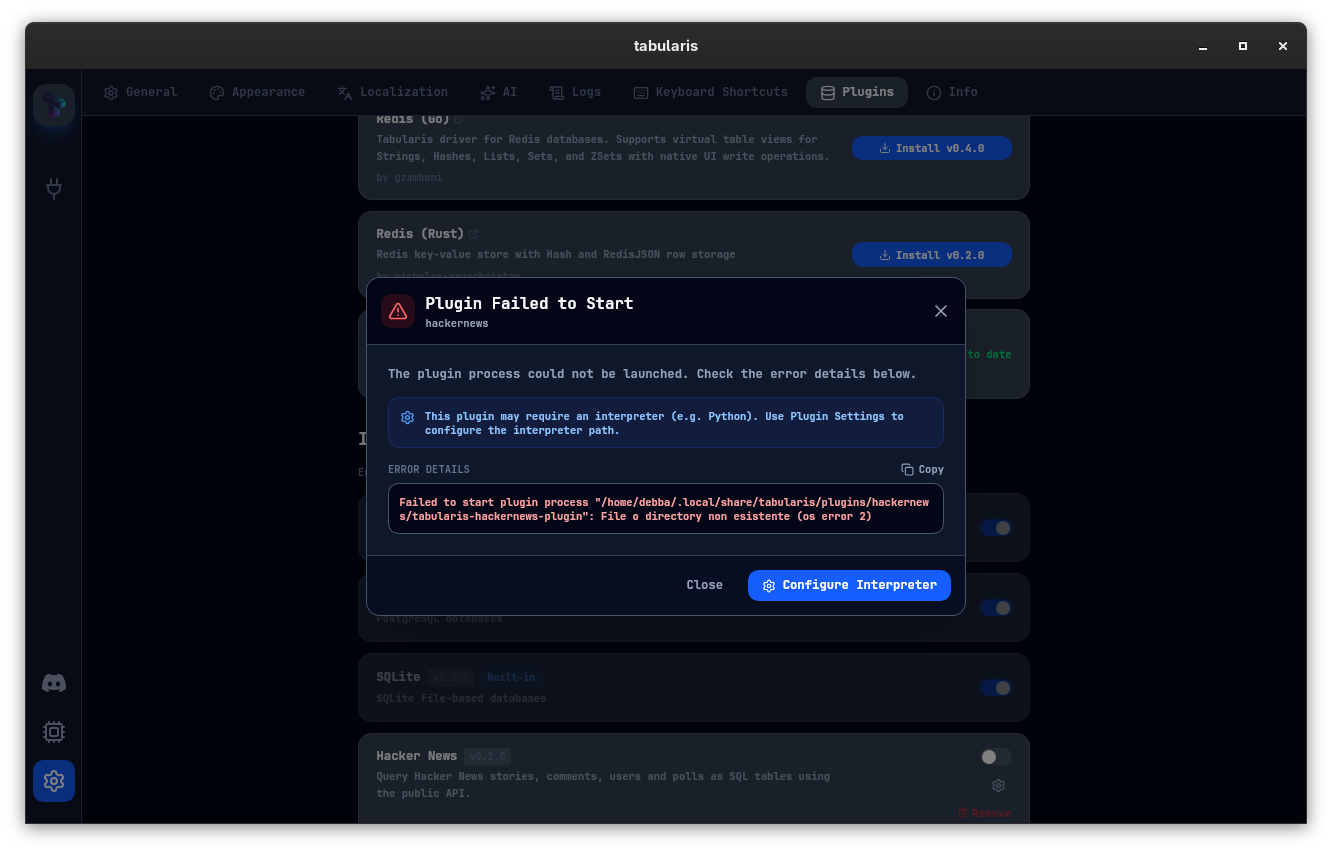
When a plugin fails to start, Tabularis previously gave no feedback — the plugin simply appeared disabled. Starting with v0.9.7:
- Tabularis auto-disables the plugin rather than blocking the rest of the app
- A
PluginStartErrorModalsurfaces the full error output, with a one-click copy button for pasting into a bug report - A shortcut "Configure Interpreter" button opens the settings modal directly, making the fix-and-retry loop as fast as possible
A new backend command get_plugin_startup_errors tracks failure reasons per plugin and makes them available to the frontend at any point after startup.
no_connection_required Capability Flag
Plugins that connect to public APIs or REST services — where there is no host, port, or credentials to enter — can now declare "no_connection_required": true in their manifest. When this flag is set, Tabularis hides the entire connection form. The user fills in only a connection name and can start querying immediately.
Plugin Removal Confirmation Modal
Removing an installed plugin now opens a PluginRemoveModal to confirm before proceeding, preventing accidental deletions during housekeeping.
Connection Groups
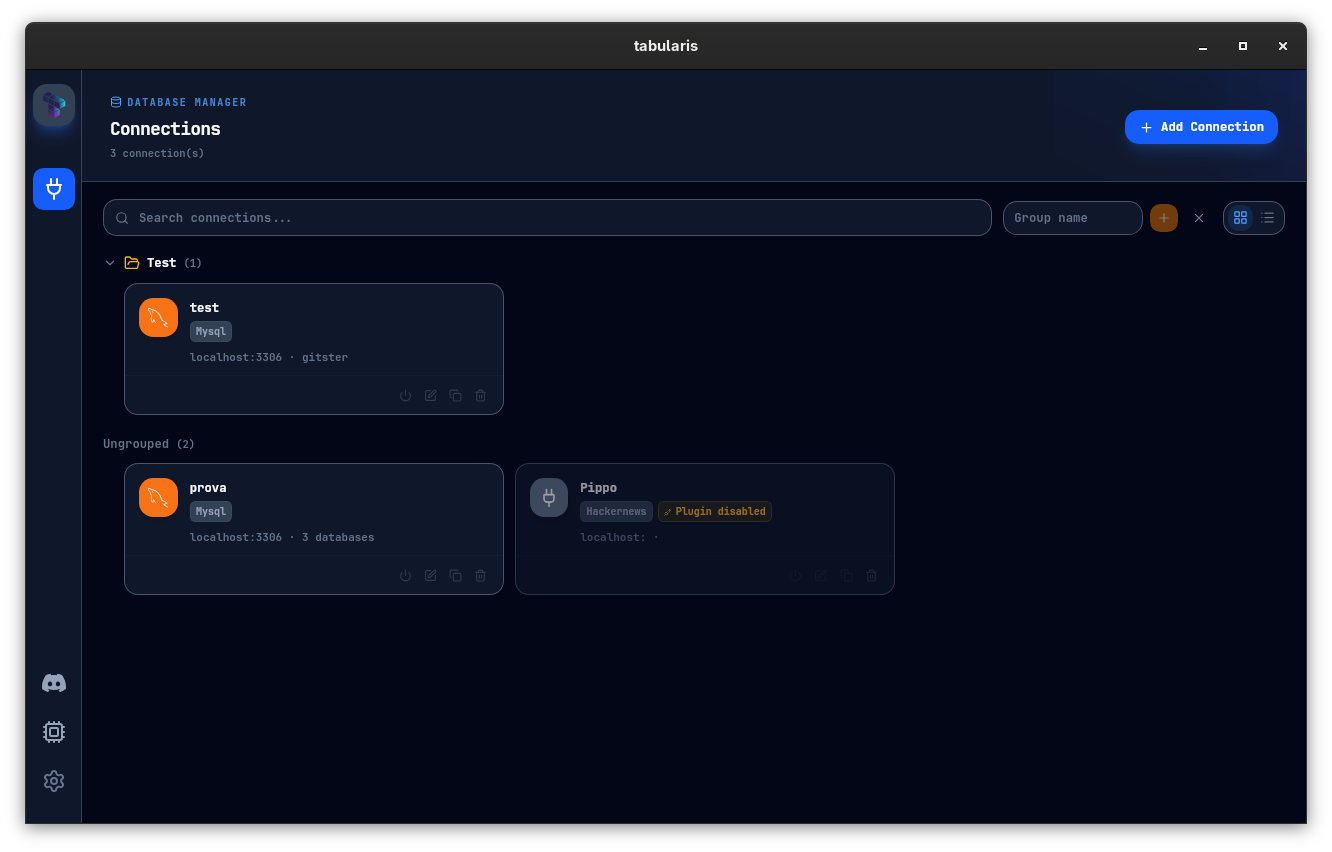
Community contribution (thanks @fandujar!): connections can now be organized into groups. Groups appear in the sidebar as collapsible folders rendered via a dedicated ConnectionGroupFolder component.
From the Connections page you can:
- Create, rename, and delete groups
- Drag connections into a group or reassign them via the edit form
This is particularly useful when managing many connections across multiple environments — separating dev, staging, and production at a glance without scrolling through a flat list.
Credential Cache
Every time Tabularis opened or reconnected to a database, it called the OS keychain to retrieve credentials. On macOS this could trigger repeated authorization prompts and noticeable latency, especially when switching between connections frequently.
v0.9.7 introduces an in-memory credential cache that:
- Caches DB, SSH, and AI credentials after the first successful keychain read
- Automatically invalidates the cache entry when a connection is updated or deleted
- Reduces OS keychain calls to the minimum necessary during a session
New Select Component and UI Consistency
The SearchableSelect component has been replaced by a new Select component that is more robust and consistent across the app. This also brings full i18n support for SSL mode labels in the connection form. The plugin version dropdown in Settings now uses a portal-based approach so it layers correctly above any open modals. Input padding has been standardized across all connection form fields.
Bug Fixes
SQLite WAL Mode Opening on Windows
Community fix (thanks @GreenBeret9): opening SQLite databases in WAL journal mode failed with "unable to open database file" (error code 14) on Windows and whenever -wal / -shm sidecar files were present. The root cause was the bare URL connection string, which did not configure journal mode handling.
The fix switches the SQLite driver to use SqliteConnectOptions with read_only(true) and explicit WAL journal mode, consistent with the pattern already used by the PostgreSQL driver.
Active Tab Restored Correctly on Session Reload
An implicit fallback in the tab state logic was causing the wrong tab to appear active after reloading a session. The editor now prefers the activeTabId persisted in saved state, falling back to null only when no valid ID is available.
Summary
| Area | What's new |
|---|---|
| Plugins | Per-plugin interpreter settings, declarable manifest settings, no_connection_required flag, startup error modal, removal confirmation |
| Connections | Group folders in the sidebar |
| Performance | In-memory credential cache to reduce OS keychain calls |
| UI | New Select component, portal-based plugin version dropdown, standardized input padding |
| Bug fixes | SQLite WAL mode on Windows, active tab on session reload |
v0.9.7 is available now. Update via the in-app updater, or download from the releases page.