

This is the one where Tabularis stops being just a query editor. SQL Notebooks — the feature previewed in the dedicated blog post a few days ago — ship in this release. Alongside them, the regular query editor gets a major upgrade: multi-query execution with tabbed and stacked results, AI-powered tab naming, and a proper query splitter that finally handles edge cases correctly.
SQL Notebooks
The headline feature. A full notebook environment inside Tabularis — no Jupyter kernel, no Python runtime, no context switching.
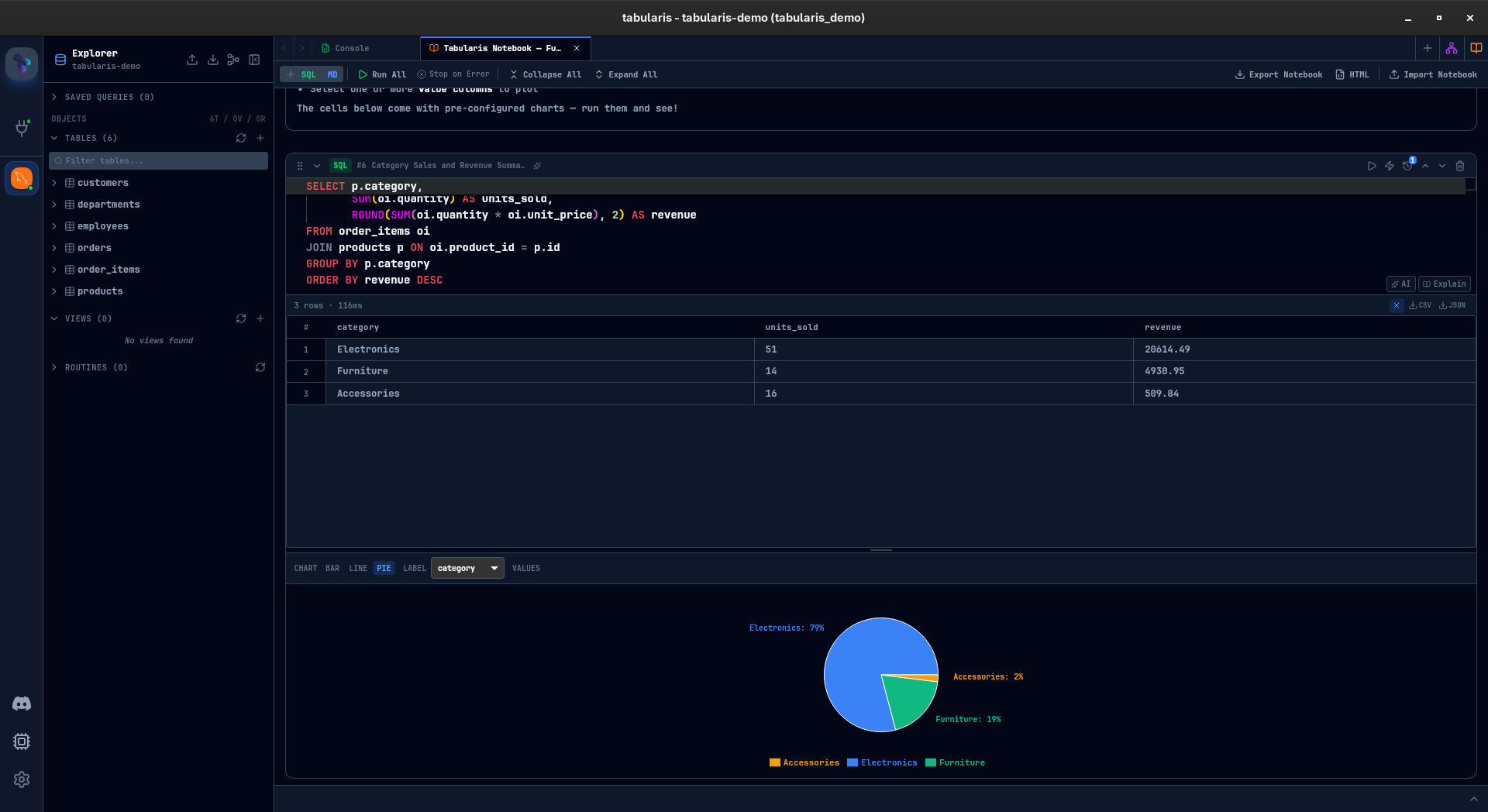
A notebook is a sequence of SQL and Markdown cells. SQL cells run against your database and show results inline — the same data grid, sorting, and filtering you already know from the query editor. Markdown cells let you document your analysis between queries.
But the real power is in what connects the cells:
Cell references — any SQL cell can reference a previous cell's query using {{cell_N}} syntax. Tabularis resolves this at execution time by wrapping the referenced query in a CTE. Change the base query, re-run the downstream cells, everything stays consistent.
Inline charts — bar, line, and pie charts render directly inside SQL cells. Pick a label column and value columns, and the chart updates live. Not a BI tool replacement — a quick visual check while you explore.
Parameters — define @start_date = '2024-01-01' once, use it across every cell. Change the value, re-run, every query picks it up.
Parallel execution — mark independent cells with the lightning bolt icon and they fire concurrently during Run All instead of waiting in line.
AI integration — each cell has AI Generate and Explain buttons. The sparkles icon generates a descriptive name based on cell content, which feeds into the outline panel — a navigable table of contents for long notebooks.
Persistence and export — notebooks auto-save to disk as .tabularis-notebook JSON files. Export as HTML for a standalone, dark-themed document ready to share. Import/export .tabularis-notebook files to collaborate with colleagues.
For the full walkthrough — cell management, execution history, multi-database queries, keyboard shortcuts — see the SQL Notebooks wiki page.
Multi-Query Execution
Run a script with multiple semicolon-separated queries and instead of a modal asking you to pick one, Tabularis now executes all of them and shows results in a dedicated multi-result panel.
The result panel ships with two view modes, switchable via a toggle button:
Tab view (default) — each query gets its own tab with:
- Collapsible query preview — expand any tab to see the SQL that produced it.
- Tab context menu — right-click to close, close others, or close tabs to the right.
- Inline rename — double-click a tab name to rename it.
- AI rename — click the sparkles icon to let AI generate a descriptive name based on the query content.
- Scrollable tabs — when you have more results than fit, tabs scroll horizontally.
Stacked view — inspired by SQL Server Management Studio, all results are displayed vertically in a single scrollable panel. No tab switching — every result set is visible at once.
- Collapsible sections — click any result header to collapse or expand it. A top-bar button collapses or expands all at once.
- Resizable — drag the handle between results to adjust the height of each data grid.
- Full per-result actions — rename, AI rename, re-run, and close are available on each result header, just like in tab view.
- Compact metadata — row count, execution time, pagination controls, and auto-paginated badges are inline in the header so nothing is hidden.
If your script uses parameters (:param syntax), Tabularis prompts for values once before running all queries.
The query selection modal also got a revamp — you can now run a single query from the list without switching to single-query mode.
Finding Tabularis useful? Star it on GitHub — it takes a second and helps more developers discover the project. Star on GitHub
Query Splitting: Done Right
This is @dev-void-7's contribution in PR #119. The old regex-based query splitter had blind spots — string literals containing semicolons, dollar-quoted blocks in PostgreSQL, comments with semicolons — all would trip it up and split queries in the wrong places.
The fix replaces the custom splitter with dbgate-query-splitter, a proper parser that understands SQL dialects. It correctly handles:
- Semicolons inside string literals and comments
- PostgreSQL
$$-quoted blocks - MySQL
DELIMITERstatements - Nested
BEGIN...ENDblocks
This was a prerequisite for multi-query execution to work reliably, and it quietly fixes a class of bugs that affected the existing query selection modal too.
AI Tab Rename
The AI features in Tabularis extend to a new place: tab naming. Click the AI icon on any editor tab and Tabularis generates a descriptive name based on the query content. Instead of staring at "Query 1", "Query 2", "Query 3", you get names that actually describe what each tab does.
The prompt is customizable in Settings > AI > Tab Rename Prompt.


v0.9.15 is available now. Update via the in-app updater, or download from the releases page.