


v0.22.0 follows v0.21.0 and is a release about how the app fits into the desktop around it. The theme can now follow the operating system's light/dark appearance, with a separate theme for each mode, and the native window chrome switches with it. On Linux, Tabularis detects tiling window managers and drops its native decorations so the window tiles like everything else on the screen. Inside the app, the data grid learns the selection shortcuts you already know from Google Sheets: Shift+Arrow grows a range, Ctrl/Cmd+Arrow jumps to the edge, Shift+Space and Ctrl/Cmd+Space select rows and columns, and a plain click on a header selects the column. Notebooks get a round of frontend fixes from the community, and the tail of the release is a set of precise bug fixes: the production banner no longer slices the last grid row in half, PostgreSQL Test Connection finally honors client certificates and custom CAs, SQLite BLOBs that are really text display as text, and MySQL routine definitions resolve in the schema you opened them from.
Follow System: One Theme for Light, One for Dark
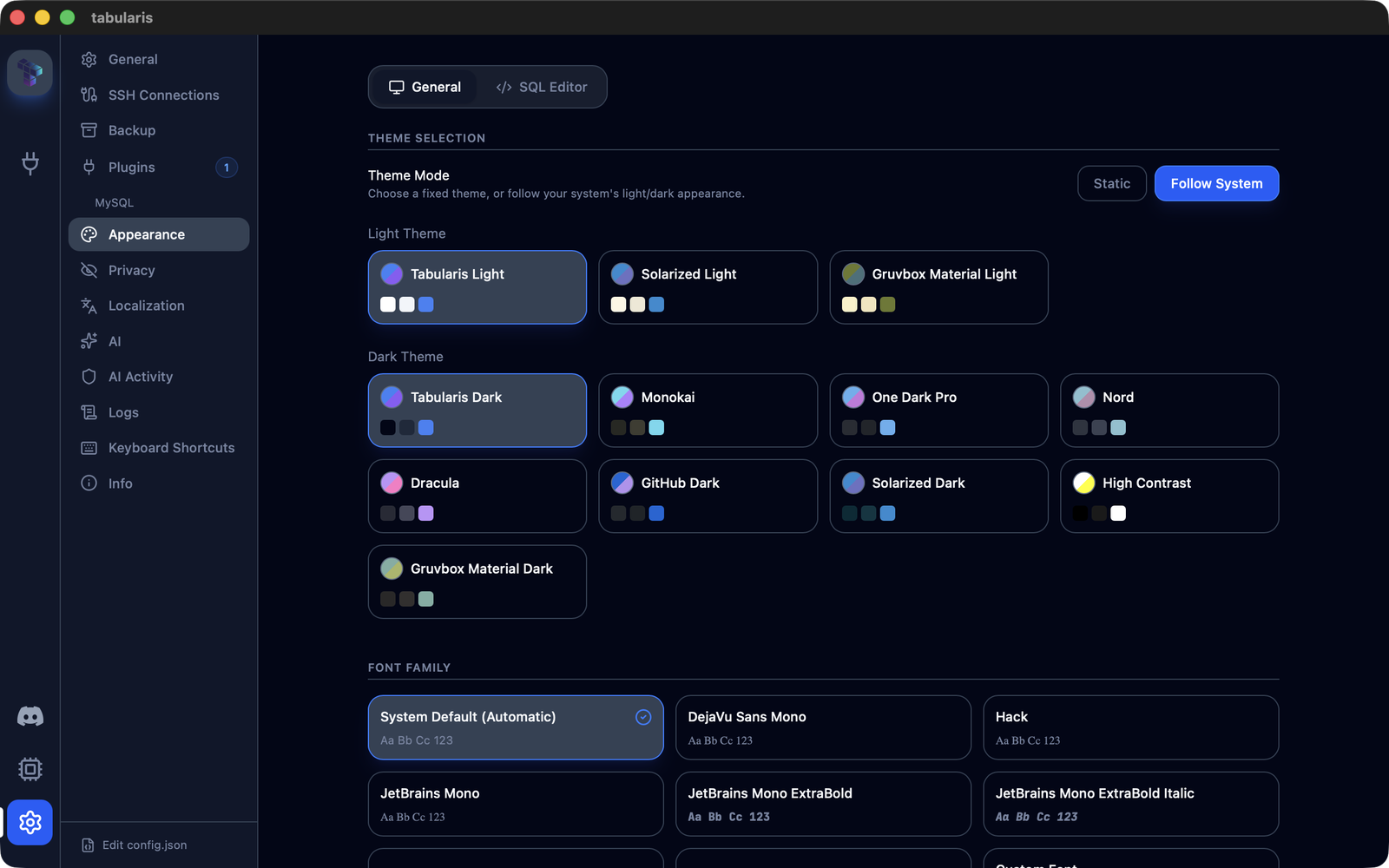
Tabularis has had a light/dark listener in the theme provider for a long time, but it was hardcoded to the two default themes and hidden behind a flag nothing could set. Issue #649 asked for the real thing, and @iamthenuggetman built it in PR #650. Settings → Appearance gains a Theme Mode switch with two options:
- Static keeps a single fixed theme. This is the previous behavior and still the default, so nothing changes for existing installs.
- Follow System shows two pickers, Light Theme and Dark Theme, each filtered to themes of that classification (custom themes included, classified by their Monaco base). The app watches
prefers-color-schemeand applies the matching pick the moment the OS flips, and it also asks the native window to switch its chrome via Tauri'ssetTheme, so the titlebar follows too.
The resolution is a pure helper, resolveActiveThemeId(settings, systemIsDark), and the edge cases are handled rather than hoped away: toggling Follow System applies the current-mode theme immediately, a picked theme that no longer resolves (a deleted custom theme, say) falls back to the preset for the current OS mode instead of always landing on dark, and deleting a custom theme resets any per-mode pick that referenced it. The editor is untouched: Same as App follows the switch automatically, explicit editor overrides stay fixed. Three optional fields land in config.json, followSystemTheme, lightThemeId and darkThemeId; absent fields mean Static, so there is no migration. Strings shipped in all eleven locales, and the PR came with provider tests for hydration, persistence, bidirectional OS switching and the fallback paths, plus a follow-up from the Kilo review that fixed the delete-active-theme case in follow mode.
Spreadsheet-Style Selection in the Data Grid
The grid got cell focus and arrow navigation in v0.18.0 and cell-range selection with Shift+click shortly after. What it lacked was the keyboard half of that story, and issue #673 from @manojvignesh laid out exactly which half: rows, columns and ranges, from the keyboard, the way Google Sheets does it. PR #683 implements that set. Every shortcut is relative to the focused cell:
| Shortcut | Action |
|---|---|
Shift + Arrow |
Extend a rectangular range by one step. The anchor stays fixed, the opposite corner moves. |
Ctrl/Cmd + Arrow |
Jump the focused cell to the grid edge. |
Ctrl/Cmd + Shift + Arrow |
Extend the range to the grid edge. |
Ctrl/Cmd + Home / End |
First / last cell of the grid. |
Shift + Space |
Select the row(s) of the focused cell or of the current range. |
Ctrl/Cmd + Space, or Ctrl/Cmd + Shift + Space |
Select the column(s) of the focused cell or of the current range. |
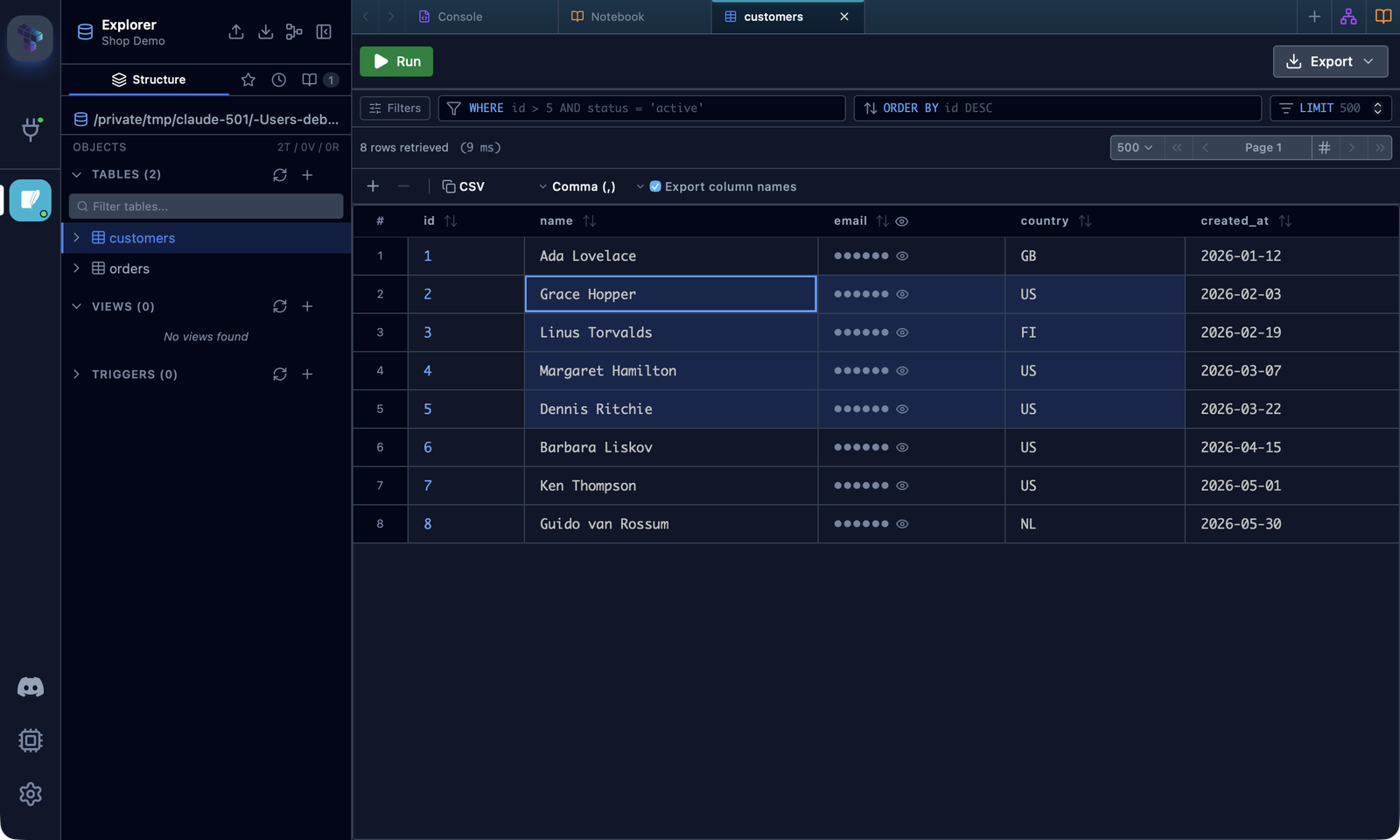
The second column binding exists because plain Ctrl+Space is often consumed before it reaches the app: ibus and fcitx on Linux, Spotlight on macOS. Row, column and range selection remain mutually exclusive, so Ctrl/Cmd + C keeps unambiguous copy semantics, and the focused cell survives Shift/Ctrl+Space so shortcuts chain (Shift+Down three times, then Shift+Space, selects four rows).
Headers change with it. A plain click on a column header now selects that column, replacing the current selection; Ctrl/Cmd+click still toggles and Shift+click still range-selects. Sorting moves to the sort icon next to the column name, which is now a real button with an aria-label, still revealed on hover. One behavior to be aware of: with a focused cell, Ctrl+Left/Right now jumps to the grid edge instead of paginating. The Next page and Previous page shortcuts still fire when no cell is focused and from the pagination buttons, and both remain user-overridable in Settings → Keyboard Shortcuts, where the new bindings are listed too. The range logic lives in pure helpers in utils/dataGrid.ts with unit tests, and every shortcut has a component test.
Native Decorations Get Out of the Way on Tiling Window Managers
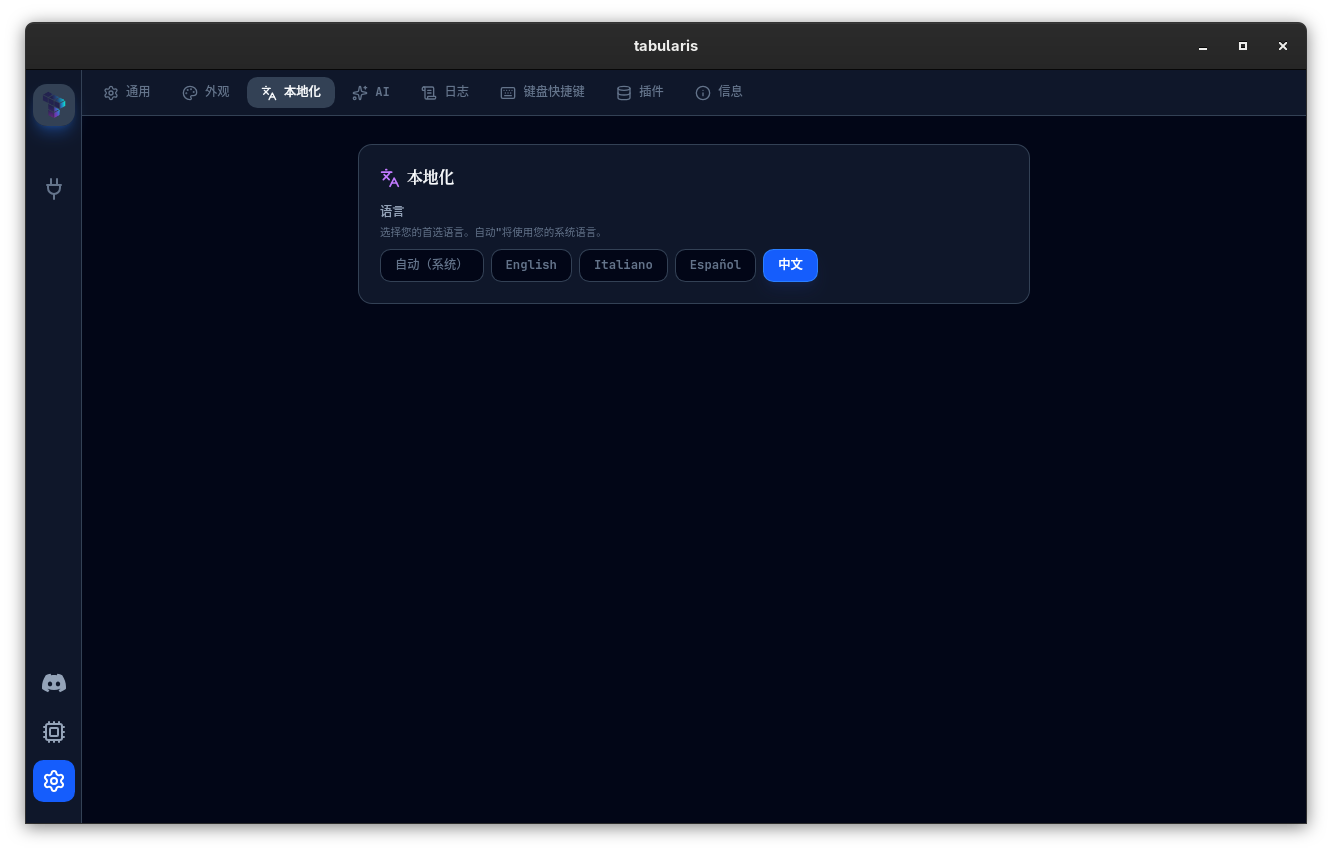
On a tiling window manager the native titlebar is dead weight: the compositor already decides where the window goes and how big it is, and the extra strip just steals vertical space and looks wrong next to everything else. PR #680 makes Tabularis notice. On Linux it looks for the session sockets and desktop names of common tilers, HYPRLAND_INSTANCE_SIGNATURE, SWAYSOCK, I3SOCK, NIRI_SOCKET, RIVER_SOCKET, BSPWM_SOCKET, and XDG_CURRENT_DESKTOP / XDG_SESSION_DESKTOP / DESKTOP_SESSION values such as awesome, bspwm, dwm, hyprland, i3, leftwm, niri, qtile, river, sway and xmonad, and hides native decorations when it recognizes one.
The behavior is a setting rather than a guess you can't override. Settings → General → Window Decorations offers Automatic (the default, described above), Always show and Always hide, persisted as windowDecorations in config.json. Changing it applies to every open window immediately, and secondary windows (connection windows, detached results) are created with the same mode. On macOS and Windows, Automatic keeps native decorations on; the setting is there if you want to force it either way. The detection is a pure function over environment variables and carries its own unit tests.
Notebook Polish
Two PRs from @harshavardhankonisa went through the notebook frontend with a magnifying glass.
PR #687 fixes three things you notice within a minute of using a notebook. The add-cell dropdown always opened downward, so near the bottom of the viewport it rendered off-screen and could not be clicked; it now measures its position and flips upward when there is no room below. New cells were not scrolled into view, because scrollToCell ran before React had rendered the cell, so the scroll was a silent no-op; the update is now flushed synchronously and scroll-plus-focus live inside addCell itself, which also removed six duplicated call sites. And the SQL cell editor was a fixed 150px box, cramped for any multi-line query; it now tracks Monaco's content height and grows to fit, with a 60px minimum for empty cells.
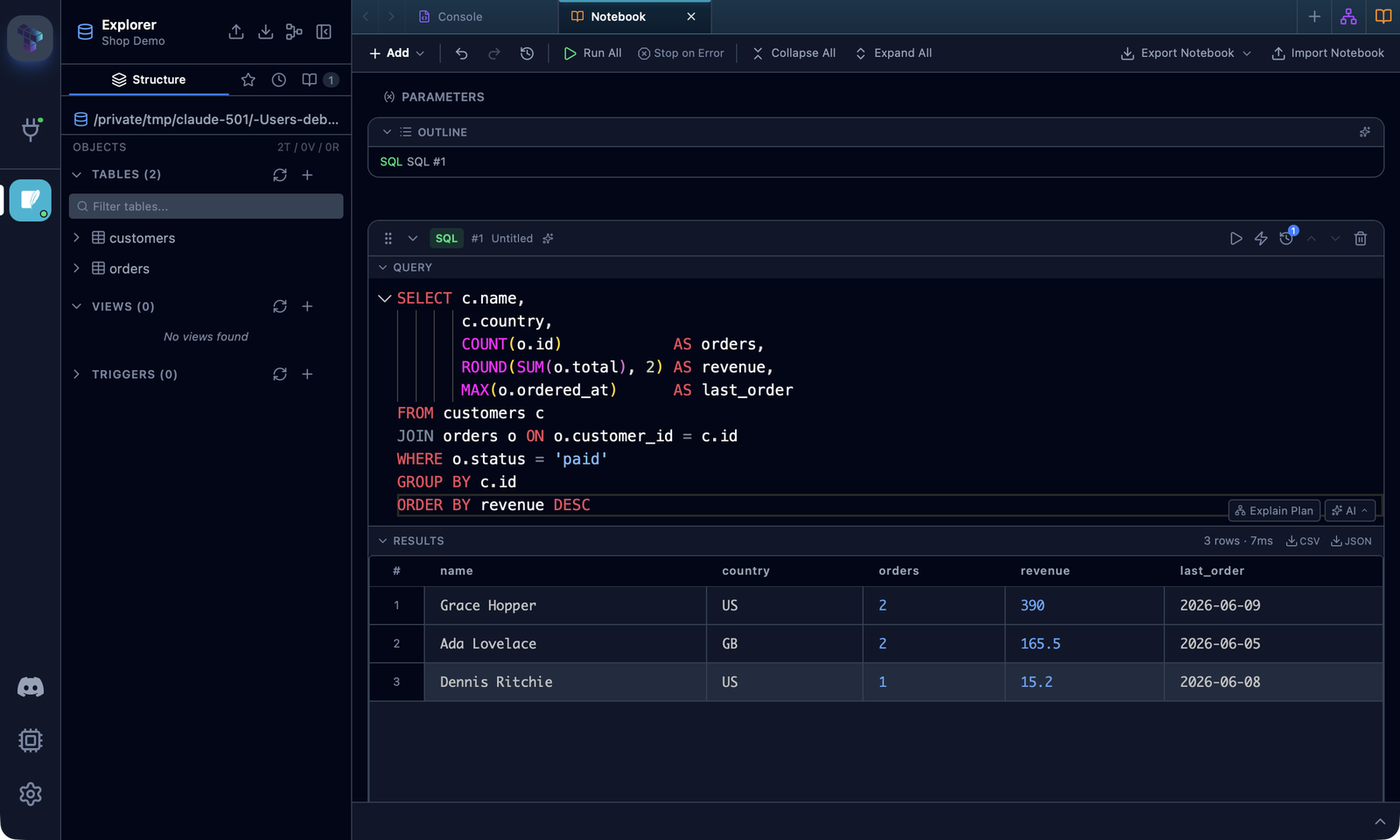
PR #700 is a broader React audit that touches the notebook as well as a dozen other components. The visible change is that cells scroll to the top of the viewport with a small margin instead of the center, which reads better when you are adding cells in sequence. Under the surface, eleven copies of the copy-to-clipboard-then-reset-after-two-seconds pattern, none of which cleaned up its timer on unmount, are replaced by one useCopyFeedback hook with tests; the context menu uses stable keys so rebuilt menus no longer inherit stale hover state; SqlHighlight sanitizes its HTML through DOMPurify like the plugin README modal already did; the connection icon component stops calling setState during render; and the notebook outline's role="button" rows answer to Space as well as Enter, as WCAG expects.
Smaller Things
- The production banner no longer clips the last grid row (@thomaswasle, PR #684, closes #682): every routed page sizes itself with
h-full, which resolved against the full height of<main>and ignored the banner rendered above it. With a production-flagged connection the page was about 18px taller than the space it had, and the bottom of the results grid, half of the last row, was cut off and unreachable. The routed content is now wrapped in a properly sized flex item, which fixes the editor and split-pane geometry under the banner as well. - PostgreSQL Test Connection honors client certificates and custom CAs (@adisusilayasa, PR #678): the driver never overrode
test_connection, so the test path went throughsqlx::AnyConnectionand a URL that carried no client certificate, and on macOS used the system keychain instead of the supplied CA bundle. Servers requiring mTLS rejected the test withconnection requires a valid client certificateeven though real queries, fixed in v0.21.0, worked. The test now uses the same rustls connector as the query pool, sossl_ca,ssl_certandssl_keybehave identically in both. - Monaco relayouts while you drag the editor resize handle (@DhruvShah-Dev, PR #657, fixes #113): the resize handler wrote panel heights to the DOM during the drag and committed React state on release, and Monaco's automatic layout lagged behind the manual writes, leaving stale measurements and visual glitches. The editor is now explicitly relayouted during the drag and once more after release.
- SQLite text BLOBs display as text (PR #696, fixes #695): the v0.20.0 hex preview treated every small generic BLOB as binary, so a BLOB column holding UTF-8 strings, file paths for instance, came back as a hexdump. A complete
application/octet-streamvalue that decodes as valid UTF-8 with no binary control characters is now shown as text; invalid UTF-8 and real binary keep the hex preview. - MySQL routine definitions in non-default schemas (PR #701, fixes #699):
SHOW CREATE PROCEDUREwas issued with the bare routine name, so MySQL resolved it against the session's default database and returned error 1305 for any routine opened from another database in the sidebar. Listing, parameters, drop and call scripts were already schema-aware; the definition and edit path was the only one that wasn't. The statement is now schema-qualified with proper backtick escaping, with unit tests for both routine types. brew install --cask tabularis, no tap (@justsrc, PR #691): Tabularis is in the main Homebrew cask repository, so thebrew tap TabularisDB/tabularisstep is gone from all eleven README translations.- Nightly build pinned: the CI install of
tauri-cliis pinned to a revision and runs with--locked, after an unpinned branch install pulled avalue-bagrelease incompatible with thelogcrate and broke the nightly.
Thanks
Six external contributors land in v0.22.0.
@iamthenuggetman shipped the release's headline feature, Follow System theme mode with per-mode themes, native chrome sync and the full fallback story (#650). @harshavardhankonisa fixed the notebook's dropdown, scroll and editor-height issues (#687) and followed up with a React audit that removed a class of timer leaks and render-time state updates across the app (#700). @thomaswasle diagnosed and fixed the production-banner clipping with a writeup that made the review trivial (#684).
@adisusilayasa closed the loop on PostgreSQL client certificates by bringing Test Connection onto the same connector as the pool (#678). @DhruvShah-Dev put the editor resize glitch open since March to rest (#657), and @justsrc simplified the macOS install docs now that the cask lives upstream (#691). Thanks also to @manojvignesh for the selection-shortcuts spec in #673, to @agross for the SQLite BLOB report, and to @madiajijah11 for the MySQL routine report.
If you switch your OS to dark at sunset and have been switching Tabularis by hand right after, run it under Hyprland or Sway with a titlebar that doesn't belong there, or have reached for Shift+Space in the grid out of spreadsheet habit and had nothing happen, this is the upgrade.





v0.22.0 is available now. Update via the in-app updater, or download from the releases page.