


v0.31.0 follows v0.30.0 with a release about the work inside the editor. Wide results can be turned on their side, columns can be hidden, and a find bar searches the cells already loaded. Saved queries keep their previous SQL, tabs and tables can be pinned, and three more clients can hand their connections to Tabularis. Visual EXPLAIN gets a separate window and reorderable columns. Around the project, CockroachDB has its first downloadable driver alpha, and the PostgreSQL plugin fixes aborted transactions.
Read Wide Results One Record at a Time
A table with dozens of columns is hard to read horizontally. @robinstark adds a Transpose toggle to the results header in PR #1357, closing #561. Fields become rows and records become columns. Field names stay on the left while you scroll through records, and the choice is saved per tab. It works on query results as well as table tabs.
Sorting, masking, editing and copying keep their existing meaning. Clicking a record header selects that record; double-clicking it opens the row editor. Arrow keys follow the layout on screen. Freeze first column becomes Freeze first row, keeping the same field pinned when you switch layouts.
Show only the columns you need. The header menu now offers Hide column, Hide N columns for a column selection, Show hidden columns and Choose columns… (@itsmunzir, PR #1351, closes #1299). A chip in the status bar opens a searchable checkbox list with Show all. At least one column stays visible. Hidden fields remain in the row data, including primary keys needed for editing, while selection copy/export and Find skip them. Visibility lasts for the current result's column set and is not saved across restarts.
Find a loaded value. With the grid focused, Cmd/Ctrl+F opens a find bar (@itsmunzir, PR #1350). Matches are highlighted, Enter and Shift+Enter move between them, Aa switches case sensitivity, and Escape returns focus to the matched cell. This searches the loaded cells, including pending edits, without running SQL. It skips hidden columns, unrevealed masked values and NULL cells. When more rows exist on the server, the bar says Loaded rows only.
Two smaller navigation changes fit here: double-click a column's resize handle to fit its header and loaded values (@Mittalnew, PR #1339), and type a page number into the pagination bar, then press Enter to jump there (@dyk1454683243-sudo, PR #1320).
Video unavailable
Previous Versions of Saved Queries
Editing a saved query used to replace its SQL. @shu-chen-dot-ca adds History… to its context menu in PR #1356, closing #992. Each save that changes the SQL keeps the previous content, up to fifty versions. Pick one to compare it with the current SQL, then Restore this version to bring it back.
Restoring changes only the SQL, keeping the query's current name and database. The content it replaces becomes another version, so a restore can itself be reversed. Saving unchanged SQL creates no version, and deleting a saved query also deletes its history.
Take queries out as SQL. @Asymtode712 adds Export all as SQL… and folder export: one .sql file for the connection's saved queries or a whole folder, even when the sidebar search narrows what is visible (PR #1325). The execution History panel separately gets Export history as SQL, from @verbaux (PR #1352). It exports exactly the entries that match the active filters, in their displayed order, with timestamps, outcomes and recorded durations as comments. Nothing is executed by either export.
Video unavailable
Bring Connections from HeidiSQL, Navicat and MySQL Workbench
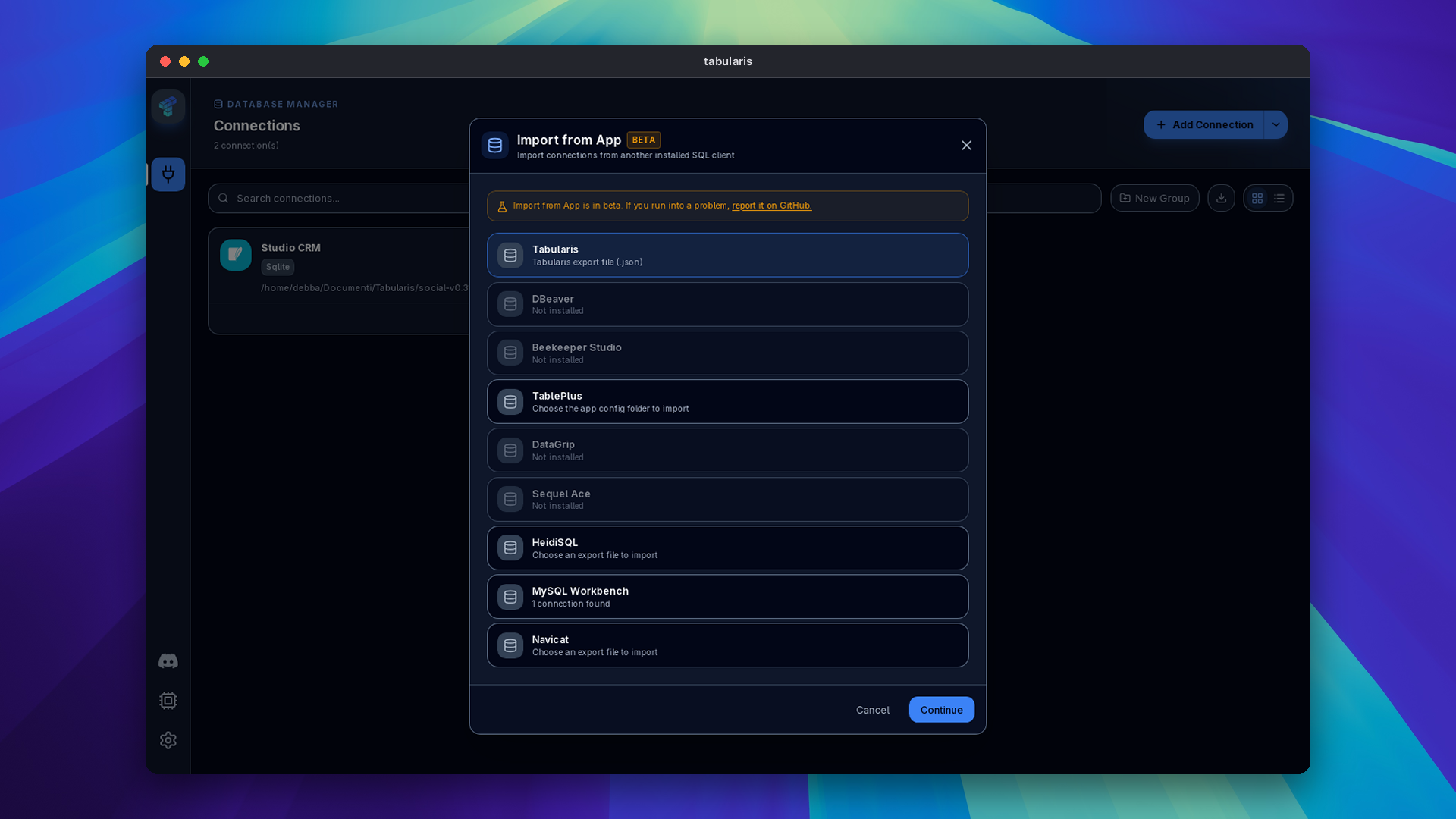
Import → Import from App now accepts three more sources:
- HeidiSQL, from @fixfon (PR #1345): choose the text file from File → Export settings, or the portable build's
portable_settings.txt. - Navicat, also from @fixfon (PR #1346): choose a
.ncxconnection export. Supported connection types and enabled SSH settings are mapped; unsupported types are skipped. - MySQL Workbench, from @arxhr007 (PR #1355): read the automatically discovered
connections.xml, or choose its folder or file manually. TCP/IP and TCP/IP over SSH connections carry over the database, TLS settings, certificate paths and SSH key path. Local sockets and other Workbench drivers are skipped.
All three use the existing review step, where you choose what to import, replace or skip and where to put it. Passwords are not imported from these sources. Enter them in Tabularis after importing.
A timeout per connection. PostgreSQL and MySQL connections now have a Connect timeout in the Advanced tab (@Detoy, PR #1288). Set a budget in seconds for that profile; Test Connection uses it too. Leaving it unset or at zero keeps the existing defaults. PostgreSQL startup scripts are bounded by the chosen budget as well.
Pin the Work You Keep Returning To
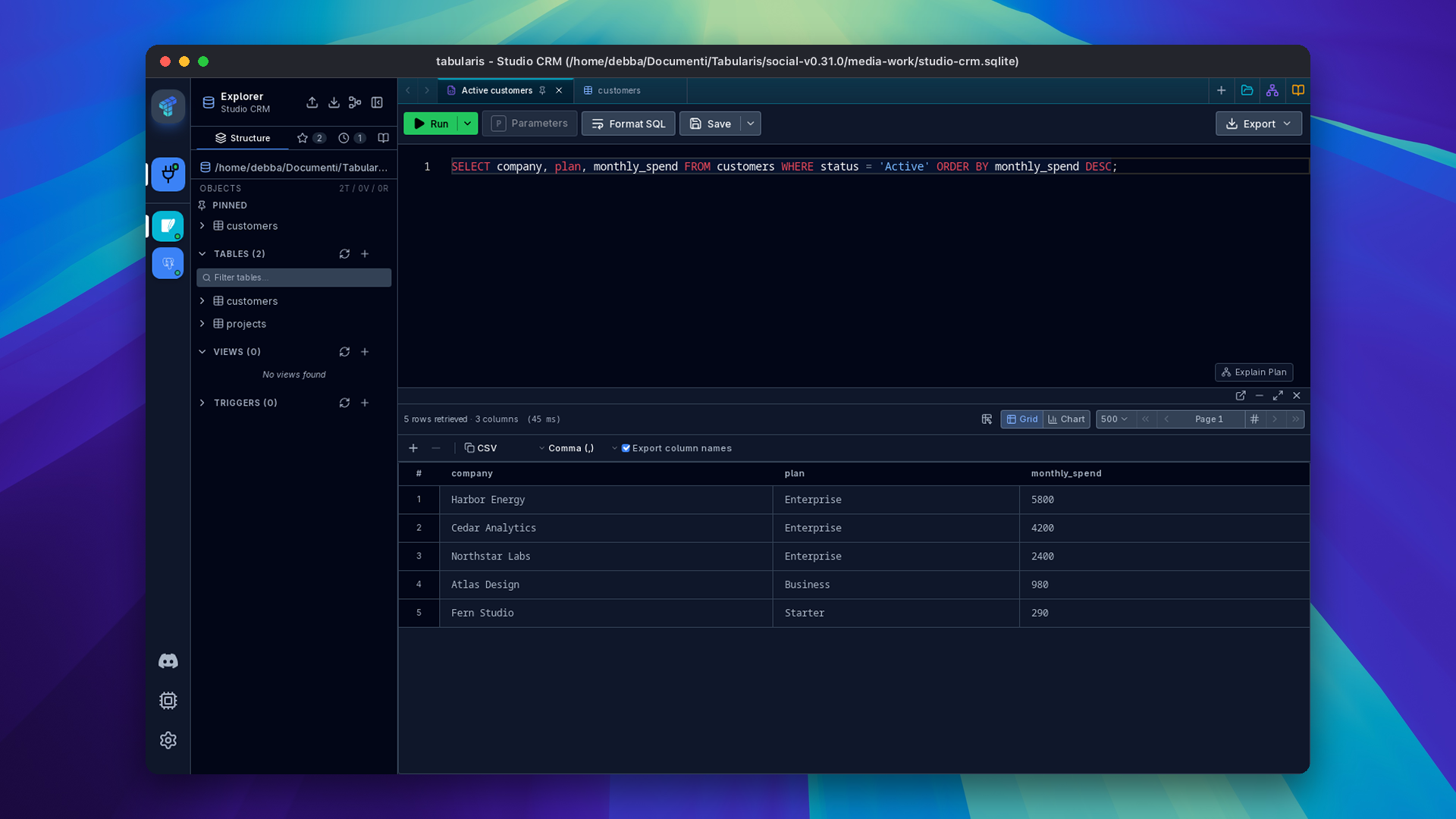
@Xnadir adds two kinds of pin. Pin Tab puts a query tab at the start of the tab bar, marked with a pin, and keeps it out of Close Others, Close Left/Right and Close All (PR #1354). You can still close a pinned tab directly. Pins survive a restart, and dragging stays within the pinned or unpinned group.
Tables, views and materialized views get Pin in their explorer context menu (PR #1353). A Pinned group appears above the normal list for that connection, database and schema. Objects keep their usual actions and remain in their original list too. These pins also survive restarts.
More Room for EXPLAIN
@WhitePepperLambSoup puts Loops next to Actual Rows in the plan table (PR #1367). A small per-loop time means something different when the operation ran hundreds of thousands of times; the count is now visible without opening the node details. It appears with ANALYZE data, and a missing count stays empty.
@shu-chen-dot-ca follows with Open in new window, reorderable table columns and the loop count in the CSV export (PR #1368, closing #308). You can give the plan its own window and arrange the table around the metrics you are comparing.
Video unavailable
Choose How NULL Looks and Copies
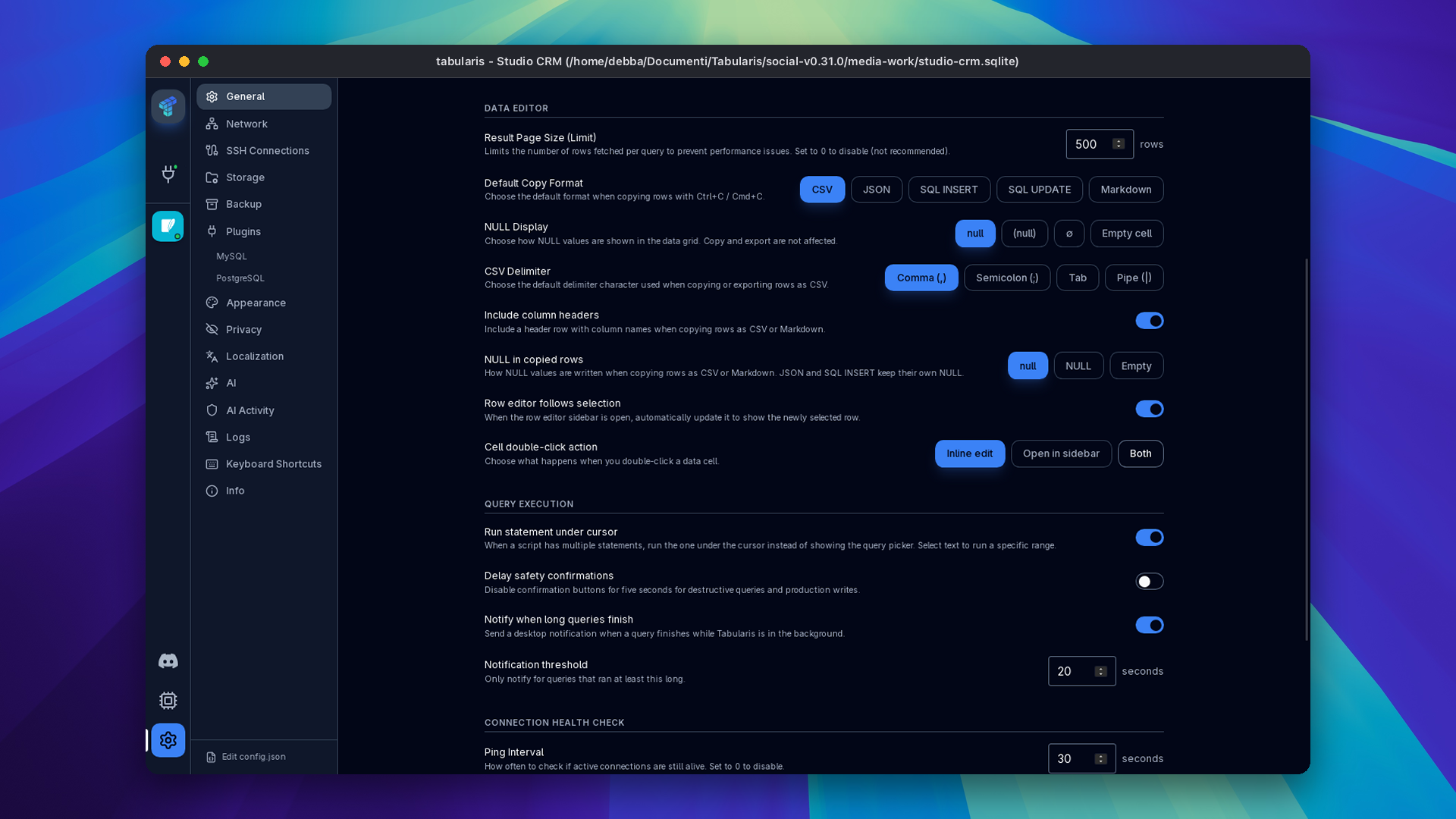
Two separate settings in Settings → General → Data Editor control NULL values. NULL Display, from @Mittalnew, chooses the usual label, (null), ∅ or an empty cell in the grid (PR #1343). It does not change copy or export output.
NULL in copied rows, from @shu-chen-dot-ca, chooses null, NULL or an empty value for CSV and Markdown copies (PR #1333). JSON and SQL keep their native null representation.
Copy as SQL UPDATE. @Xnadir adds one UPDATE statement per copied row, with primary keys in WHERE and other fields in SET, quoted for the driver (PR #1349). The explicit menu action is disabled without a usable key. If SQL UPDATE is your default copy format and the result cannot provide one, copying falls back to SQL INSERT and the toast explains why. Copying only creates text; it does not run the statements.
When the Editor Crashes
The editor's crash screen now has Copy report and Create issue, from @Detoy (PR #1364). The report includes the application version, platform, error and stacks. Known credential patterns are redacted, and Create issue opens a prefilled GitHub form for you to review and submit.
The same contributor adds Analyze with AI (PR #1369). Clicking it sends the redacted report to your configured AI provider and shows the explanation or failure inline. This is an explicit action on the crash screen. Review a report before sharing it: pattern-based redaction cannot recognize every possible secret.
Around the Ecosystem
CockroachDB: First Public Alpha
@1-DARK ships CockroachDB 0.1.0-alpha.1, with downloads for Linux, macOS and Windows and a minimum Tabularis version of 0.29.0. It connects with TLS, browses databases and schemas, runs paged queries and transactions, edits rows and handles BLOB cells. Large integer keys and decimals keep their precision.
It is an alpha with specific gaps: EXPLAIN, DDL helpers and view mutations are not implemented, even where the manifest exposes their controls. Routines, triggers and ER diagrams are also absent. Read the release limitations before using it, and install it from Plugins or take the platform archive from that release for manual installation.
PostgreSQL, libSQL and Tabularium
PostgreSQL 1.0.0-rc.13, from @aesslinger, stops a failed statement inside a transaction from leaving every later statement reporting 25P02 (current transaction is aborted). Both prepare failures and execution failures surface their original error, roll back the aborted transaction and release the pinned connection; the error message tells you about the rollback.
libSQL 1.0.3, from @jonaspm, fixes the schema snapshot shape that prevented ER diagrams from opening. Tabularium 0.25.2 fixes relative links and images in plugin and release READMEs so they resolve against the GitHub repository.
Website and Project Support
@wajrock reorganizes the download page around the detected platform, with stable/nightly selection and separate desktop and self-hosting options (#42). The home page also links the database documentation that lists Tabularis (#43), and the mobile menu keeps Safari's bottom bar in the page's color (#40).
The project joins the Neon Open Source Program, with Postgres and AI Gateway credits, and Blacksmith sponsors the CI. The wiki now covers Docker and Helm, remote web access and connecting to Neon.
Smaller Things
- Vietnamese and Traditional Chinese bring the picker to thirteen UI languages, from @HongTin2104 and @fixfon (PRs #1329, #1366). Traditional Chinese locale detection covers
zh-TW,zh-Hant,zh-HKandzh-MO; Simplified Chinese keeps its own dictionary. - Index and foreign-key details open from the explorer context menu, with ordered columns, uniqueness, references, update/delete actions and copyable DDL where the backend can provide it (@Parth-Jadhav-2004, PR #1326). Metadata stays visible when a full definition cannot be generated.
- Text filters from a cell add Does not contain, Starts with and Ends with, with literal escaping of wildcard characters (@HongTin2104, PR #1338). Export Selected adds Markdown and SQL INSERT to CSV and JSON (@wanjinhao1, PR #1317).
- Result charts accept a single numeric column plotted against row number, distinguish duplicate column names and load the chart code when needed, with an inline retry if loading fails (@itsmunzir, PR #1290).
- Tabularis Web resumes a connection link after password sign-in and fixes password-form origin handling, with a login page that follows the system light/dark preference (@Detoy, PRs #1294, #1347).
- AI fixes: expired MCP approval requests disappear from the approval modal instead of leaving it stuck (@verbaux, PR #1365); Anthropic responses with a thinking block before the answer use the first text block (@harshbhx, PR #1332); MiniMax text catalogs prefer M3.1 Flash without replacing remotely supplied catalogs (@octo-patch, PR #1230).
- Database context: Generate SQL opens a console on the table's database (@shu-chen-dot-ca, PR #1363). Connection cards show All databases for PostgreSQL and the database name when exactly one is selected (@itsmunzir, PRs #1282, #1344).
Thanks
@robinstark built the transposed grid. @itsmunzir added hidden columns and Find, expanded chart support and fixed connection labels. @shu-chen-dot-ca added saved-query versions, EXPLAIN window and column controls, the copied-NULL setting and the Generate SQL database fix. @WhitePepperLambSoup brought loop counts into the plan table. @Detoy added per-connection timeouts, crash reporting and analysis, and the web login changes.
@fixfon added HeidiSQL and Navicat imports and Traditional Chinese. @arxhr007 added the MySQL Workbench importer. @Xnadir added query-tab and explorer pins and SQL UPDATE copy. @verbaux added history export and fixed expired approvals. @Asymtode712 added saved-query collection export. @Mittalnew added NULL display choices and column fitting. @HongTin2104 added Vietnamese, text filters and consistent line endings on Windows.
Thanks also to @dyk1454683243-sudo for page-number navigation, @Parth-Jadhav-2004 for index and foreign-key details, @wanjinhao1 for selected-row export formats, @harshbhx for the Anthropic fix and @octo-patch for MiniMax catalogs. Across the ecosystem, @1-DARK shipped the CockroachDB alpha, @aesslinger fixed PostgreSQL transaction recovery, @jonaspm fixed libSQL ER diagrams and @wajrock improved the website.
If your tables are wide, your saved queries keep changing, or your connections still live in another client, this is the upgrade.


Download the latest published version from the download page. Release notes and packages are available on GitHub Releases.