


v0.9.19 is a short follow-up to v0.9.18. It does not introduce a new headline feature. Instead, it smooths out the rough edges around the History and Favorites workflows that just landed, fixes a few bugs, and brings two new locales — French and German — into the UI.
If v0.9.18 was about shipping the new sidebar workspace, v0.9.19 is about making it feel finished.
Two New Languages: French and German
Tabularis now ships in six languages: English, Italian, Spanish, Chinese, French, and German.
Both new locales were produced with AI assistance and then wired into the standard i18n pipeline alongside the existing translations. Language detection is still automatic based on your system locale, with a manual override in Settings → General.
AI-generated translations are a practical way to unblock users who were locked out by the language barrier, but they are not a replacement for a native speaker's eye. Some phrasings will feel off, some terminology will not match what a French or German developer would actually say in front of a database.
If you speak either language and spot something that should be rewritten, the locale files are plain JSON — no build step, no toolchain, no ceremony. Open a pull request against src/i18n/locales/fr.json or src/i18n/locales/de.json and it will land in the next release. The same invitation stands for the other locales too.
The project README is also available in both languages: README.fr.md and README.de.md.
Sidebar Polish
The Explorer sidebar gained a few small but noticeable touches on top of the structure introduced in v0.9.18.
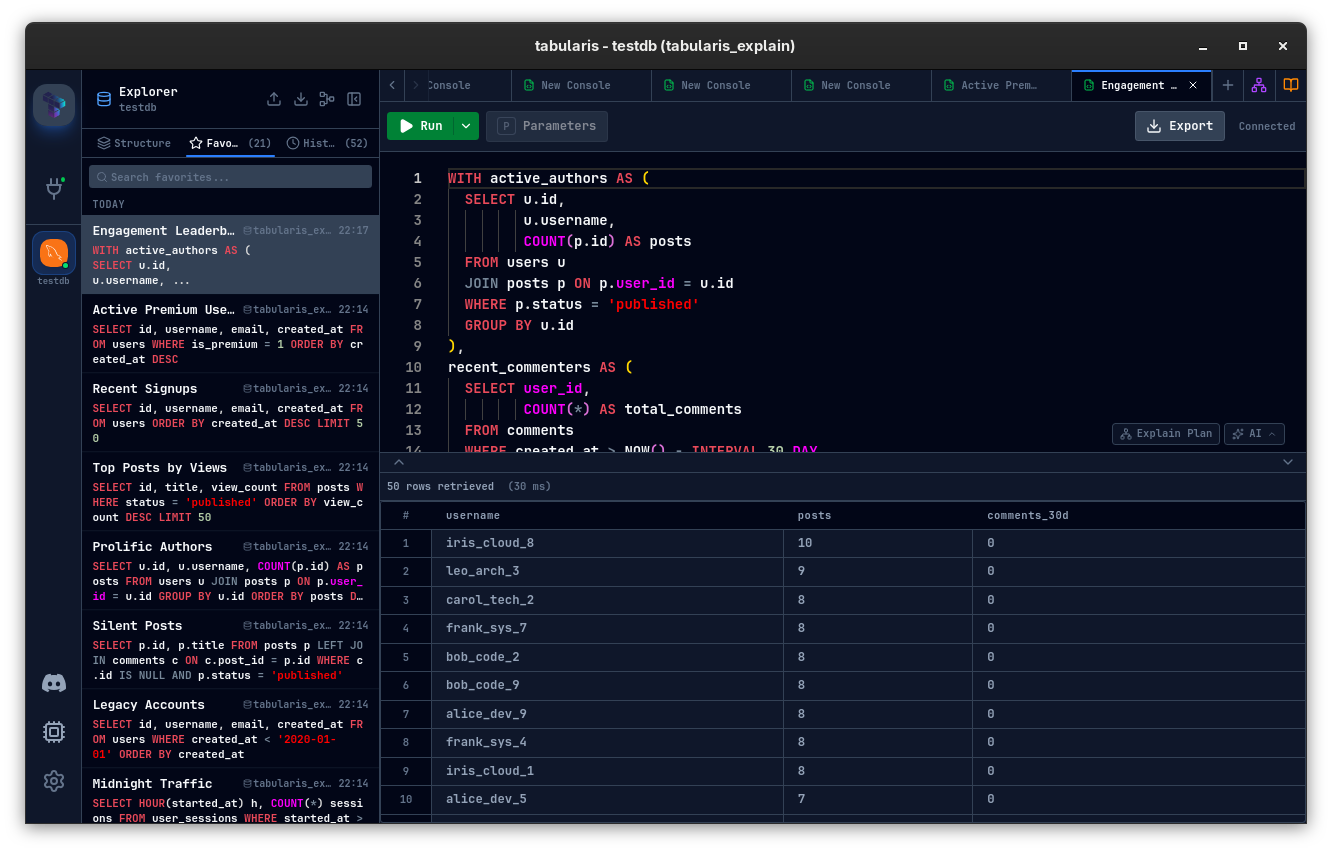
- SQL preview highlighting — history and favorites entries now render their SQL preview with lightweight syntax highlighting instead of flat text. It makes the sidebar much easier to scan when you are looking for a specific query at a glance.
- Grouped favorites — saved queries are now sorted and grouped in a way that keeps related items close together, instead of relying on a single flat list.
- Delete confirmation — removing a favorite now goes through a confirmation step, so a misclick in the sidebar no longer silently loses a saved query.
- Single-click selection — sidebar items now highlight on a single click, which makes keyboard and mouse navigation feel consistent with the rest of the app.
- SQL preview truncation — long queries in the sidebar now truncate cleanly instead of pushing the layout around.
Database Context for History and Favorites
A subtle but important fix around multi-database sessions: both query history and saved queries now persist the database the query was originally run against.
That means when you re-run a query from History or reopen a favorite, Tabularis brings you back to the right database automatically, instead of leaving you on whichever database happened to be active in the editor. It is the kind of small correctness fix that you only appreciate after it has been wrong once in production.
On top of that, connections that transition from a single-database setup to multi-database mode now have their database field backfilled, so existing history and favorites remain valid across the change.
Other Fixes
A handful of smaller improvements rounding out the release:
- The Query History section in the sidebar got layout and interaction polish alongside the new highlighting.
- The saved-query modal now surfaces timestamp metadata and a database picker when it matters.
- The website's overview image was refreshed.
Nothing dramatic, but each item removes a small friction point reported after v0.9.18 went out.
Small Release, Real Improvements
v0.9.19 is not a big release on paper. It does not add a new tab, a new engine, or a new mode. What it does is take the new workflows introduced in v0.9.18 and bring them closer to feeling finished — cleaner sidebar previews, correct database handling on re-run, and two more languages in the UI.
If you are already on v0.9.18, the upgrade is painless and worth it for the polish alone. If you speak French or German and want to improve the fresh translations, pull requests are very welcome.

v0.9.19 is available now. Update via the in-app updater, or download from the releases page.