

v0.28.0 comes five days after v0.27.0 and is the largest release in a while: more than 80 commits and close to 70 merged pull requests from nineteen external contributors. Most of it arrived during the community giveaway, which closes today. There is no single theme, so this post is grouped by where you will notice it. The structured filter panel is rebuilt around clicking instead of typing. Table tabs can refresh on an interval. Tabs can be reopened, duplicated and switched by recency, and a long query that finishes while you are elsewhere sends a notification. Two security reports against the MCP server are fixed by moving read-only mode from a keyword check into the database session. Connection secrets go to the keychain by default, and a long list of metadata fixes makes Generate SQL, routines and imports more faithful on MySQL 8, PostgreSQL and SQLite. Around the app, three new themes reached the registry, Tabularium shipped seven minor versions in five days, and the plugins got a round of fixes.
A Structured Filter You Can Click Through
The structured filter panel had grown features over several releases but still asked you to type values and % wildcards by hand, and it sat on top of the first rows of the grid it was filtering. Four pull requests change that.
The panel is part of the layout. @gcapellib moves it out of the overlay in PR #922: it now sits above the grid and pushes it down, with a maximum height and its own scroll for long filter lists, so the rows an applied filter returns are never hidden under it. Since it no longer covers anything, a click outside does not close it; Esc, the close button and the Filters button still do. The panel resets when you switch to another table tab, so filters do not leak from one table to the next.
Match all or Match any. Also from @gcapellib, PR #920 adds a two-button toggle to the panel header. Match all joins the rows with AND, as before; Match any joins them with OR and wraps the result in parentheses so it combines safely with anything else in the WHERE.
Operators for text. @Detoy adds contains, starts with, ends with, is empty and is not empty for string columns in PR #927, closing #852. The first three generate LIKE patterns with %, _ and the escape character escaped, so a value with an underscore matches literally. The escape character is ! on every driver, because ESCAPE '\' is a syntax error on MySQL and MariaDB under the default sql_mode. is empty matches both NULL and ''.
Pick values instead of typing them. In PR #956, closing #869, @Detoy puts a value picker next to the value field. It loads the column's 100 most frequent non-NULL values with their counts, narrowed by the panel's other complete rows when matching all, with a search box. One pick fills the field with =, several switch the operator to IN, and != / NOT IN stay negated. Nothing is applied until you press Apply. The query runs on the tab's connection, schema and session, goes through the same request guard as the table, and is discarded if the filter changes before it returns. It is not offered on BLOB, binary or JSON columns.
Video unavailable
Three fixes make the panel safer to leave half-filled. An empty row, which opening the panel adds, used to produce id = '' on close, which PostgreSQL rejects on numeric columns; incomplete rows are now skipped, both by Apply All and by the per-row Apply (@gcapellib, PR #941). IN and NOT IN values containing commas, escaped quotes or empty strings now survive the split (@vivekyarra, PR #969). On MySQL and MariaDB, backslashes in typed and picked values are escaped when each clause is built.
Tables That Refresh Themselves
Watching a queue, a job table or a log table meant pressing refresh over and over. @Detoy closes #868 with PR #915: table tabs get a refresh button with an interval select beside it, Off, 5s, 10s, 30s or 60s. New tabs start at Off, and each tab keeps its own interval. When a timer is running, the icon, the Auto-refresh label and the select switch to the accent color, so you can tell at a glance which tabs are live.
Video unavailable
Most of the work is in what refreshing must not do. A tick keeps the grid, the scroll position and the query settings, and a failure is shown inline while the last good rows stay on screen. The timer pauses while you edit a cell, have pending changes, or have rows selected, since selected rows are indexes and new data would shift them onto other records; a status line says Paused while editing or Paused while rows are selected. Inactive tabs stop polling, and coming back either waits the remaining time or refreshes once if the deadline has passed, without replaying missed ticks. Every table request goes through one queue per tab, so a manual run, a page change and a tick never overlap, and a late tick result is dropped if you edited, paged, changed the query or switched connection in the meantime.
Tabs: Reopen, Duplicate, Switch by Recency
Reopen the last closed tab. @M4Y4NK-V3RM4 adds Ctrl+Shift+T (Cmd+Shift+T on macOS) in PR #914, closing #866. Closed tabs go onto a stack of 20 per connection, kept in memory, and come back at their previous position with their SQL, title, filter, sort and parameters; results are not kept, so you run the query again. Every close path feeds the stack, including Close others and Close to the right. The tab context menu has a matching Reopen closed tab item, and the shortcut can be rebound.
Duplicate a tab. @dyk1454683243-sudo adds Duplicate tab to the tab context menu in PR #875. The copy opens right after the original with the same SQL and parameters; a duplicated materialized-view or read-only definition tab stays read-only.
Switch by recency. With PR #1011, closing #999, @Detoy makes Ctrl+Tab go back to the tab you used before instead of the next one in the bar: after visiting A, C and A again, Ctrl+Tab selects C. The order holds while Ctrl is held, repeated Tab presses walk through it, and Ctrl+Shift+Tab walks back. Each connection has its own history.
Video unavailable
Long Queries, Window Placement and Unsaved Edits
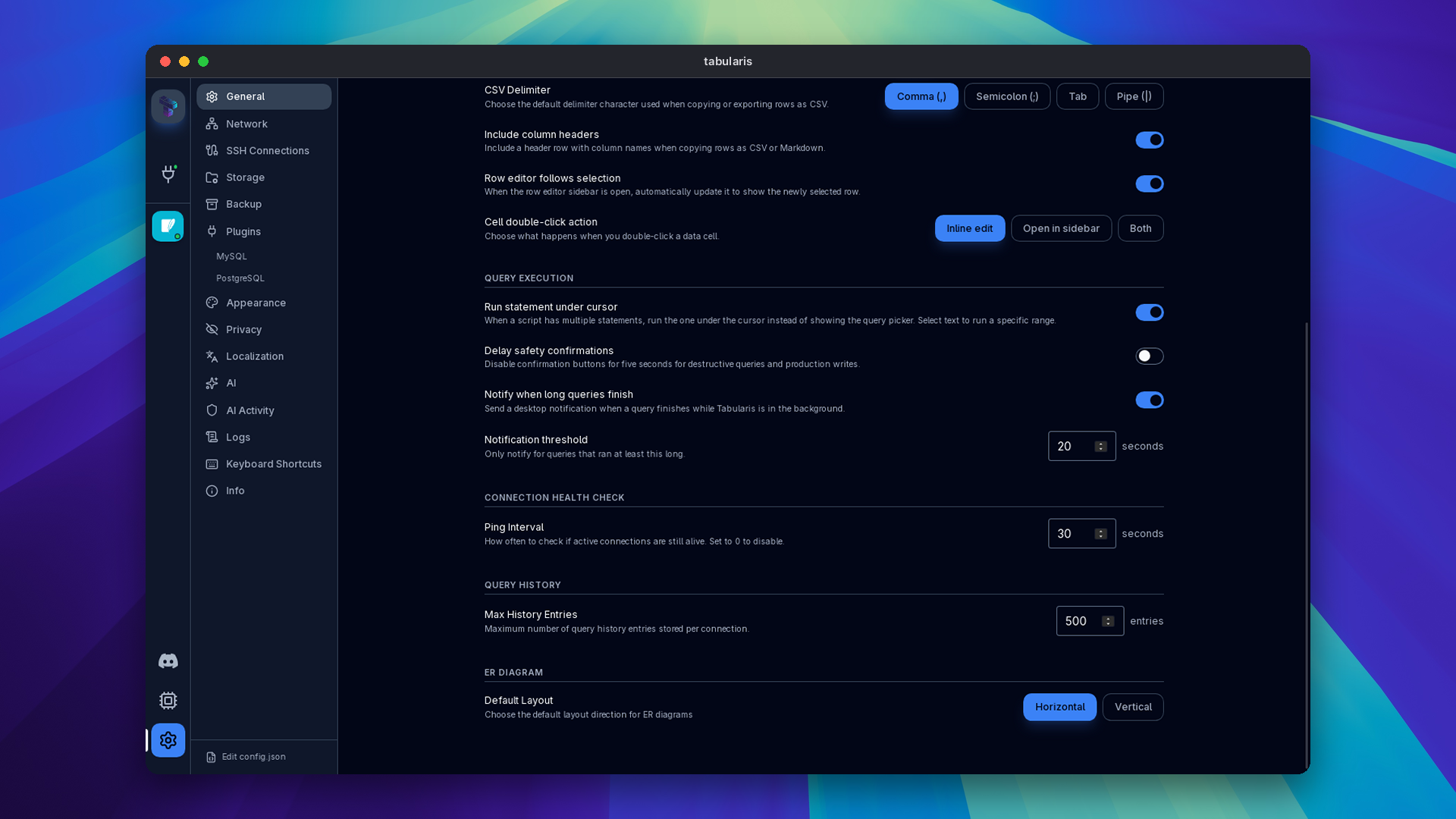
A notification when a long query finishes. @M4Y4NK-V3RM4 closes #867 with PR #928. If a query runs longer than a threshold and Tabularis is not the focused window when it ends, you get a desktop notification with the tab title, the outcome and the duration; Run All sends one notification for the whole batch with the count of succeeded and failed statements. Two settings under Settings → General → Query execution control it: Notify when long queries finish (on) and Notification threshold (20 seconds). Auto-refresh ticks never notify.
@vivekyarra also fixes a quiet data loss in PR #970: an edit typed just before switching console tabs could be dropped by the debounce; it is now kept. And in PR #953, closing #534, the main window remembers its size and position across restarts, stays on a connected monitor, and still respects Start maximized.
MCP Read-Only Mode, Enforced by the Database
Two security advisories were reported against the built-in MCP server this cycle, both rated high, and both fixed in this release. The threat model is the one in our security policy: an AI client steered by untrusted content, or an untrusted MCP client, controls the text it sends.
GHSA-vqmg-c6j7-6c3j: side-effecting SELECT and PRAGMA statements. Read-only mode and the write-approval gate classified a query by its first keyword. Statements that start like a read can write: SELECT … INTO creates a table on PostgreSQL, SELECT … INTO OUTFILE writes a file on the MySQL server, SELECT setval(...) resets a sequence, FOR UPDATE takes locks, and PRAGMA user_version = 42 changes a SQLite database. All of them passed as reads, ran with read-only mode on, and skipped approval. It is the same class of bug as the EXPLAIN ANALYZE case fixed earlier.
The fix has two layers. The classifier now treats SELECT … INTO, INTO OUTFILE / INTO DUMPFILE, FOR UPDATE / FOR SHARE / LOCK IN SHARE MODE, known side-effecting PostgreSQL functions, PRAGMA assignments and action pragmas as writes, including inside CTEs and EXPLAIN ANALYZE. More importantly, the database now enforces it: every query on a read-only connection, and every query that skips approval because it was classified as a read, runs through a new read-only path. PostgreSQL wraps it in BEGIN READ ONLY, MySQL in START TRANSACTION READ ONLY, SQLite turns on query_only inside a transaction, and all three always roll back. If the reset fails or the call is dropped, the connection is closed instead of going back to the pool, so the setting cannot leak into your own editor session. Plugin drivers keep the existing path.
A follow-up, PR #1054, closes the cases a read-only transaction cannot: on PostgreSQL, lo_export writes a file on the server even inside BEGIN READ ONLY, and the backend-signal and dblink_* functions act outside the transaction. For those the classifier is the only check, and two tricks hid them from it. Function names written as quoted identifiers, "lo_export"(...), pg_catalog."lo_export"(...) or U&"lo_export"(...), were blanked before the deny list ran; and a quote inside a $$…$$, $tag$…$tag$ or E'…' literal threw off the string scanner. Both literal forms are now skipped as whole strings, and any call through a quoted name is classified as unknown, which read-only mode blocks and the approval gate asks about. Quoted columns and aliases still classify as reads.
GHSA-xrx3-j98v-67x9: SQL injection through describe_table on SQLite. The SQLite driver built its introspection queries as PRAGMA table_xinfo('<name>') with the table name pasted in, and SQLite runs every statement in the string. A table_name such as x'); DROP TABLE users; -- sent to the MCP describe_table tool executed the second statement, read-only mode or not. The driver now uses the table-valued forms with a bound parameter, SELECT * FROM pragma_table_xinfo(?1), for columns, foreign keys and indexes, in both the single and the batch paths, as the MySQL and PostgreSQL drivers already did.
Thanks to @timharris777, @gh0stsh3ll56 and @squeeze440 for the reports. If you use the MCP server with read-only connections, upgrade. See MCP read-only mode for how the setting works.
Connections: Secrets, TLS and Imports
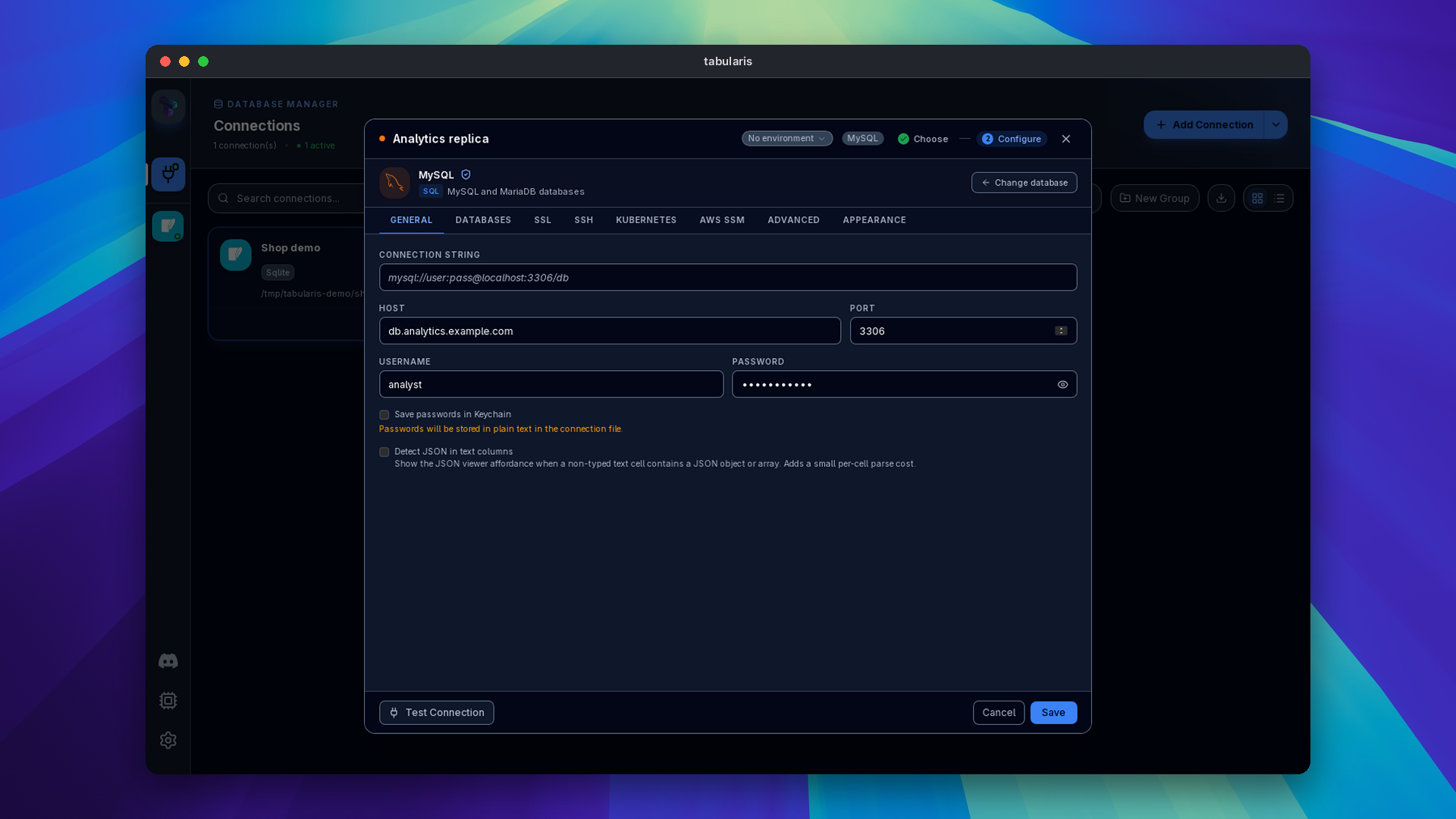
Secrets go to the keychain by default. In PR #980, closing #971, @cestercian makes new database connections store their password in the OS keychain by default, as the SSH manager already did; existing connections keep their setting. With the box unticked, the form says "Passwords will be stored in plain text in the connection file." If the keychain refuses a write, the connection still saves, with the password in the file and that warning shown. On Unix, connections.json and the SSH and Kubernetes connection files are written with mode 0600, and an existing file with looser permissions is tightened on the next save.
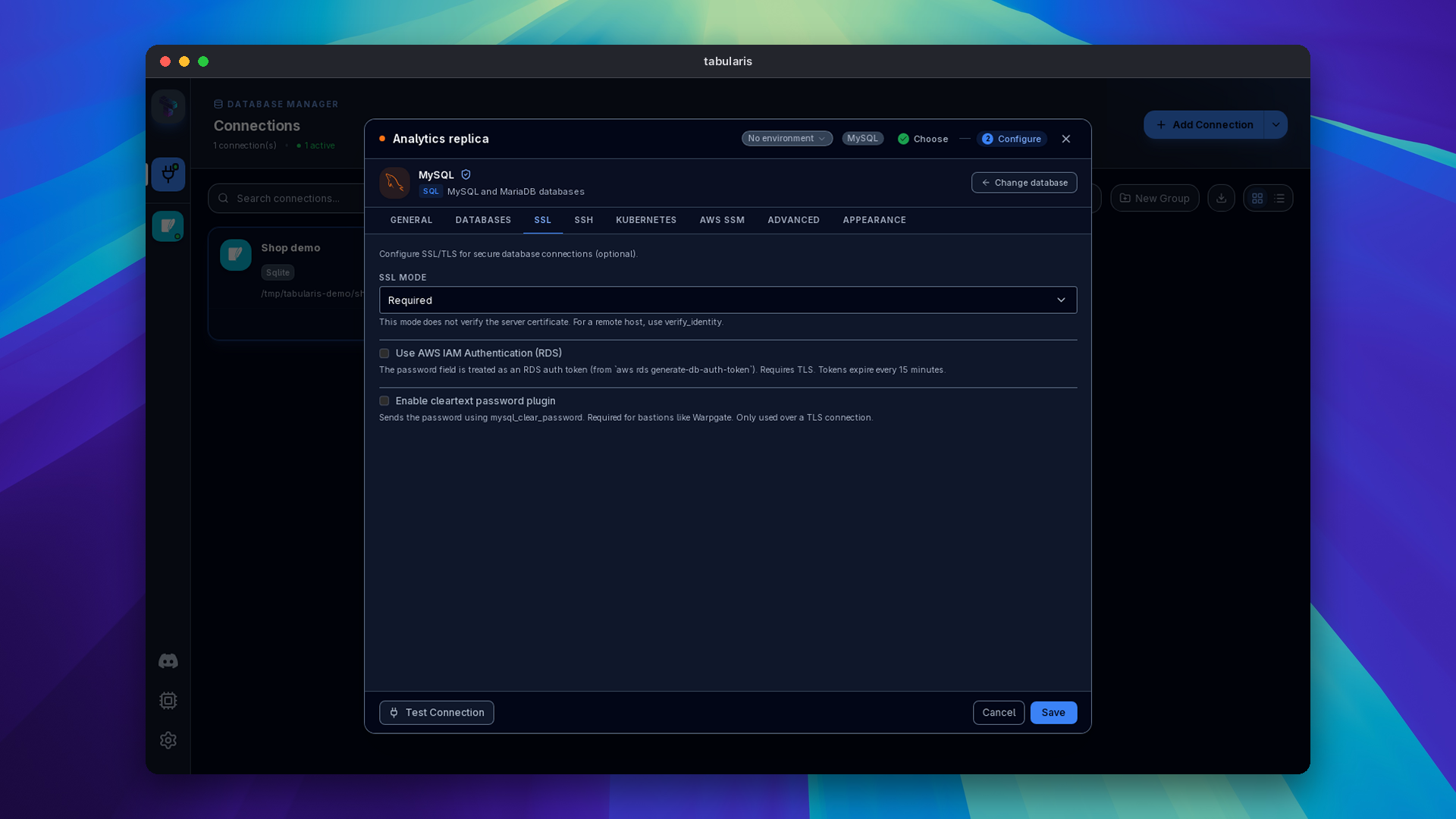
An unknown SSL mode is an error. Before PR #974, also by @cestercian, a typo such as verfy-full fell through to no certificate verification on PostgreSQL and Required on MySQL. Unknown values now fail the connection with a message listing the accepted ones; matching is case-insensitive and blank still means the default. When the host is remote and the chosen mode does not verify the certificate, the form suggests verify-full or verify_identity.
JDBC URLs import. @vivekyarra extends the connection-string import in PR #952, closing #860: jdbc:postgresql:// and jdbc:mysql:// URLs are accepted, credentials in the query string are used when the authority has none, and PostgreSQL and MySQL SSL modes, sslMode spelled in any case included, land in the form. Drivers registered for raw JDBC passthrough keep their URL untouched.
SSH on macOS without a system askpass. @tonypartridge fixes SSH tunnels that asked for a missing /usr/X11R6/bin/ssh-askpass in PR #848. The selected key, its passphrase and the account password now go through Tabularis's own askpass helper, which requires a per-launch token on every platform and hands out the key passphrase only for OpenSSH's own prompt for that key, never for a server-sent keyboard-interactive prompt.
Kubernetes tunnels recover. @Detoy gives kubectl port-forward tunnels the lifecycle SSM tunnels already had in PR #942, closing #886: dead tunnels are detected and recreated on the same local port on reconnect, closing a pool never waits on an unreachable cluster, and all tunnels stop when the app exits.
The SQL Editor
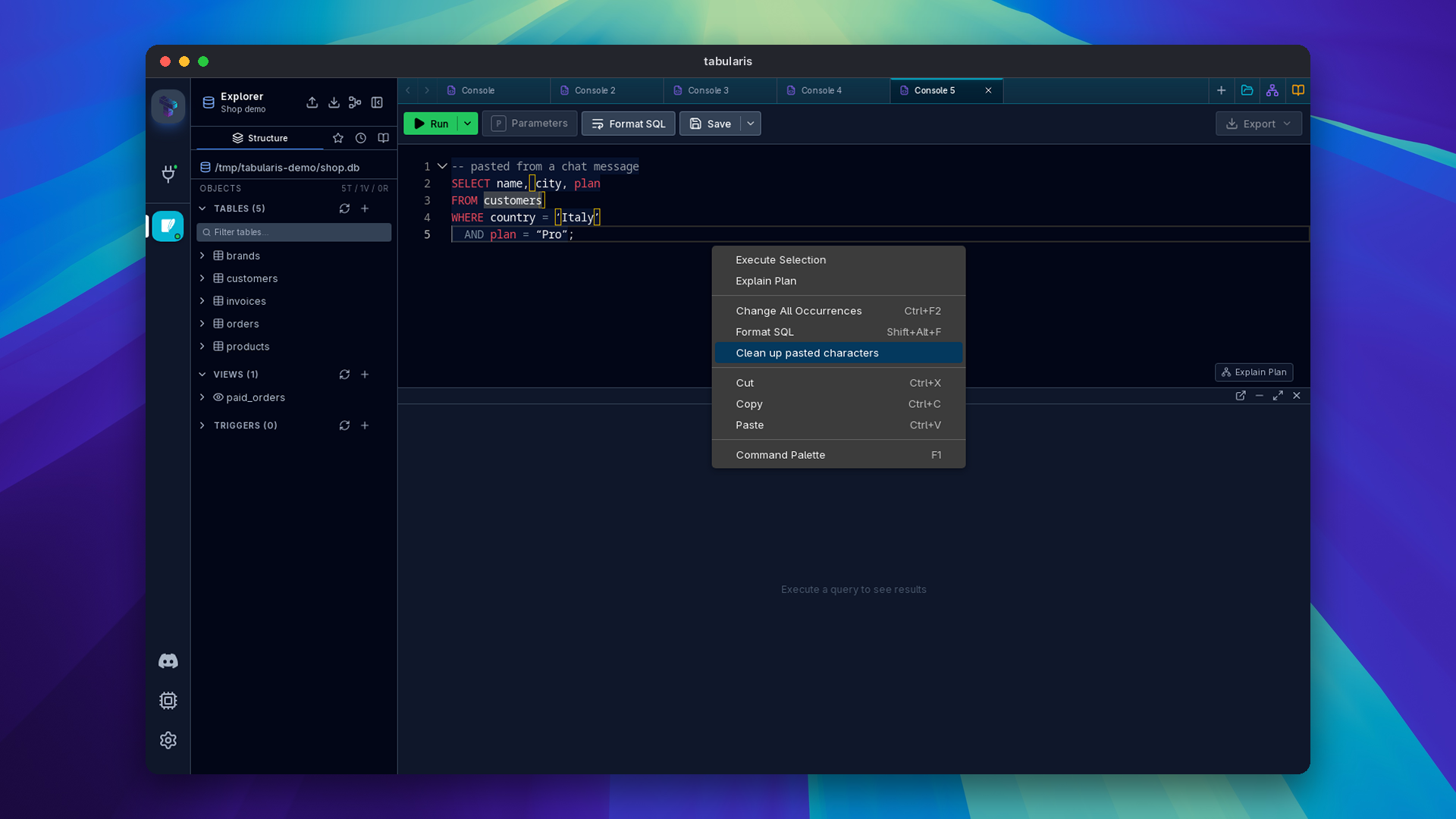
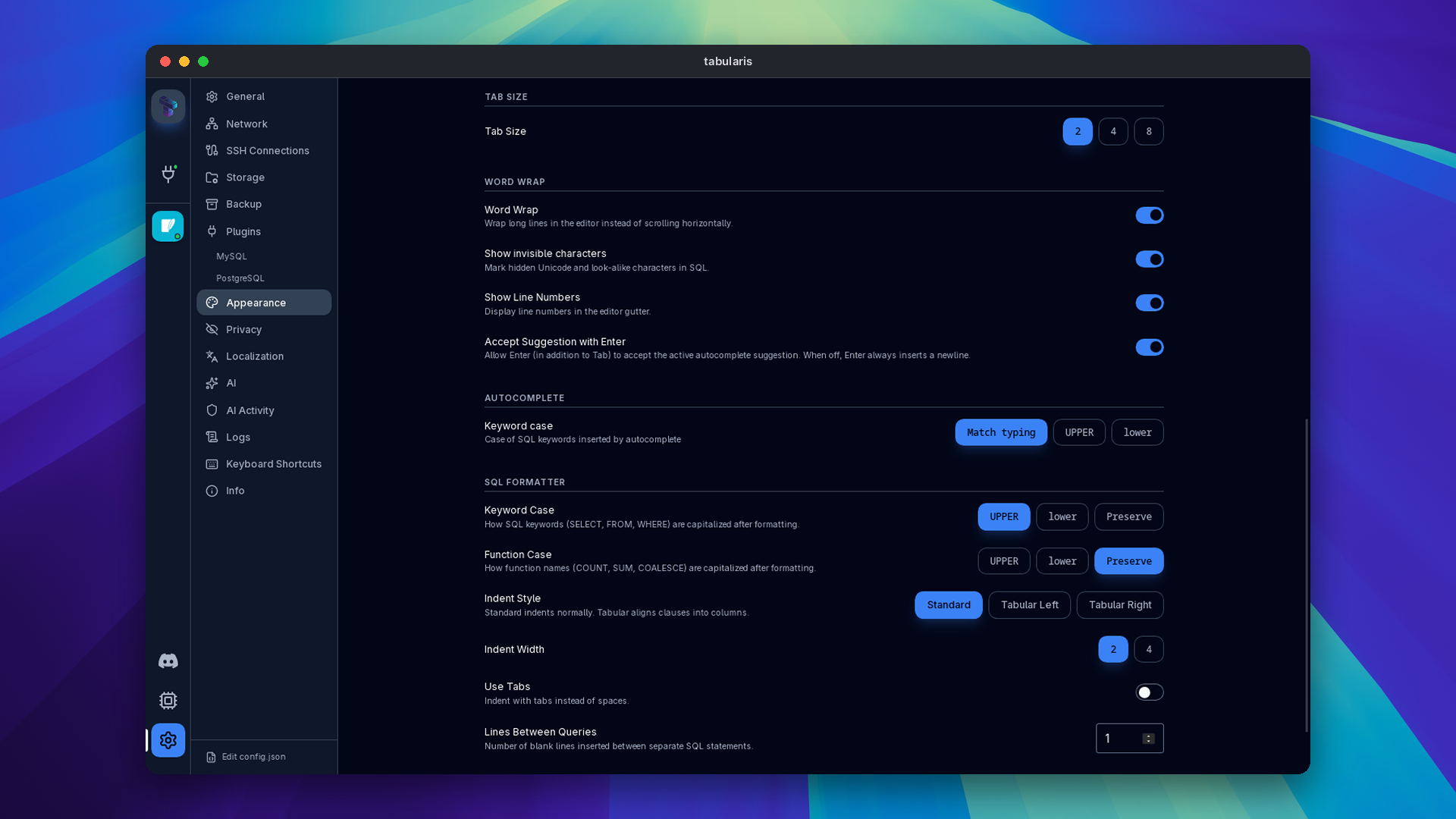
Hidden characters in pasted SQL. Text copied from chat apps, PDFs and documents often carries zero-width spaces, non-breaking spaces, bidi markers or curly quotes, and the resulting syntax error points at something you cannot see. @vivekyarra closes #994 with PR #1015: the editor now highlights invisible and look-alike characters, and a context-menu action cleans them, on the selection or the whole document, in one undo step. Characters inside string literals and quoted identifiers are left alone, so data you meant to paste is not rewritten. The highlight can be turned off in Settings → Appearance.
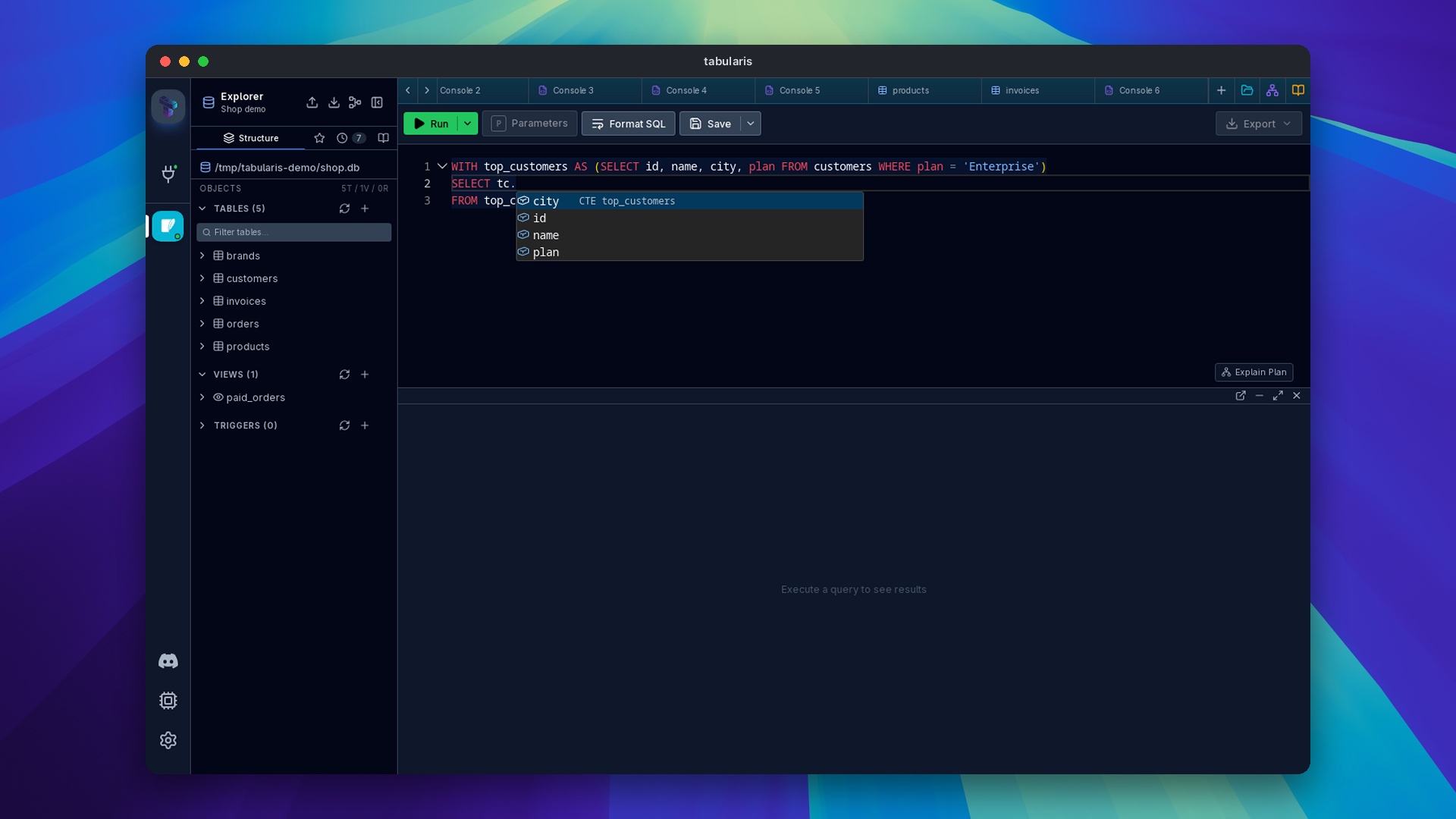
Autocomplete for CTEs and derived tables. Also from @vivekyarra, PR #963 closes #506: typing c. after WITH c AS (SELECT id, name FROM users) or FROM (SELECT …) AS c suggests that query's columns, with explicit column lists, quoted aliases, SQL Server brackets and LATERAL handled, and a FROM alias winning over a same-named CTE.
Keyword case. @njtherealss adds a setting for the case of keywords autocomplete inserts in PR #881, closing #858: UPPER, lower, or match, where sel becomes select and Sel becomes SELECT. Table and column names are never recased.
The Grid
Jump to a column. (@vivekyarra, PR #954, closes #871): Ctrl/Cmd+Shift+J in a grid opens a fuzzy column picker with types; Enter scrolls the column into view and returns focus to the grid. The shortcut can be rebound.
Video unavailable
Image previews on hover. (@Totopo27, PR #1008, closes #998): hovering an image BLOB, or a text cell holding SVG markup, shows the image in a popover. SVG is rendered through an <img> data URL, never inserted into the page, so scripts in it cannot run, and only data already loaded is used.
Video unavailable
JSON Viewer, Query History and Results
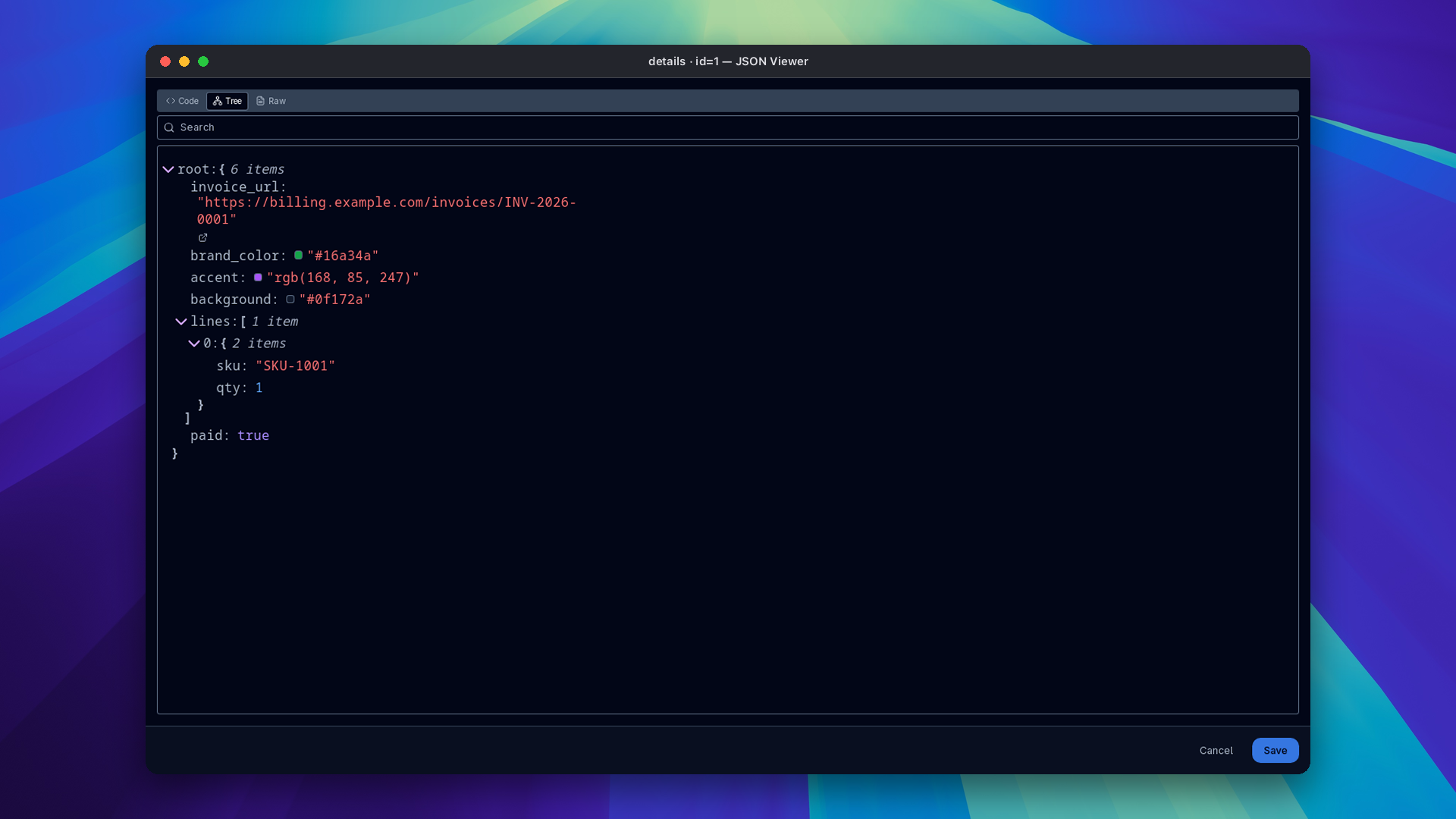
- Links and colors in the JSON viewer (@Totopo27, PR #1007, closes #997):
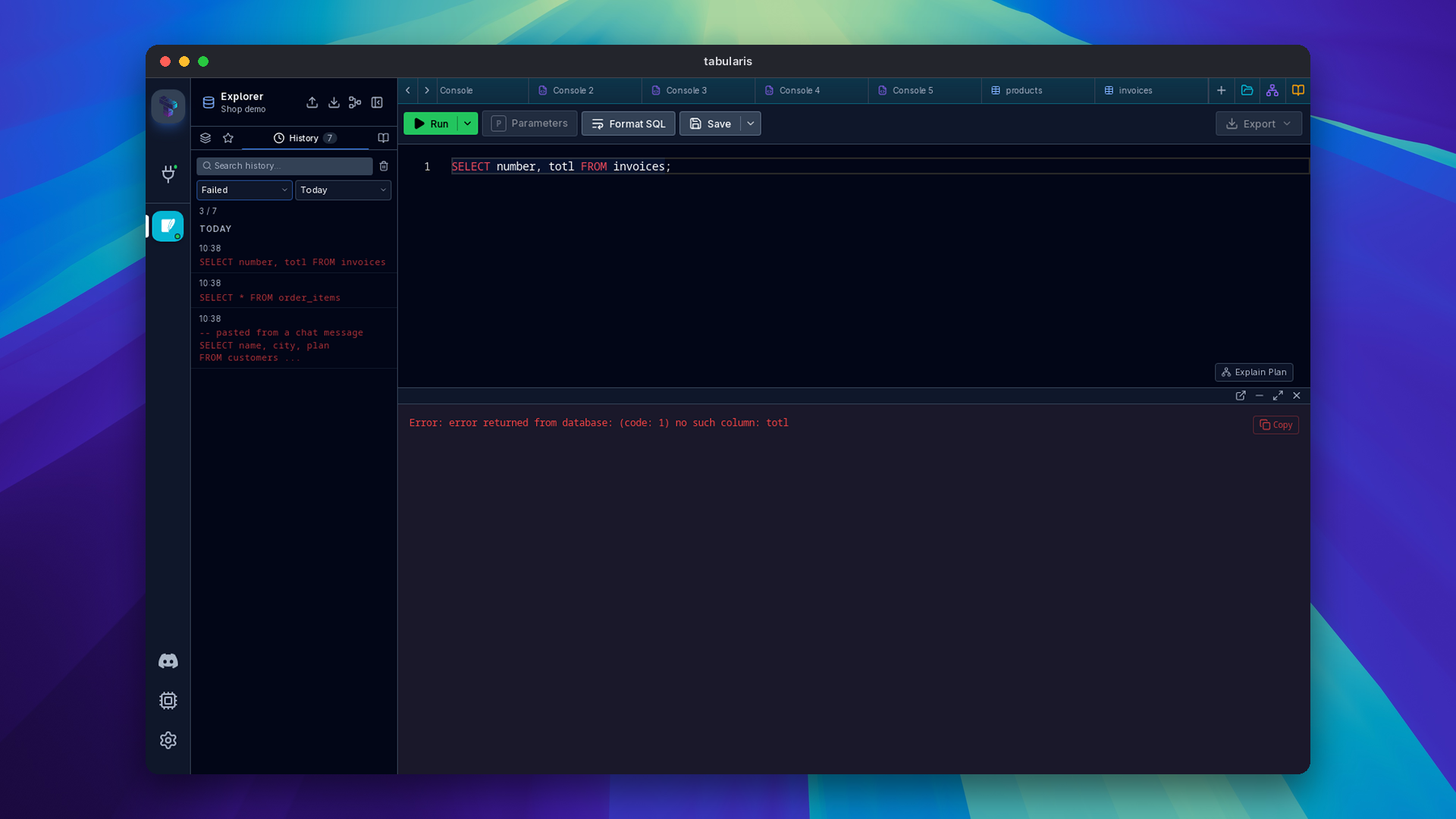
http,httpsandmailtostrings get a button that opens them in the browser, and hex,rgb()andhsl()strings get a color swatch. Values stay editable. - Query History filters (@Detoy, PR #943, closes #859): Outcome (any, succeeded, failed) and Time range (last hour, today, last 7 or 30 days) combine with the search box, so "what failed today" is two clicks.
- Copy all rows everywhere (@verbaux, PRs #913, #958): copy-all works in multi-result panels, tabbed and stacked, and in the detached results window, re-running only the last executed statement in the tab's own session, so uncommitted rows of an open transaction are included. Detached windows are synced per tab.
- PostgreSQL
realwithout float noise (@verbaux, PR #950):float4values display as stored instead of0.10000000149011612, and editing and filtering such rows still matches them at the column's precision.
Schema, Routines and Generate SQL
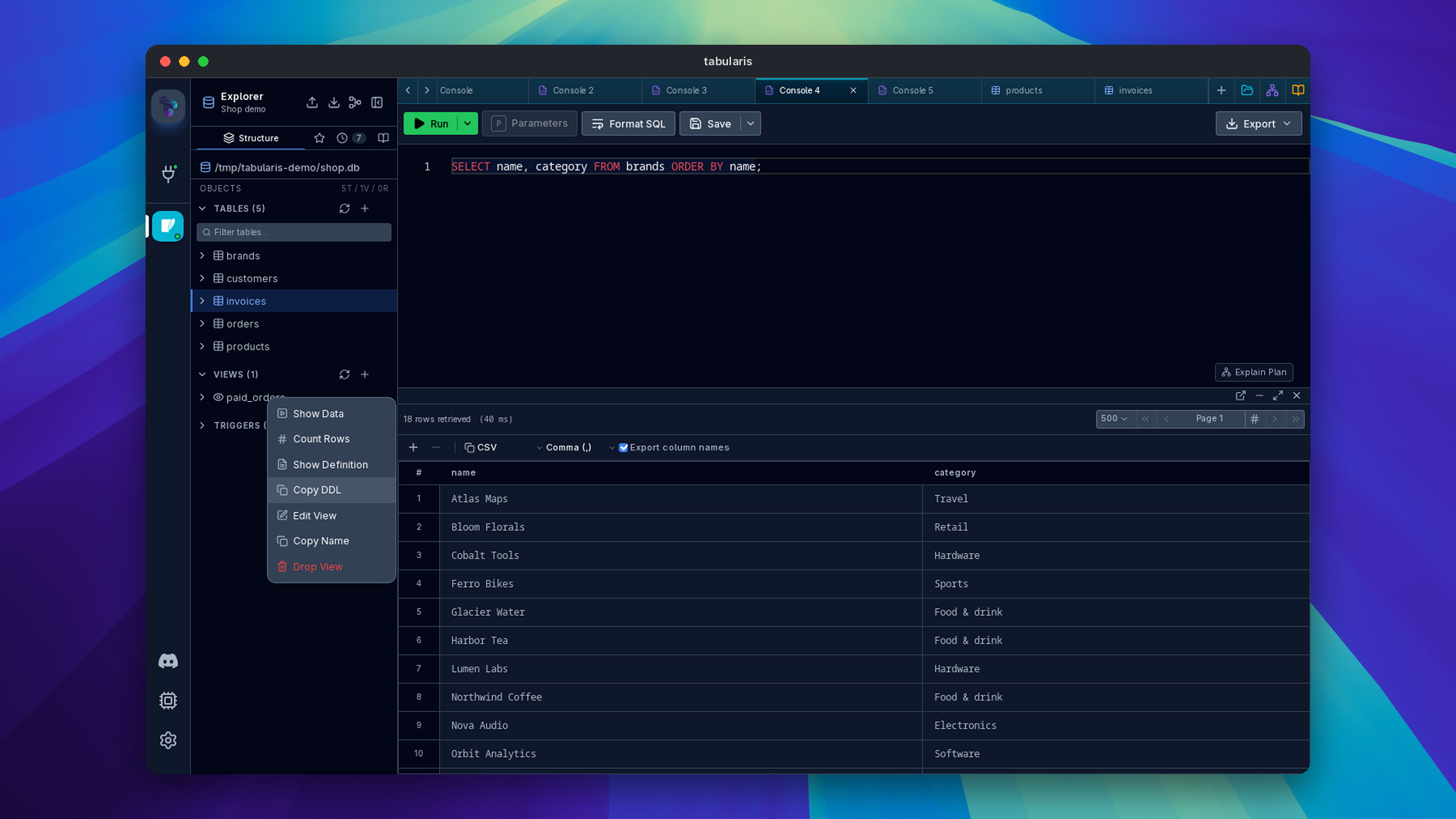
View definitions and DDL (@cestercian, PR #1010, closes #995): views get Show Definition and Copy DDL in the explorer, and materialized views gain Copy DDL.
PostgreSQL overloads, told apart (@stroexd, PR #926, closes #893): four functions named
fused to show as four identical rows, and View Definition, Parameters, Run, Edit and Drop picked whichever came back first. Each routine is now labeled and addressed by its signature,f(a integer, b integer), in the sidebar and the command palette, and Drop works on an overloaded name. Tested on PostgreSQL 11 and 18.Generate SQL keeps types (@aesslinger, PR #939, closes #840): a
bigintidentity column becomesBIGSERIALinstead ofSERIAL, composite foreign keys come out as one multi-column constraint in the right order instead of several invalid duplicates, andnumeric(p,s)andvarchar(n)keep their modifiers on PostgreSQL and MySQL.SQLite tables keep their key and defaults (@tosinxt, PRs #983, #982): Generate SQL dropped the
PRIMARY KEYof every SQLite table, and every column looked as if it had a default, which printedDEFAULT ,and offered Set DEFAULT everywhere.MySQL 8 metadata (@tosinxt, PRs #944, #966, #968): MySQL 8 reports routine parameter positions, index column positions and column lengths with integer types the driver did not decode, so the Run… dialog listed no parameters, every index column had position 0, and short binary columns were treated as BLOBs. All three are read correctly on 8.x and 5.7, with integration tests running on both.
Triggers per dialect (@1-DARK, PR #955): the guided trigger editor offers only the events and options the driver supports, reads every event of a multi-event trigger, and no longer sends a schema on MySQL, which failed with error 1435.
New routine in every layout (@tosinxt, PR #909, closes #888): the PostgreSQL schema tree and the MySQL multi-database tree had no way to create a procedure or function; the new button targets the schema or database it sits in.
Import from Clipboard (@tosinxt, PRs #936, #937, #945, #967): the import uses the driver's identifier quote, so it works on MySQL without
ANSI_QUOTES; sendsTRUE/FALSEinto MySQL boolean columns in strict mode; imports into the schema of the table you right-clicked; and refreshes the explorer tree so the new table shows up.
Around the Ecosystem
Themes
Three theme packages reached the registry this week, and two of them come from the community. @Detoy published Catppuccin for Tabularis, with the Latte and Mocha flavours, and Tokyo Night, with the Day and Night variants. We added Ayu, with Ayu Light, Ayu Mirage and Ayu Dark. All three cover the application, the data grid's semantic colors and the SQL editor, and are checked against the same WCAG AA contrast rules as the built-in themes; where an original palette color falls short, the nearest passing shade of the same hue replaces it. Install them from Settings → Plugins → Filter by type → Themes, or browse them on the themes page. The create-plugin theme template now uploads its .tabularium manifest with each release, which the registry requires (@tosinxt, PR #984).
Tabularium
Tabularium, the open-source registry behind registry.tabularis.dev, went from 0.15 to 0.21 in five days. @NewtTheWolf added a remote MCP server at /mcp with OAuth authorization, PKCE and explicit consent (#15), so an AI client can search the catalogue or manage your plugins with the permissions you grant it, along with the tutorials to set it up for Claude, Codex and other clients. The public site now has a theme matching tabularis.dev, a home page with search, live statistics and the most downloaded plugins, a ⌘K search palette, redesigned plugin pages with one download row per platform, and sorting by downloads. Plugin requests take a kind, so you can ask for a theme as well as a driver, and the bounty board can now open a request on Tabularium directly. Maintainers get outbound notification webhooks for Discord and Slack.
Plugins
- ClickHouse 0.2.2: reads work on ClickHouse 26.9, by disabling native compression (@Badabum, #7). 0.2.1 runs
SHOWandDESCRIBEwithout a pagination wrapper (@vivekyarra, #5). - DuckDB 0.2.2:
DATEvalues come back as ISO strings (@vivekyarra, #10), and table and column comments are exposed. - CSV 1.0.5: results honor the host's page size (@vivekyarra, #5).
- PostgreSQL 1.0.0-rc.7: a failed login no longer poisons the connection pool until it times out, and malformed JSON-RPC input gets an error instead of hanging the client (@aesslinger).
- DynamoDB 0.1.8: unknown fields in native query bodies are rejected instead of ignored (@fuleinist, #93).
- Every first-party plugin manifest now declares a stable
idand a readable display name.
On the host side, plugin drivers get several fixes: the selected Redis database is honored in every RPC call (#960), in-flight calls drain during a bounded shutdown instead of being cut off (#961), both by @vivekyarra; UI extension slots receive their context fields again (@Detoy, #951); and error responses with a null id are accepted (@SatvikMishra08, #924).
Explain Plan and the Website
explain.tabularis.dev was rebuilt by @wajrock (#9, #12): a new home with a guide per engine, plan upload and auto-detection, and encrypted share links. The plan is compressed and encrypted in the browser, only the ciphertext is stored, and the key lives in the part of the link after #, which never reaches a server; a link expires 30 days after it was last opened. On tabularis.dev, the new Contribute page lists every open issue across the app and its plugins, and the leaderboard ranks pull requests and issues over any date range.
The Giveaway Closes Today
The community giveaway that started on October 7 ends today, October 13, at 16:00 Europe/Rome time. Pull requests and issues opened in that window across every Tabularis project count, and the leaderboard shows where things stand. The score orders the board but does not pick the winners: after the deadline we review every contribution for usefulness, quality and impact, and the top three win a prize. Translations, docs, themes, testing and help on Discord count too. To enter, reply to the giveaway announcement on Discord with your GitHub username; the prizes and the eligibility rules are in that announcement. If you have not picked an issue yet, start from the good first issues.
Judging by this release, it worked. Thank you to everyone who took part.
Smaller Things
- WinGet (@Detoy, PRs #975, #976, #929): releases publish an NSIS installer for WinGet, and a WinGet install, like Snap, Flatpak and AUR, leaves updates to its package manager. Homebrew keeps the in-app updater, since the cask is marked as auto-updating.
- Logging (@Detoy, PR #897; @anshdadhich, PR #933):
--debugnow really raises the log level to Debug, in the app and in--mcpmode, andRUST_LOGis honored. Log actions in Settings show an error when they fail, and Export Logs no longer claims it copied anything to the clipboard (@tosinxt, PRs #987, #910). - Settings that survive a restart (@SahinurDEV, PR #911, closes #883): column masking, its patterns and overrides, Row editor follows selection and the cell double-click action were reset on every restart.
- AI Assist with Claude 5.5 (@SatvikMishra08, PR #918): requests to Anthropic no longer send
temperature, which the Claude 5.5 models reject. - Claude Desktop on Windows (@Detoy, PR #902, closes #885): the one-click MCP install wrote its config to a folder Claude Desktop never reads; it now writes to
%APPDATA%\Claude. - Linux (@davidMendezG, PR #921; @vivekyarra, PR #962): a crash when sending desktop notifications is fixed, and the stable AppImage keeps its wrapped launcher executable.
- Connection string examples (@DhruvShah-Dev, PR #925): the per-plugin presets added in v0.27.0 get tighter validation and clearer examples.
- create-plugin (@tosinxt, PRs #985, #988): scaffolded driver plugins pass
cargo fmt --checkout of the box, and the theme guide points to Import theme → Local package.
Thanks
Nineteen external contributors land in this release. @Detoy built table auto-refresh, the text operators and the value picker for the filter panel, recency tab switching, Query History filters, the Kubernetes tunnel lifecycle, the WinGet installer and the logging fixes, and published two themes on top (#915, #927, #956, #1011, #943, #942). @vivekyarra added hidden-character cleanup, CTE autocomplete, jump to column, JDBC import and window placement, fixed plugin shutdown and Redis database routing, and sent fixes to three plugins (#1015, #963, #954, #952, #953). @tosinxt went through MySQL 8 metadata, SQLite Generate SQL, Import from Clipboard and the create-plugin templates one bug at a time, with integration tests for each.
@M4Y4NK-V3RM4 added reopen closed tab and long-query notifications (#914, #928). @gcapellib moved the filter panel inline, added Match any and made incomplete filters harmless (#922, #920, #941). @cestercian moved secrets to the keychain by default, closed the unknown-SSL-mode downgrade and added view DDL (#980, #974, #1010). @stroexd untangled PostgreSQL overloads (#926), @aesslinger restored type fidelity in Generate SQL and shipped PostgreSQL plugin rc.7 (#939), @verbaux fixed copy-all and real values (#913, #950, #958), and @Totopo27 added image previews and JSON links and swatches (#1008, #1007).
Thanks also to @tonypartridge for the macOS SSH askpass fix (#848), @dyk1454683243-sudo for Duplicate tab (#875), @njtherealss for keyword case (#881), @1-DARK for dialect-aware triggers (#955), @SatvikMishra08 for the Anthropic and JSON-RPC fixes (#918, #924), @anshdadhich for RUST_LOG (#933), @davidMendezG for the Linux notification crash (#921), @SahinurDEV for settings persistence (#911) and @DhruvShah-Dev for connection string examples (#925). In the wider ecosystem, @NewtTheWolf built Tabularium's MCP server, @wajrock rebuilt Explain Plan and the leaderboard page, @Badabum fixed ClickHouse 26.9 and @fuleinist hardened the DynamoDB plugin. And thanks to @timharris777, @gh0stsh3ll56 and @squeeze440 for reporting the MCP vulnerabilities privately.
If you have ever typed % into a filter box, or let an AI client near a read-only connection, this is the upgrade.


Download the latest published version from the download page. Release notes and packages are available on GitHub Releases.