Installing Plugins
Plugins add database drivers and theme packages to Tabularis. They are published on the Tabularium registry and installed from inside the app — no manual download needed.
Video unavailable
Want to write your own? Start from Plugin System.
The Plugin Center and the Connection Catalogue
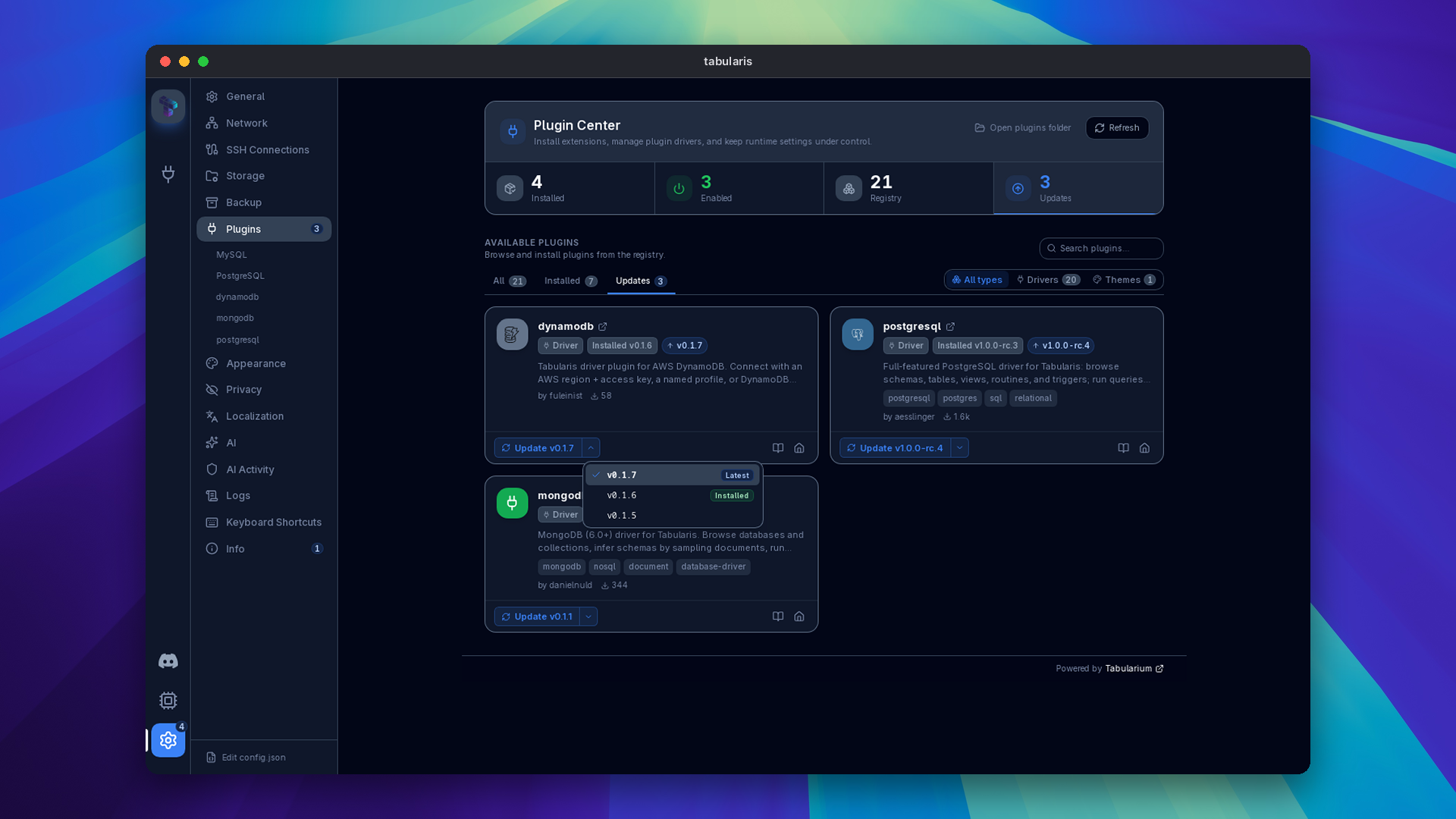
Since v0.16.0, plugin discovery runs through the hosted Tabularium registry at registry.tabularis.dev:
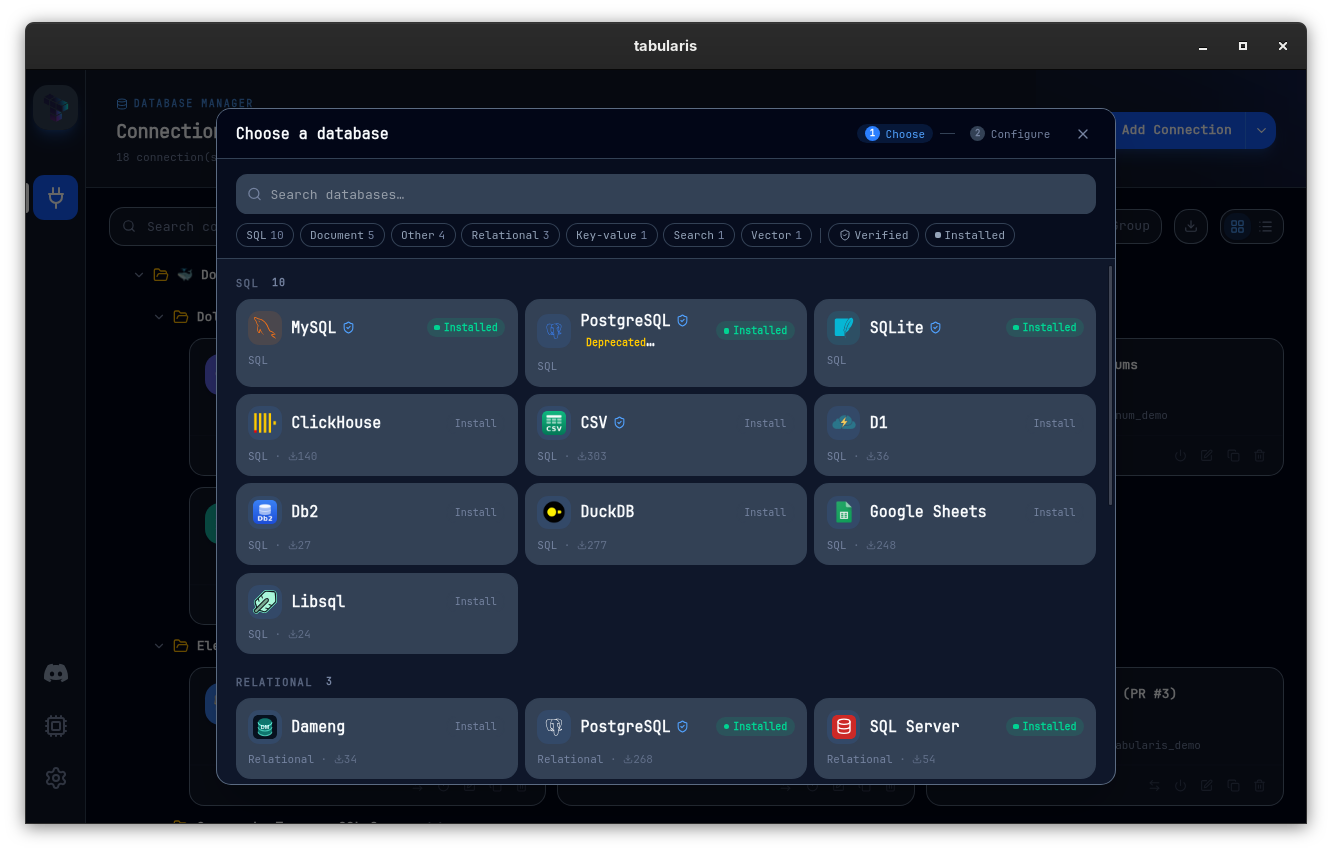
- The connection catalogue. Creating a new connection starts from a searchable catalogue that merges built-in drivers with registry plugins into one grid, with paradigm facets for filtering. Drivers your platform can't run are badged and dimmed. Picking an uninstalled driver install-gates it — you can install the plugin inline and continue straight to the connection form.
- Deep-link installs. Links of the form
tabularis://install/<slug>open the app with a version-aware confirmation: Install for a new plugin, Update when a newer version exists, or an already-installed notice. An optional?version=pins a specific release. - Version picking and updates. Catalogue cards let you install a specific released version, and the Installed tab shows an Update button when a newer compatible release exists for your platform and app version. Since v0.25.0 the sidebar and the Plugins entry in Settings carry a count of pending updates, and a startup toast opens the Updates filter directly. See Updates.
- Theme packages. Since v0.25.0 the registry also lists declarative theme packages. A Filter by type control switches between Drivers and Themes; themes are installed, updated, enabled, disabled and removed with the same lifecycle as drivers, and never execute code. See Themes → Theme Packages.
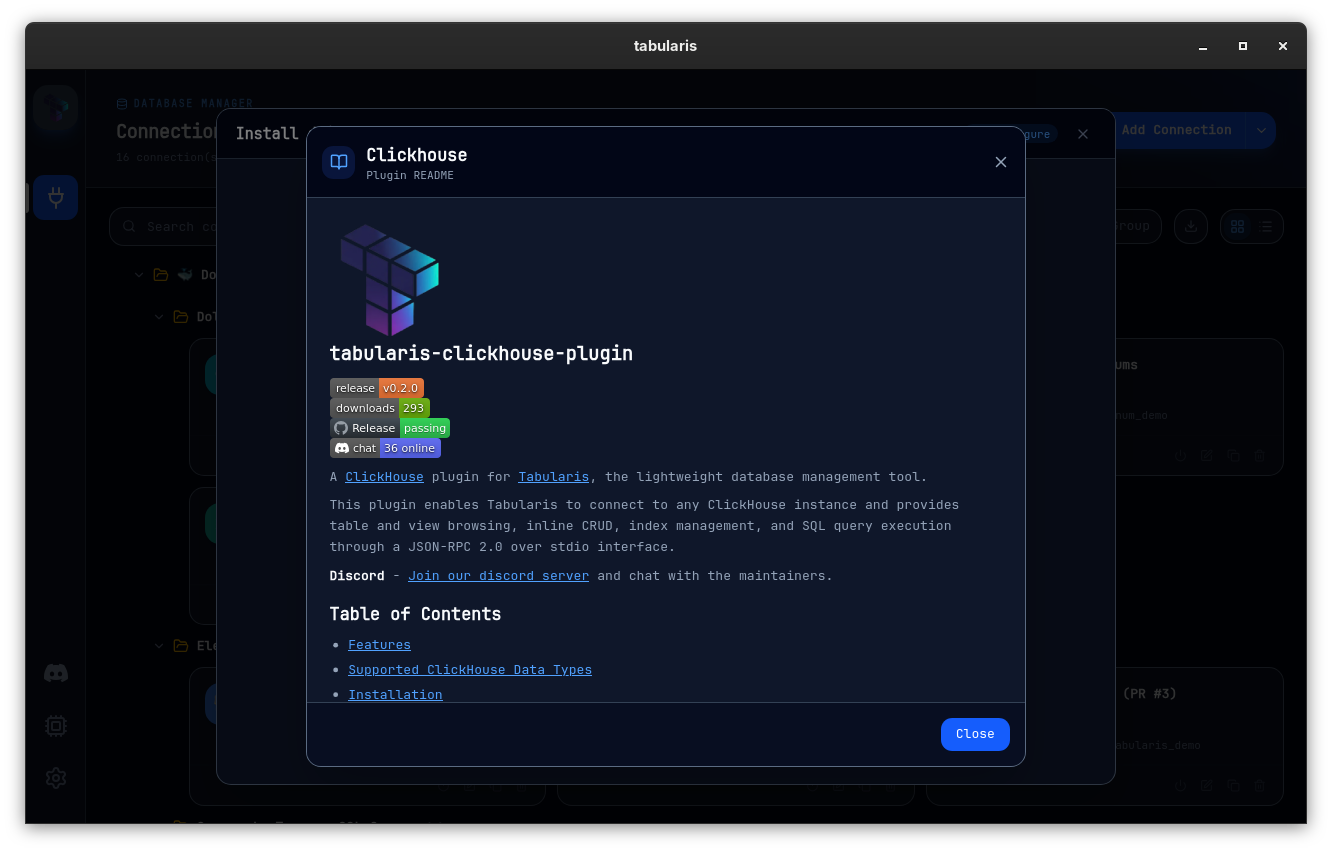
- Plugin details with README. Since v0.19.0, the install gate and every Plugin Center card known to the registry open a details modal showing the plugin's README, served locale-aware by the registry. Relative image and link paths are resolved against the plugin's repository, the HTML is sanitized, and links open in your OS browser.
- Runtime version floor. Since v0.23.0 the host enforces a plugin's
min_runtime_versionat install and load time: an older Tabularis refuses the plugin with a message naming both versions, including plugins copied into the plugins folder by hand that bypass the catalogue filter. Missing or non-semver floors are treated as compatible, and comparison follows semver precedence, so a prerelease host does not satisfy a stable floor. Development builds load the plugin anyway and show the mismatch as a warning toast. - Release integrity. When the registry publishes a SHA-256 for a release, Tabularis checks the downloaded archive against it and refuses to install on a mismatch. The archive's manifest
idand version must also match what the registry advertised, otherwise the install is aborted before anything is replaced. - Deprecated built-in drivers. Since v0.23.0 the built-in PostgreSQL driver is deprecated in favour of the
postgresqlplugin, which the app installs automatically when a built-in PostgreSQL connection exists. See Deprecated Built-in PostgreSQL Driver and Plugin Migration.
Using Another Registry
Tabularis installs plugins from registry.tabularis.dev by default. To use a self-hosted or company-internal Tabularium instance instead, set tabulariumRegistryUrl in config.json — see Using a custom registry.
Plugin Settings
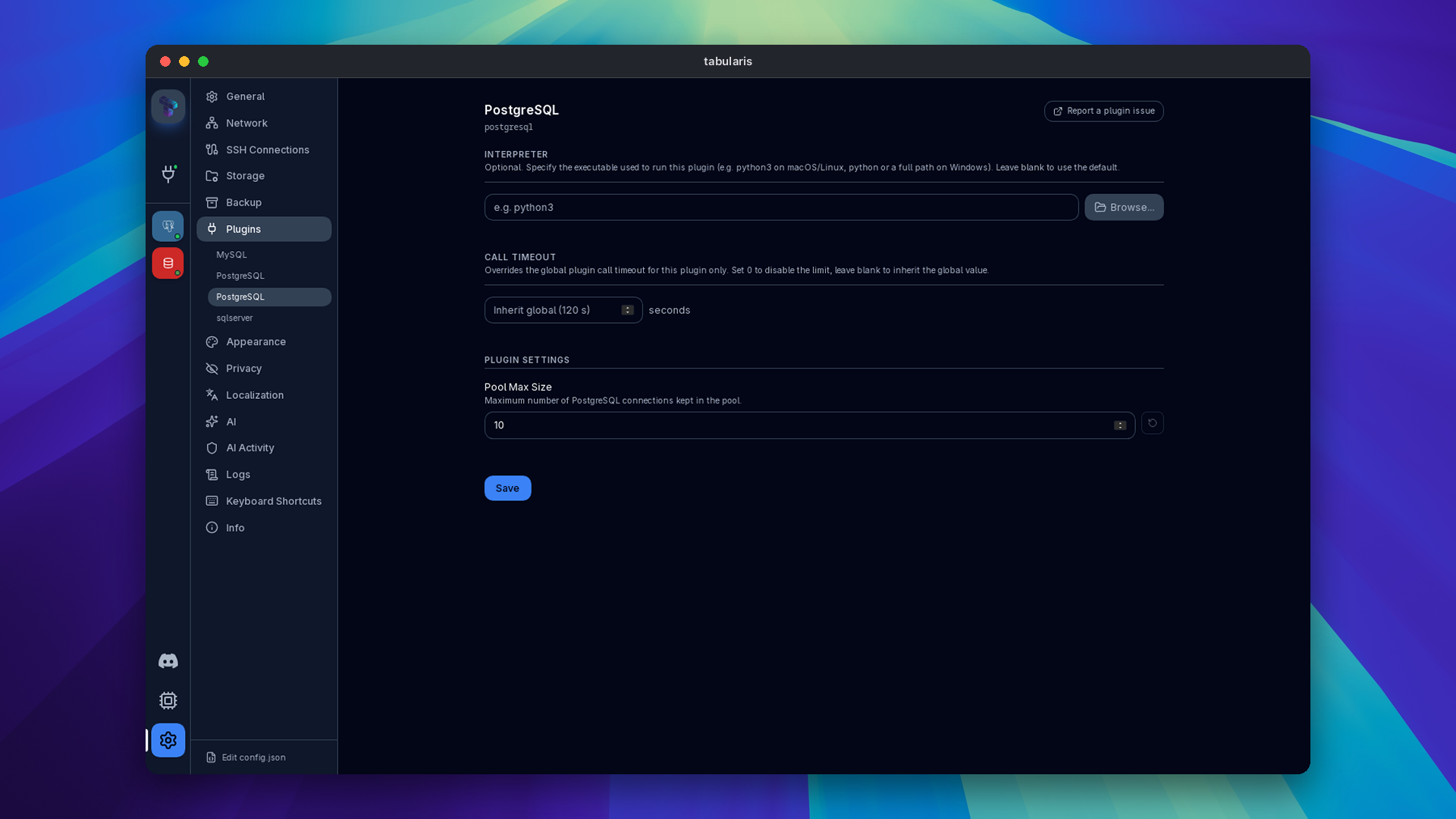
Plugins can declare custom configuration fields in their manifest. Tabularis renders these fields in Settings → gear icon next to the plugin. Users fill them in, the values are persisted in config.json, and Tabularis delivers them to the plugin before its first call. Saving the settings of a running plugin restarts it so the new values take effect.
Built-in drivers use the same mechanism for their own settings. Since v0.23.0 the built-in PostgreSQL driver exposes Pool Max Size (default 10, capped at 64; invalid values fall back to the default), the maximum number of connections kept in its pool, which is worth lowering behind pgBouncer.
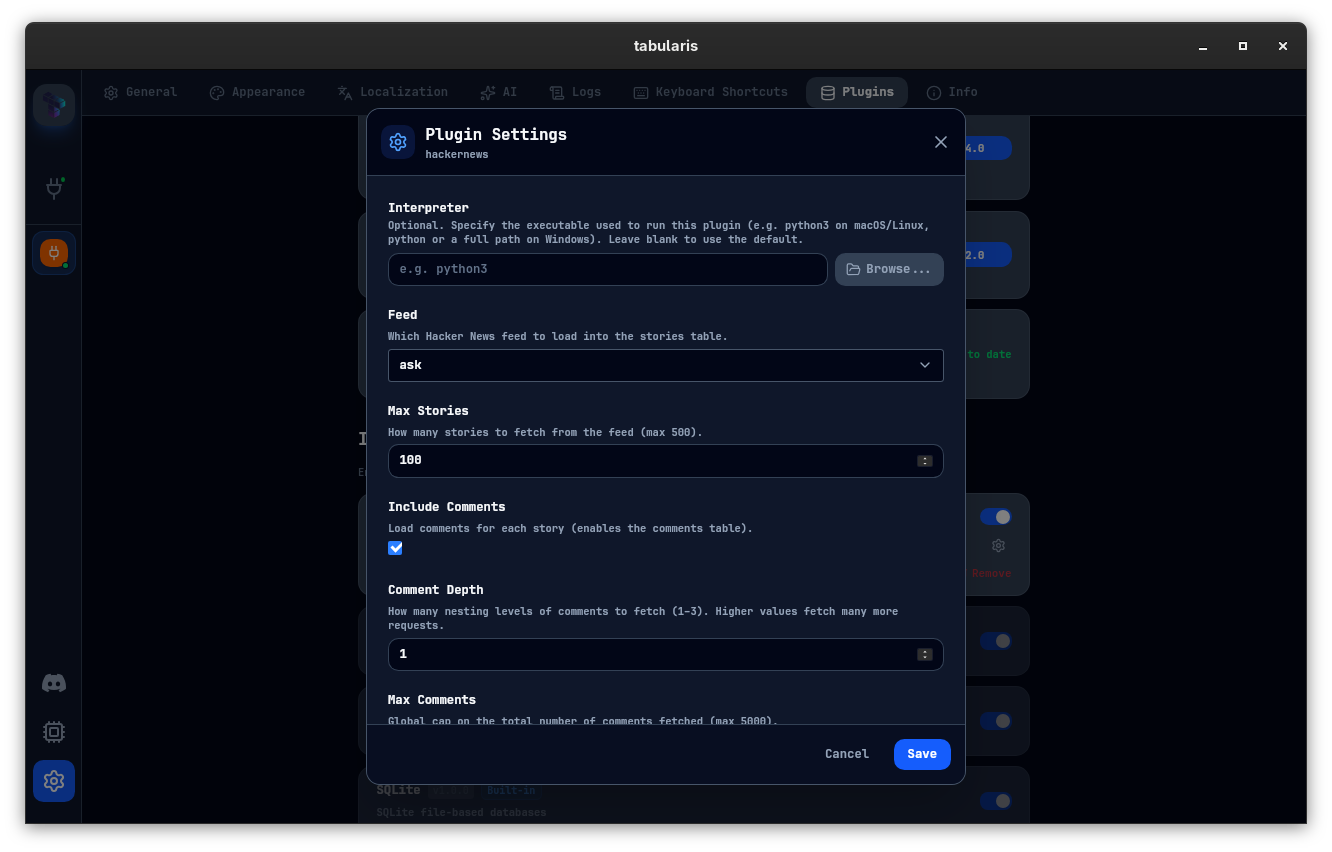
Call timeout and cancellation
Since v0.26.0 the time Tabularis waits for a plugin to answer a single call, queries included, is configurable instead of a fixed 120 seconds. Settings → Plugins → Plugin runtime → Call timeout sets it for all plugins (default 120, 0 disables the limit), stored as pluginCallTimeoutSeconds in config.json. Each plugin's settings page has its own Call timeout override, stored as plugins.<id>.callTimeoutSeconds: blank inherits the global value, 0 disables the limit for that plugin only. A change to the global value applies to the next call without restarting the plugin; saving a plugin's own settings page restarts that plugin. Plugin initialization keeps a separate 15-second limit.
When a call times out, the host sends the plugin a cancel notification for that request id (see Cancel Notification), so a plugin that supports it can stop the statement on the server instead of leaving it running.
Video unavailable